


ADDING A WEBSITE AND INSTALLING THE UNITALK SCRIPT ON IT
Your website is a crucial sales engine, but to maximize its potential, you need to seamlessly connect it with your telephony system. Installing the UniTalk script is the key step toward automation and gathering objective data. This single script provides two major benefits: it enables the Click to Call button (allowing clients to request a call instantly) and activates Call Tracking, which reveals exactly which ad campaigns drive calls. This saves your advertising budget and increases the speed of interaction with customers. Let’s get started with the setup!
Create a script for the site in the UniTalk account.
1. Go to the “Sites” section of the UniTalk account and click “Add site”.
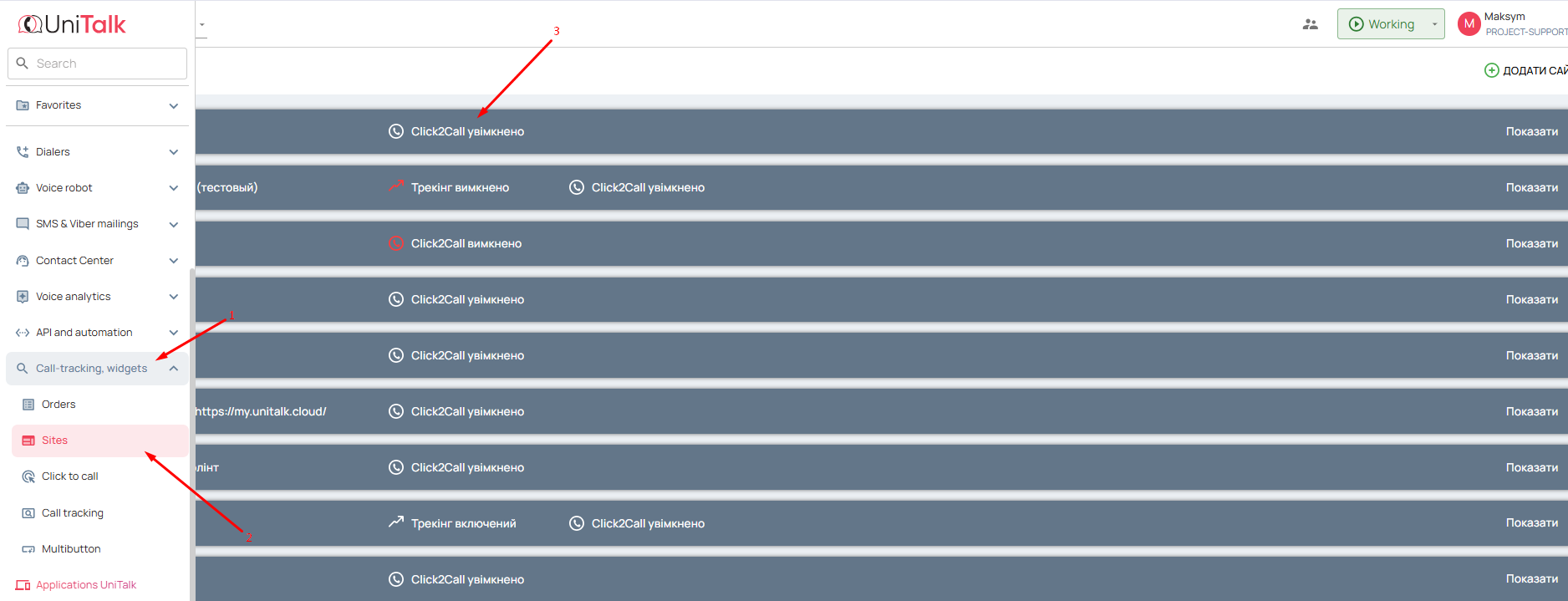
2. Provide a link to your website and click “Create”.

3. Done, the script is created.
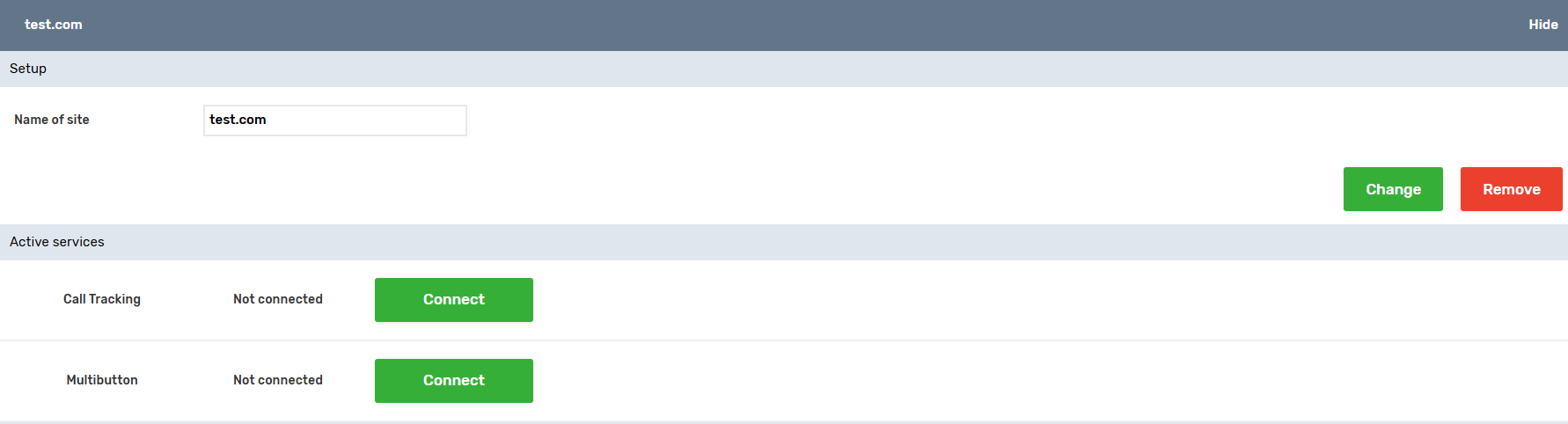
The UniTalk script is common for Click to call (button to order a call from the website) and Call tracking.
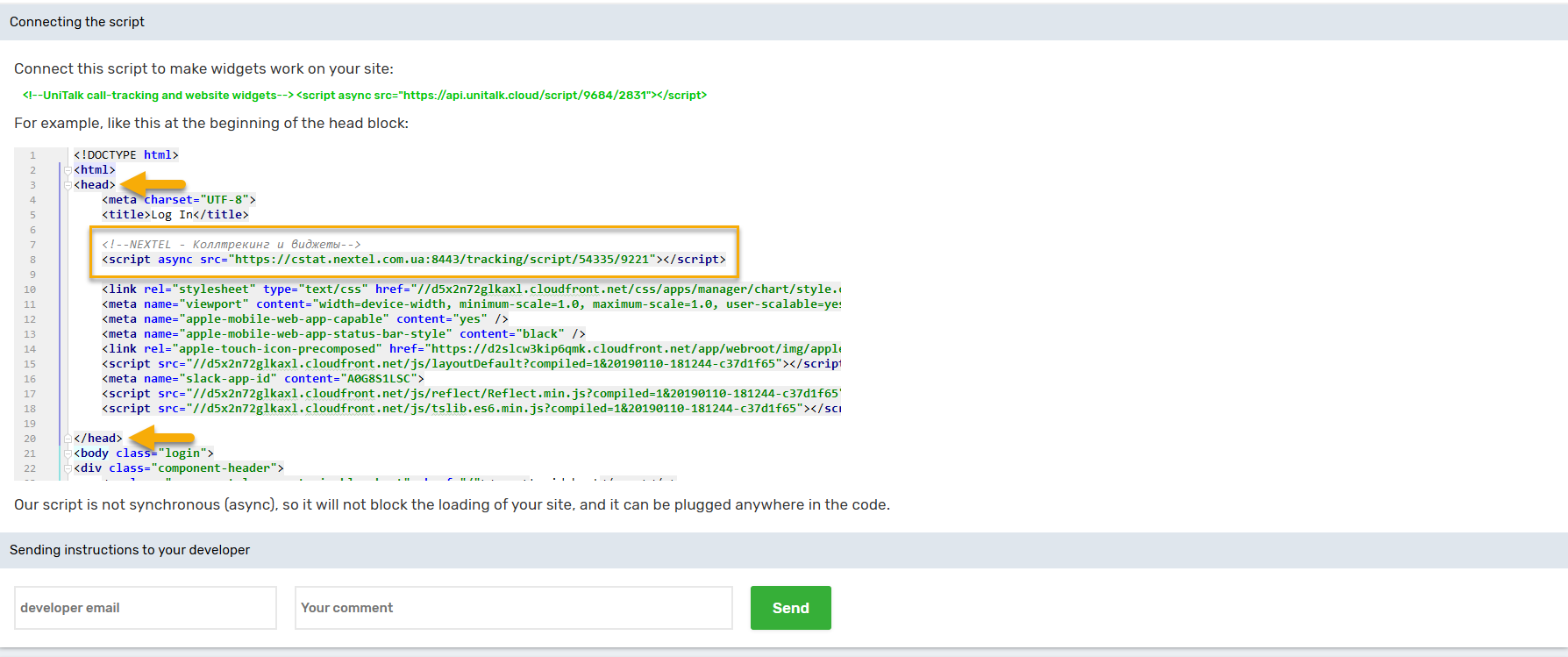
Install the script in the website code.
You can use the form to send the script along with the installation instructions.
To do this, specify the email of the site developer, you can write a comment, for example, “Anton, please install this script on the site http://companysite.com/” or something similar, if necessary.
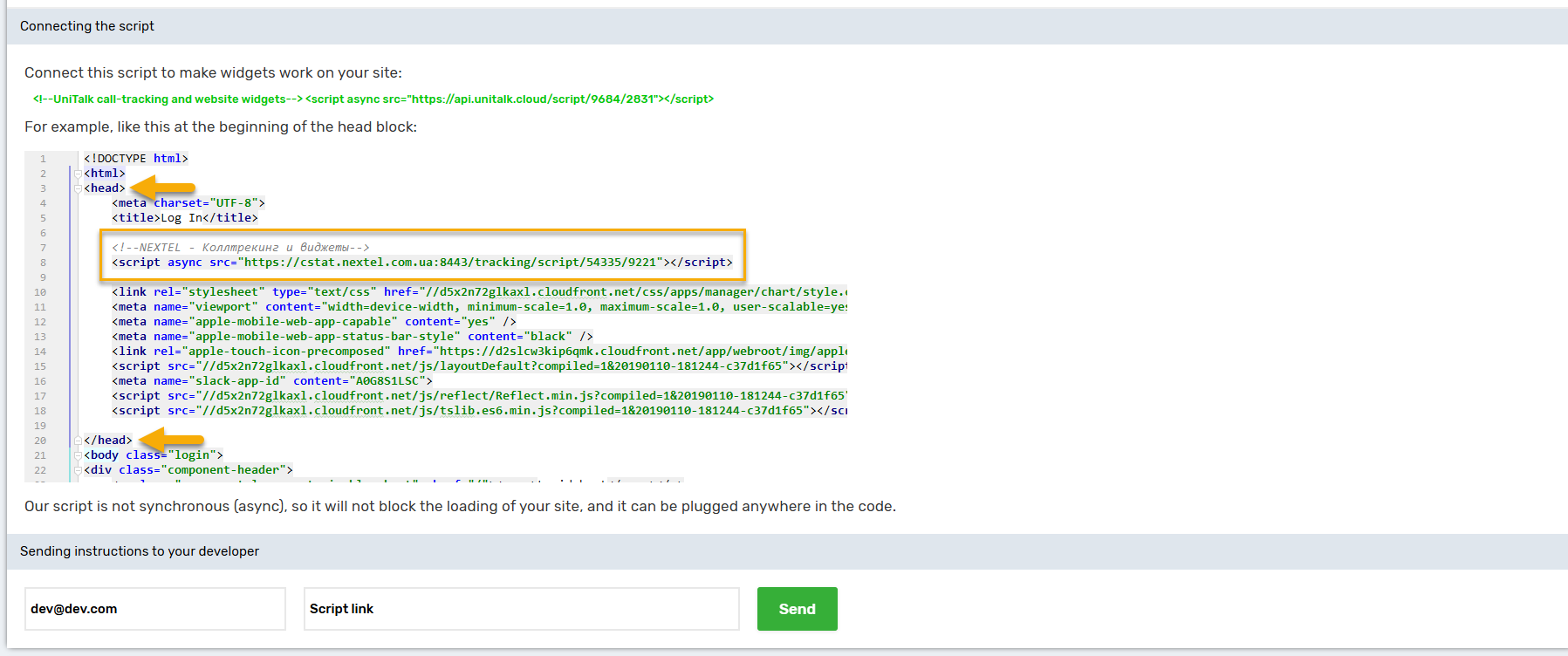
You can also install it on your site yourself through the site code or Google Tag Manager.
To install it yourself, copy the script and paste it on all pages of the site between the <head> and </head> tags. If you do not know how to do this, please contact your website developer for help.
Fantastic! The script is successfully created, and the final step is its installation. What’s the benefit for you? You now have a powerful tool that converts website visitors into real leads. You can fully control your marketing spend, as Call Tracking (positioning: helps you understand which advertising campaigns truly work) provides clear figures, while Click to Call ensures a rapid customer response speed. Remember that for accurate Call Tracking, each unique website needs its own unique script. If you need help with installation (especially via Google Tag Manager), our support team is ready to guide your developer.



