


Blacklist. How to prohibit calls from specific phone numbers
Unwanted calls and spam not only distract your managers from important work but also reduce the overall efficiency of your sales or support department. UniTalk gives you full control over incoming traffic. Using the Blacklist feature, you can quickly and reliably block any unwanted numbers. This ensures that your employees spend their time only on real clients, and you protect your business from unnecessary noise.
INSTRUCTION: Blocking Unwanted Numbers
If you periodically receive calls from unwanted numbers, you can quickly set up restrictions by adding these numbers to a specific (black) list.
To do this, follow these simple steps:
- Log in to your project in the UniTalk personal account.
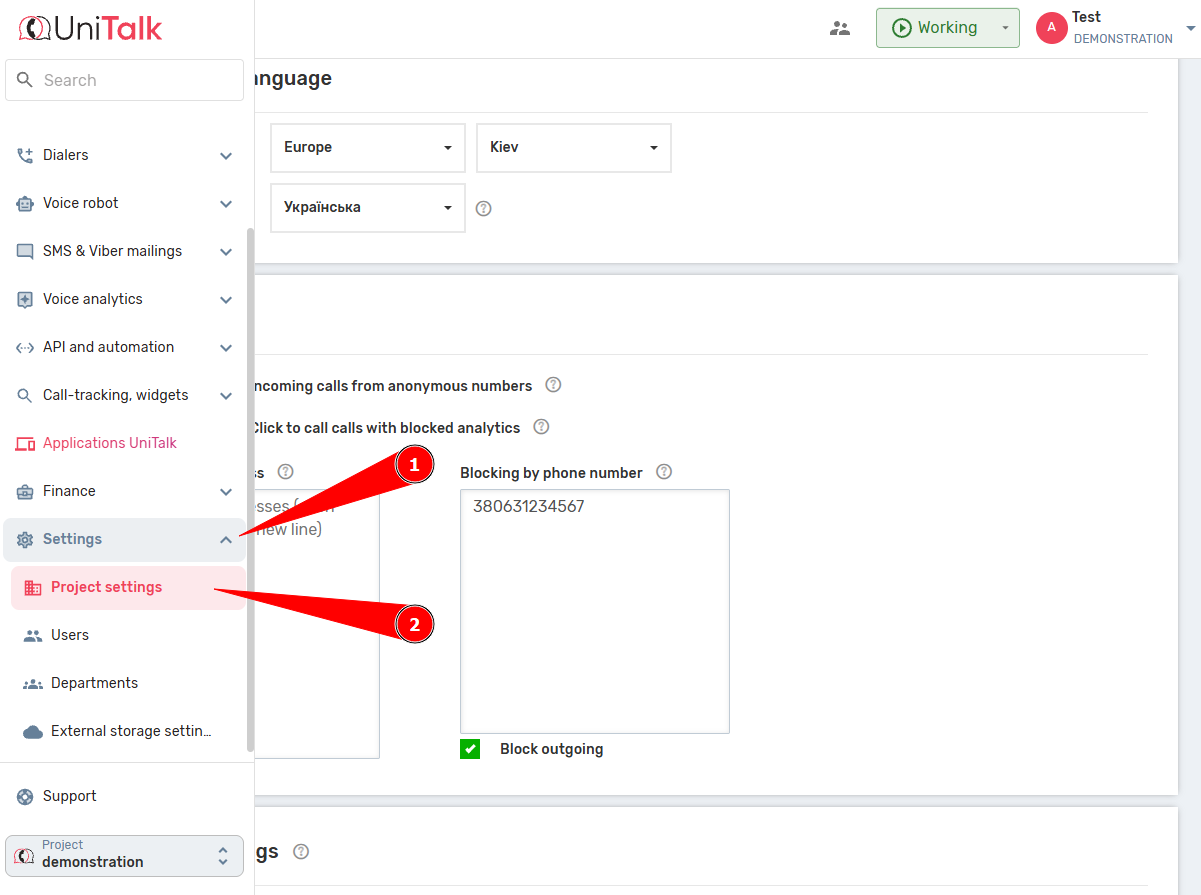
- Go to the section “Settings” – “Project Settings”.
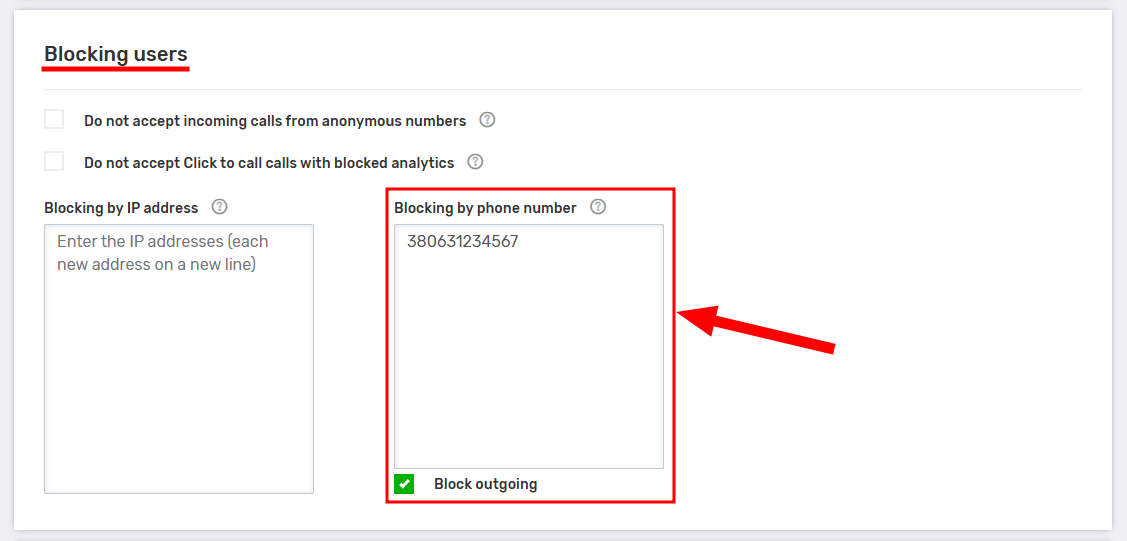
- Find the “Blocking by phone number” field and enter the numbers you want to block.
Important: Add the information as follows: write the numbers with a prefix in international format (for example, for Ukraine – 380XX XXX XX XX). One number should be specified on each separate line. There are no restrictions on the number of specified numbers. - After entering all the necessary numbers, you must click the “Save” button.
Thanks to the Blacklist, you instantly increase your team’s productivity by eliminating calls that bring no value. This small yet effective tool is part of our policy to ensure stable, clean, and controlled communication for your business. Now you can be confident that every incoming call is a potential lead, not just another piece of spam.



