


Connect and configure integration with NetHunt
NetHunt is a CRM system for large and small businesses that is designed to automate business processes, organize a sales funnel and database, structure tasks, and monitor team performance.
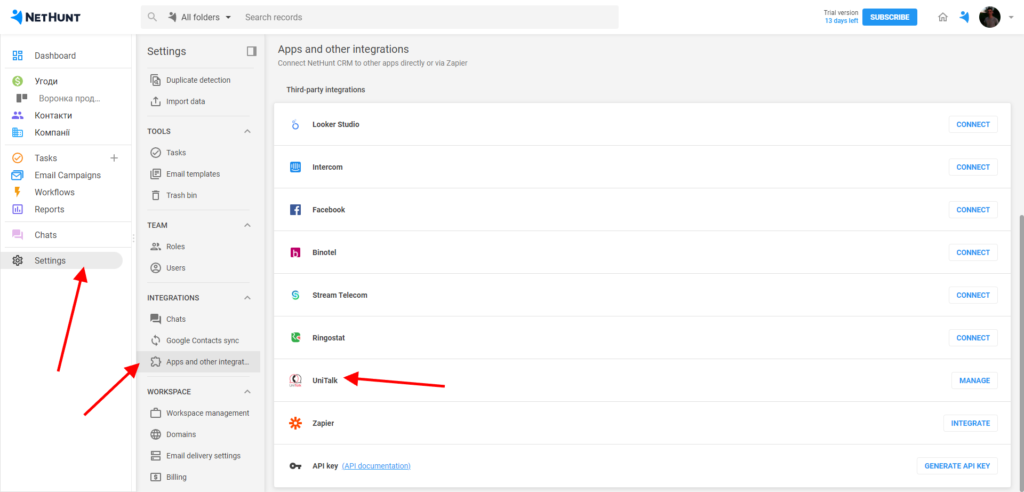
- To set up the integration of UniTalk IP telephony with the NetHunt CRM system, go to the “Settings – Applications and other integrations – UniTalk – Integrate section in your personal account”.
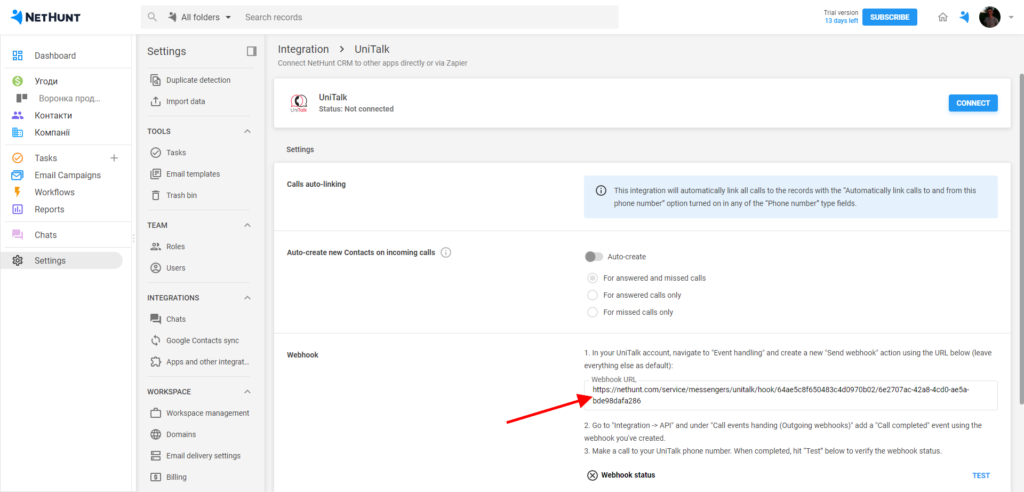
2. Copy the link to the webhook.
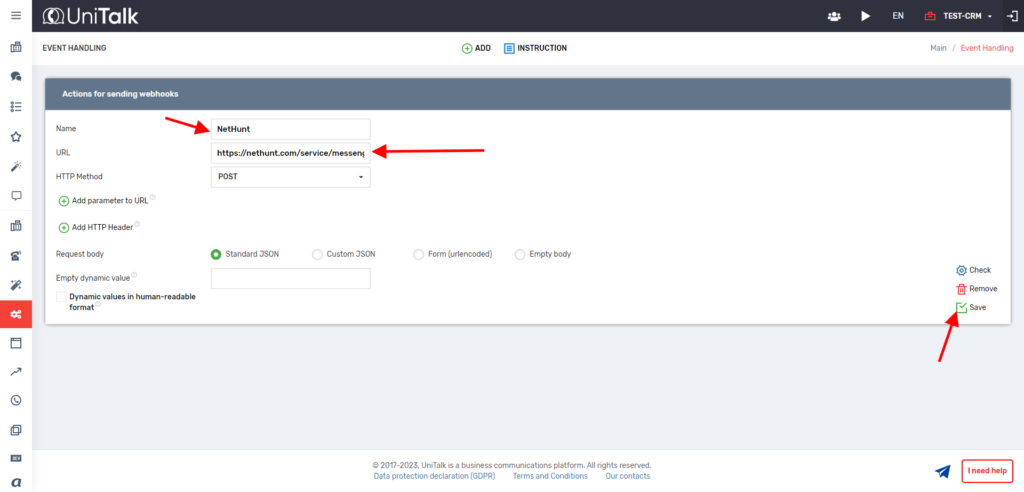
3. Go to your UniTalk personal account, go to the section “Integration – APIs – Call event processing (webhooks) – Create new”.

4. Click the Add new action button. Next, write a name and paste the copied webhook into the URL field. Click the Save button.
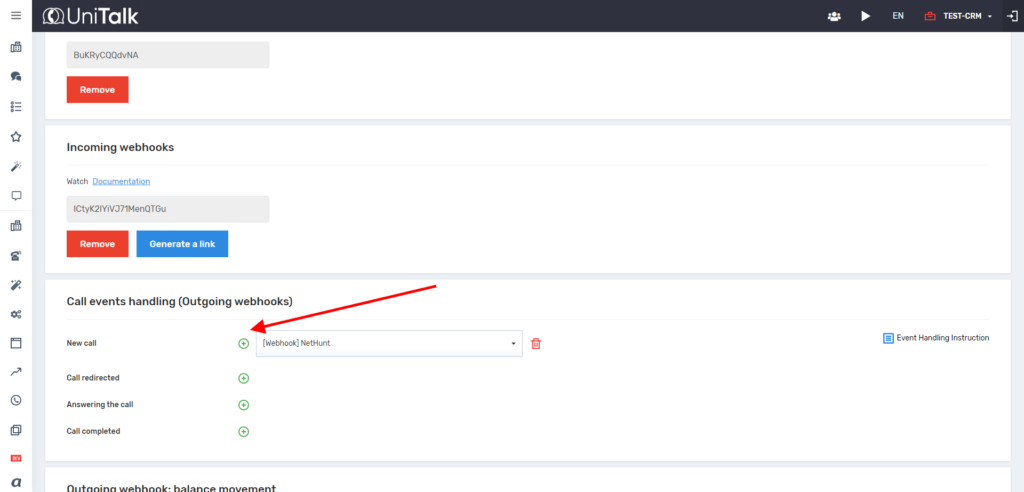
5. Return to your UniTalk personal account. Go to the section “Integration – APIs – Call event processing (webhooks) – Call ended”.
6. Copy the API key.
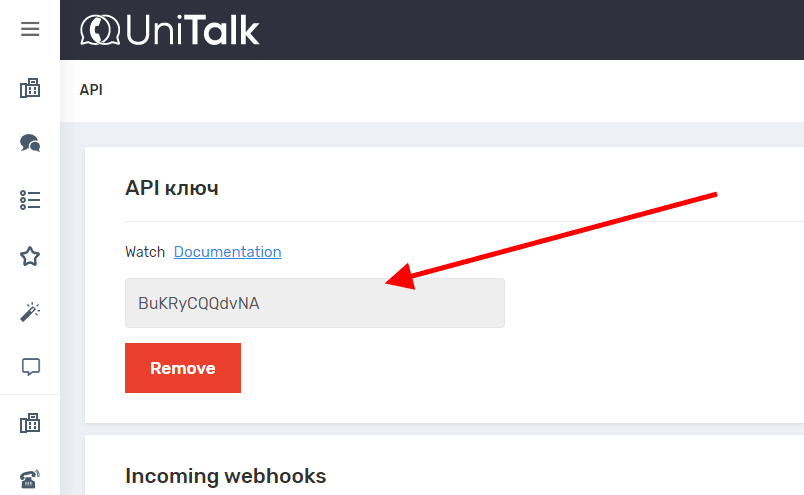
7. Return to your NetHunt account and go to the integration settings. Paste the copied API key.
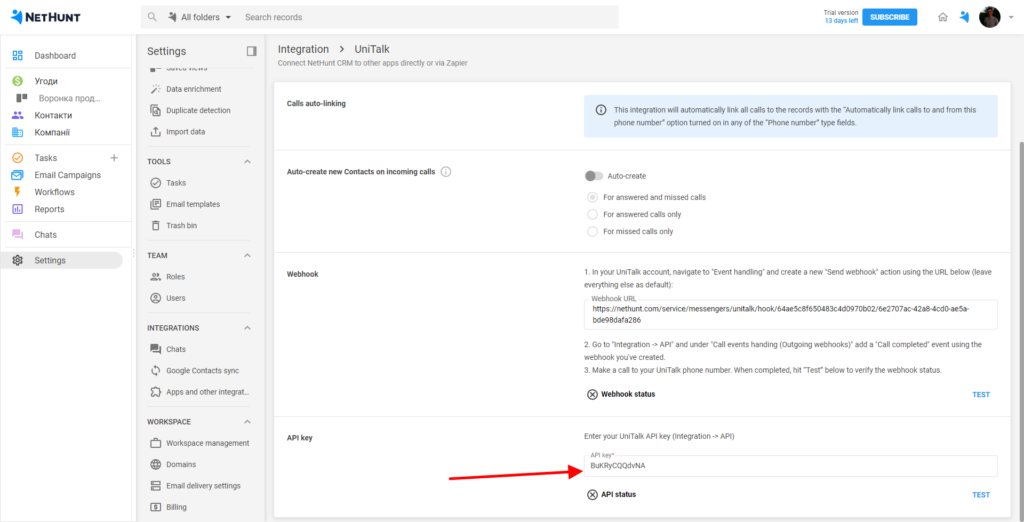
8. Check the settings. To do this, make a test call to your UniTalk number, press the two “Test” buttons next to the “Webhook status” and “ARI status” fields.
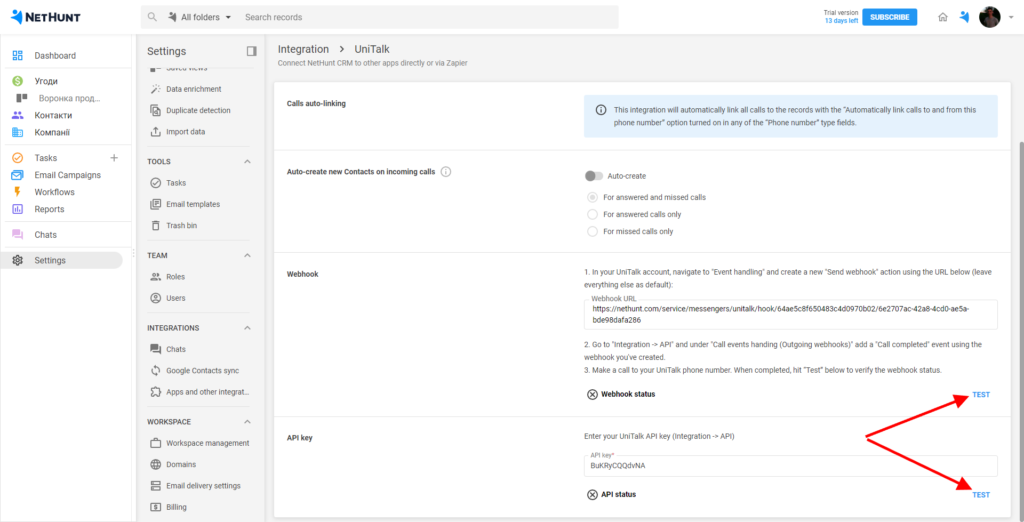
9. When the two tests turn green, click the Connect button.

Congratulations! You have set up UniTalk integration with NetHunt.



