


Connecting and configuring UniTalk IP telephony integration with Clinica Web
Integrating UniTalk IP-telephony with Clinica Web enables medical centers to automate reception workflows and enhance patient service quality. Through system synchronization, administrators can instantly view patient profiles during incoming calls, allowing for personalized communication, faster appointment scheduling, and reduced manual data search time.
To set up integration with Unitalk you need to perform the following steps:
1. You need to create an event handler directly in the telephony cabinet (example below):

- In the field “URL” – you need to enter the link to the clinic (your site of Clinica Web program) in the format “https:demo.medakadem.com.ua/api/Unitalk/Push”, where demo – replace with the domain of your clinic in Clinica Web program;
- You must select “Specified JSON” in the “Request Body” field;
- In the “JSON” field – you need to insert the following text without changes:
{

"Event": "{{EVENT}}",

"Call": {

"CallId": "{{CALL_RANDOM_ID}}",

"Direction": "{{CALL_DIRECTION}}",

"Date": "{{CALL_START_TIME}}",

"ExternalNumber": "{{PHONE_NUMBER}}",

"InternalNumber": "{{ANSWERED_OPERATOR_NUMBER}}",

"DidNumber": "{{OUTER_NUMBER}}",

"Billsec":"{{CALL_SECONDS_TALK}}"

}

}
- The last step in this item is definitely to click on the “Save” button.
2. In the menu item “API and automation” → “API“ you need to specify the event handler created in the previous item for such events: “New call”, “Answering the call”, “Call completed” – as shown in the picture below.
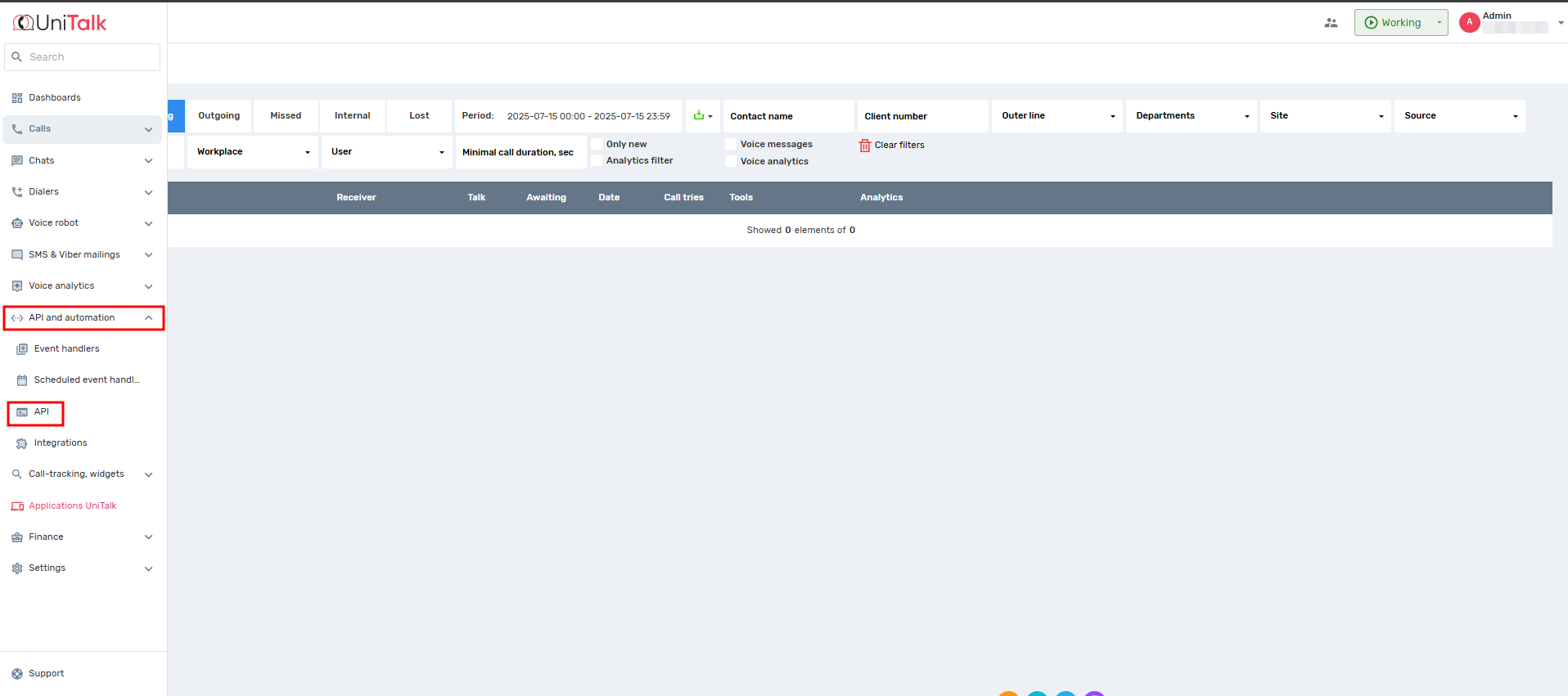
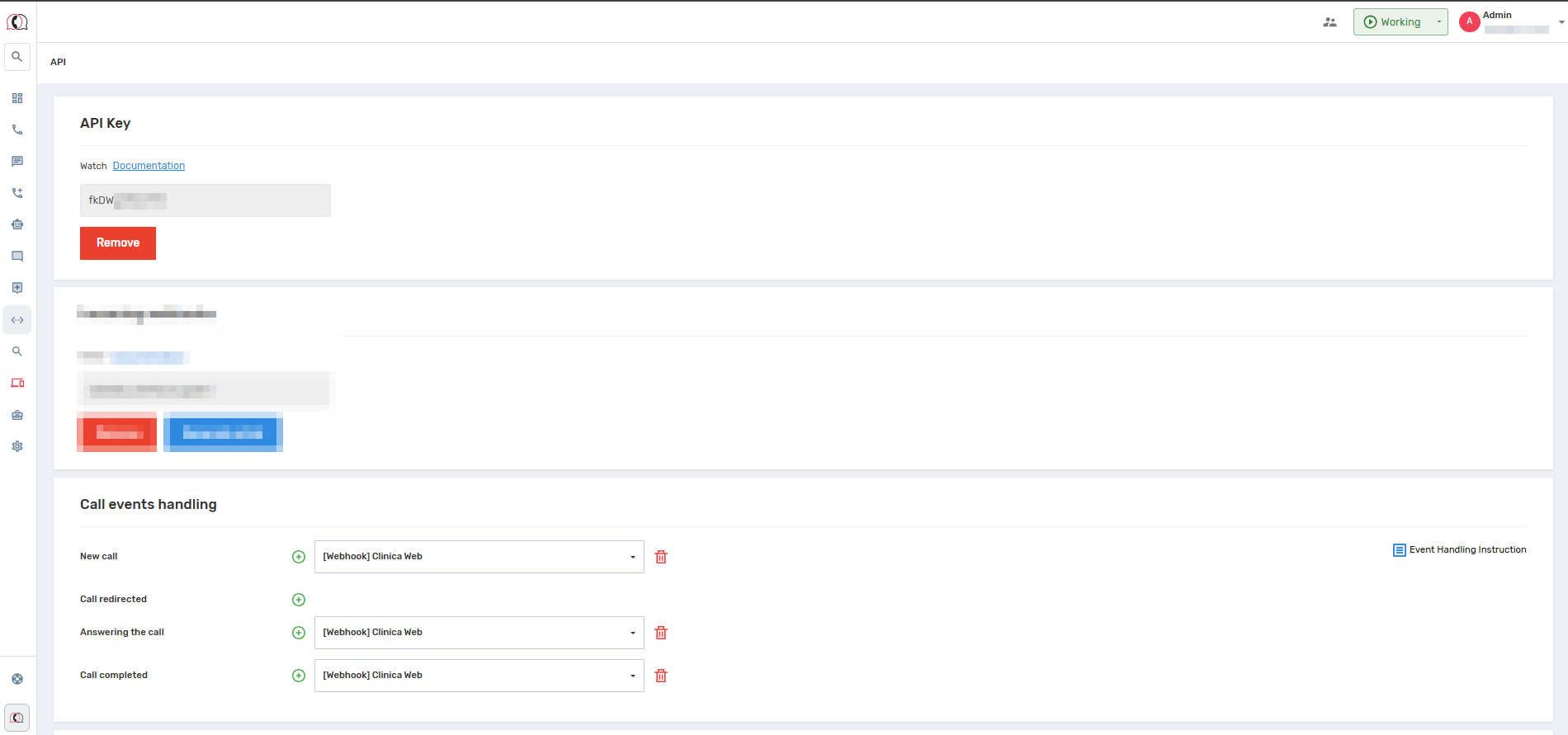
3. Next, you need to copy the API key and create an application for Unitalk technical support connection: this can be done in 2 ways:
- In the “Clinica Web” program, click on the “Question Mark” button – “Create Application”:
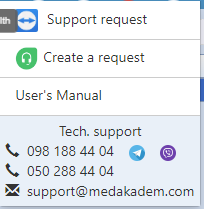
Or send it to support@medakadem.com, where you must specify the API key, the name of your medical institution and provide screenshots of the previous two items.
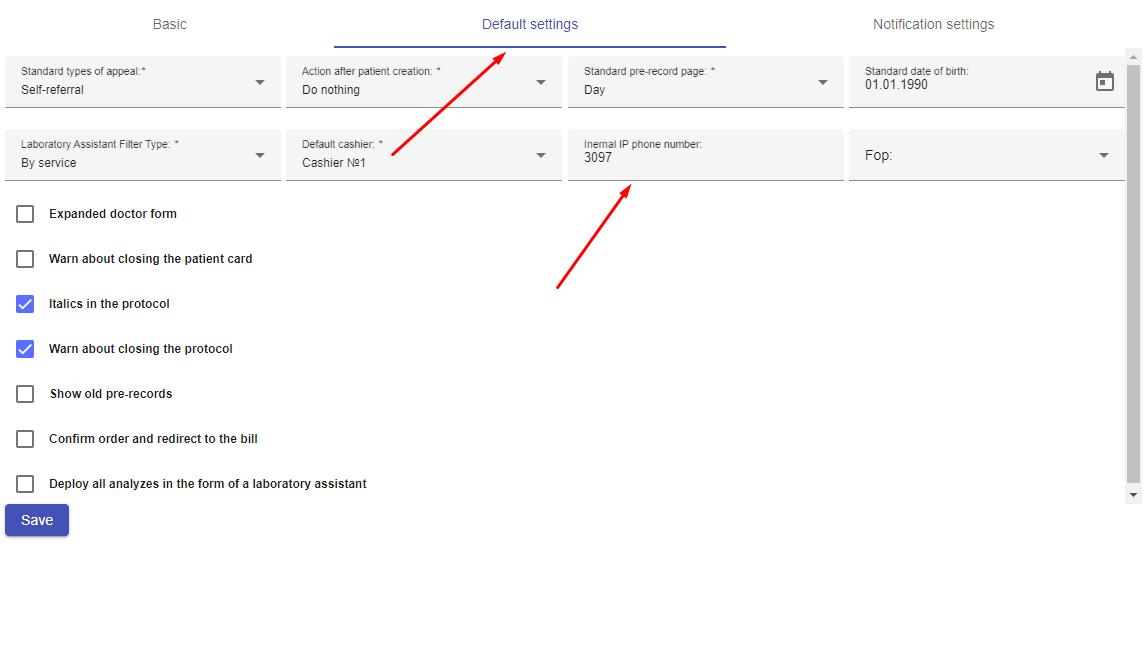
4. Add an internal SIP line number to call directly from Clinica Web:

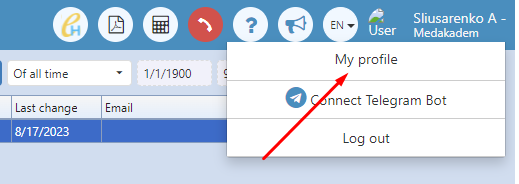
Your Clinica Web is now connected to telephony, providing your clinic with objective data for every inquiry. Process automation reduces staff workload and minimizes the risk of missed calls during peak hours. If you have any questions regarding event handler setup or API key activation, UniTalk technical support is available 24/7.



