


Establishment of an employee department
For your IP telephony to operate as a well-oiled machine, ensuring customers always reach the right manager quickly, proper team organization is critical. Random call distribution leads to missed leads and frustrated clients. That’s why we created the “Departments” feature. It’s a straightforward way to group managers by function (Sales, Support, Trainees) and set up smart routing. A few clicks will bring order, boost your team’s response speed, and improve overall stability. Let’s dive into the setup!
Creating a department.
Let’s create a group of employees to connect customers with when they pick up the phone.
1. Go to the UniTalk cabinet section – (1)Settings – Departments(2).
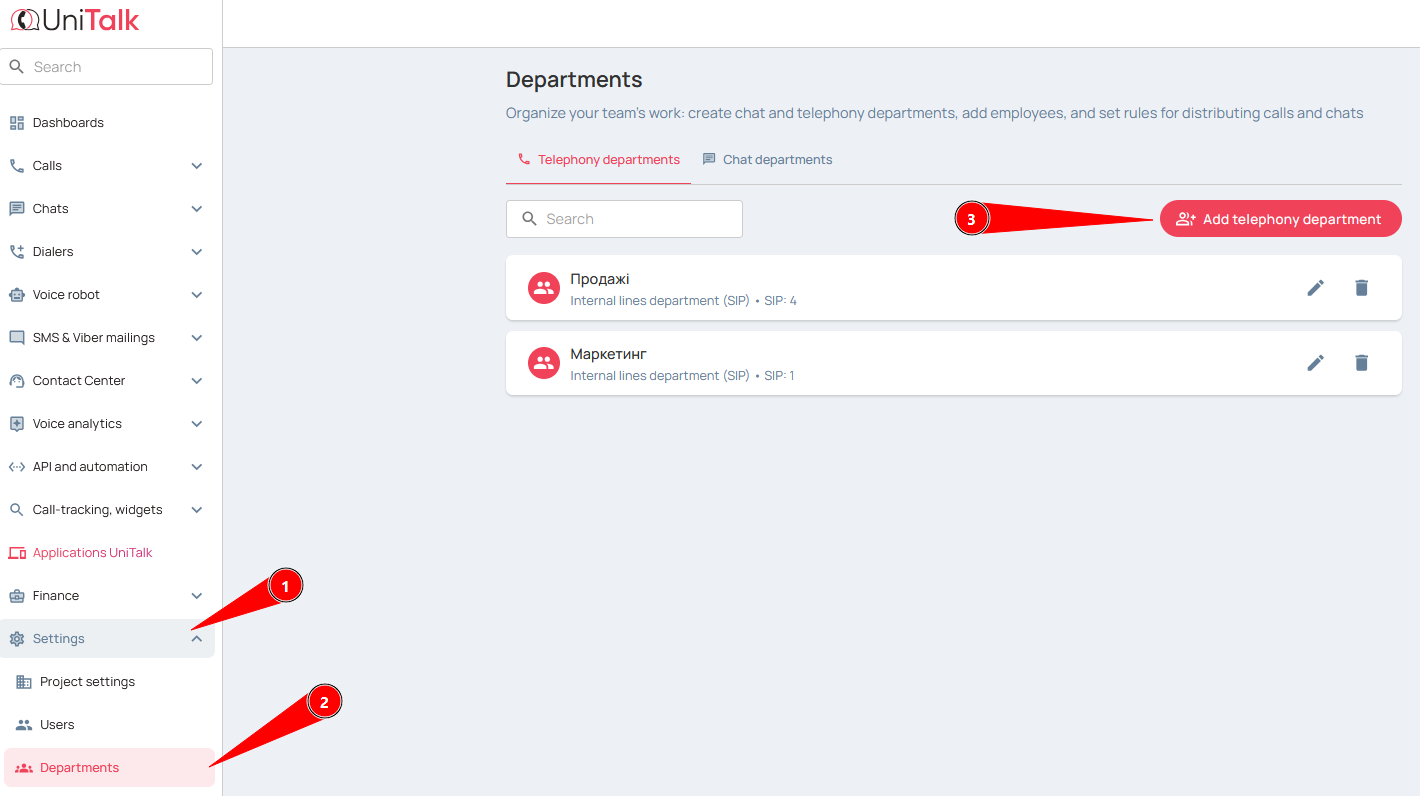
2. Click the “Add Group” button (3);
3. Specify the name of the group. The name has no technical meaning, it is needed to understand which employees’ lines are in which groups;
Examples of names: “Department #1”, “Elena’s team”, “Operators 3rd floor”, ‘Trainees’, “HARD department”.
4. The default will be “Internal Line Group (SIP)” – just don’t change it;
5. Enter the speed dial number. This is not required, but allows you to dial this number on any SIP line and call all lines in that group at the same time;
6. Click “Select Line” and specify a line from the list of available lines.
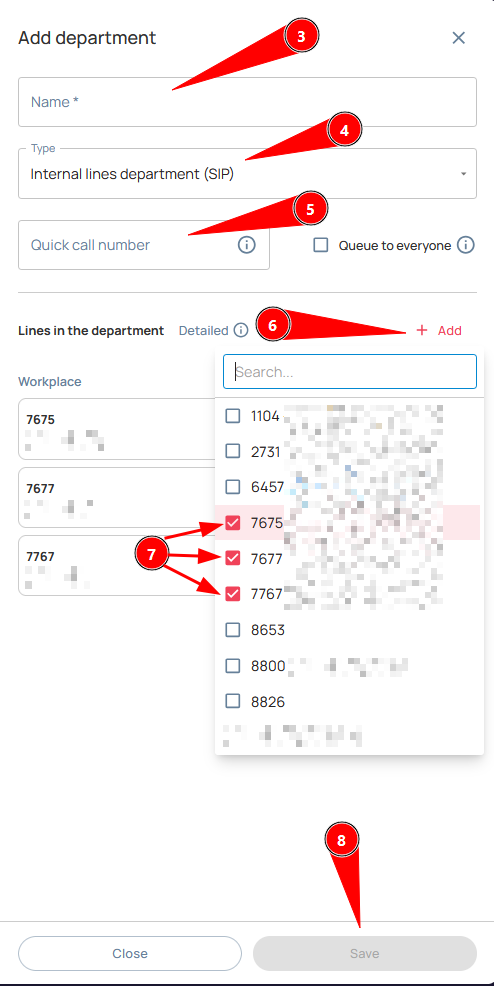
In the list, select the lines of all employees to which calls should be received;
8. Save the changes.
All done! Your employees are now grouped into logical departments. What’s the benefit for you? You gain a key advantage: ultimate control over call distribution. This means clients are no longer stuck waiting on the line, and calls are distributed evenly among your team, maximizing agent productivity. The next step is to use this Department in your call scenarios, directing clients straight to, say, “Elena’s team,” instead of a random operator. This is what true automation looks like. If you have any questions about integrating Departments into your call flows, our 24/7 technical support is ready to assist.



