


🔔 How to set up low balance notifications
Your System Won’t Shut Down Unexpectedly
The main enemy of efficiency is surprise. And a sudden cutoff of outbound calls due to a zero balance is one of the most unpleasant surprises.
UniTalk offers a simple tool to ensure proactive stability: automatic low balance notifications. Set up this feature once, and you will always have enough time to top up your account and guarantee uninterrupted outbound communication.
Here is how to set a financial “safety net” for your project:
If you use UniTalk numbers for outgoing calls, it is very important to keep track of the balance of the project so that outgoing communications are not interrupted.
For these purposes, we have added the ability to receive automated notifications if the project balance drops below a certain amount.
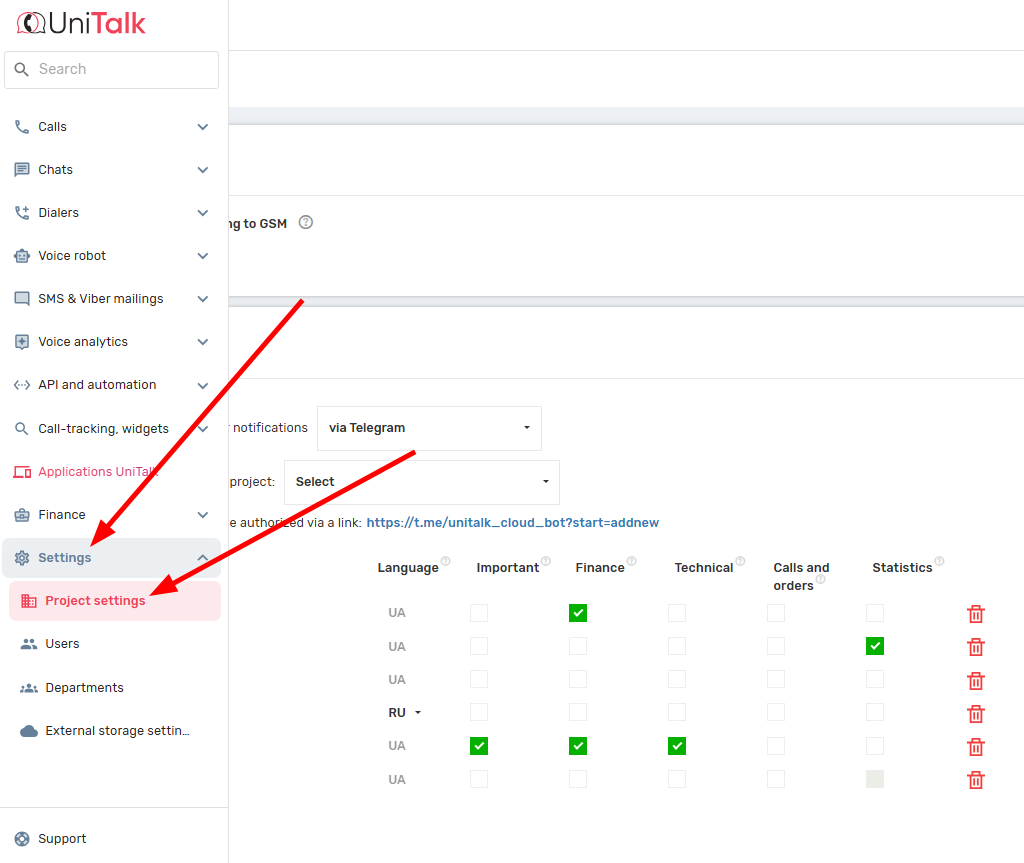
To do this, you need to go to the “Setting” -> “Project settings” section and in the notification settings check the box “Warn about low balance”. Below you can set minimum amount, upon reaching which you will receive a notification.
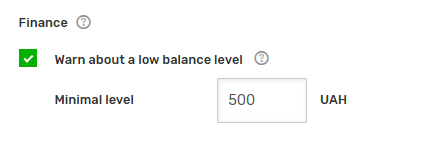
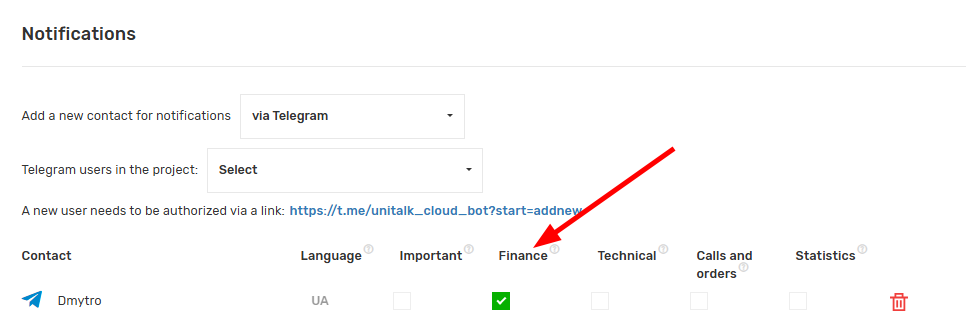
The notification will be delivered to an email or Telegram that has the “Finance” checkbox next to it.
After making all the changes, do not forget to click the “Save” button at the bottom of the page.
Uninterrupted Communication — Always
You have just configured a vital element of financial control and stability.
- Prevent Downtime: You will always receive timely alerts, minimizing the risk of stopping outbound calls.
- Peace of Mind: No need to manually check your balance daily anymore.
- Proactivity: The system works proactively, ensuring the stability of your business.



