


How to Set Up Speech Synthesis in UniTalk: A Step-by-Step Guide
The need for fast personalization and updating of voice messages is no longer limited by time for studio recording or budget for a voice actor. Speech Synthesis (Text-to-Speech, TTS) from UniTalk is an intelligent tool that instantly generates audio from your text, mimicking human speech with intonations and pauses. This gives you the ability to quickly create dozens of unique greetings, update IVR menus, and run mass outbound calls with maximum natural sound quality. Explore our flexible tools and compare leading providers (including UniTalk Alfa) to ensure your voice sounds flawless.
1. Audio synthesis on the “Audio synthesis” page
In the “Audio Synthesis” section of your personal account, you can create your own audio files from text and immediately add them to the functionality you need: in incoming scripts, voice menus, calls, ringtones in the queue with accompaniment, and in API calls.
The text that you want to convert to audio can be in either the usual format or in SSML format.
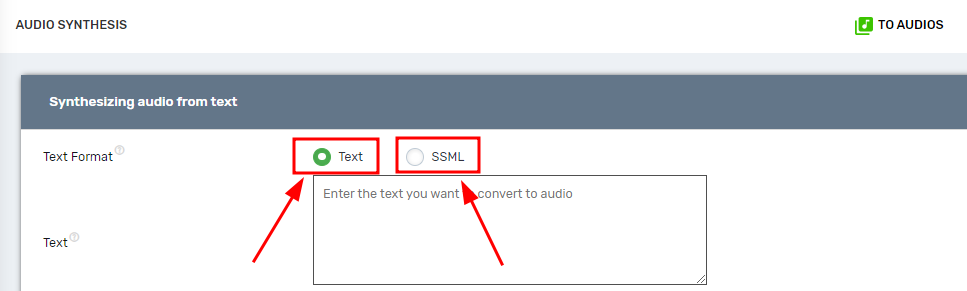
SSML (Speech Synthesis Markup Language) is a markup language for speech synthesis applications that allows you to fine-tune the voice of the text.
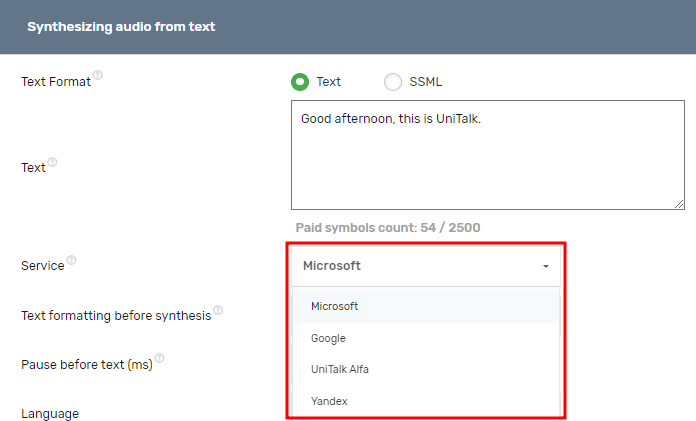
You can also choose the service through which speech will be synthesized. The list of available services includes Microsoft, Google, UniTalk Alfa, and Yandex.
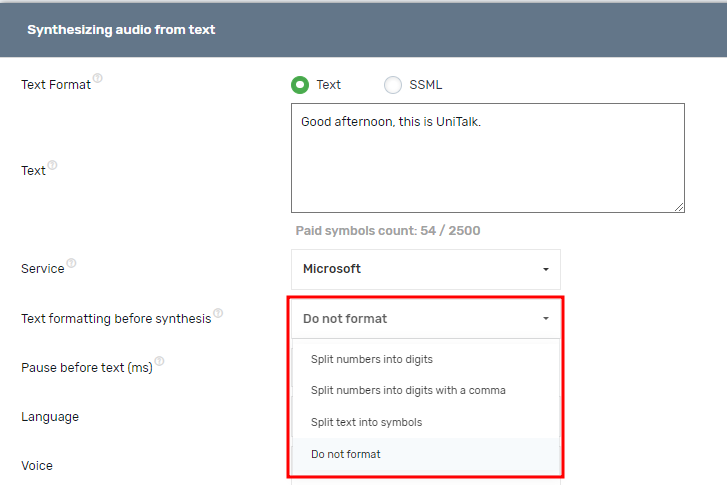
You can also format the text before synthesizing it. The formatting includes splitting the number into digits or decimal places, splitting the text into characters. The setting does not work for synthesizing text in SSML format. It is also worth noting that the type of formatting will affect the number of paid characters.
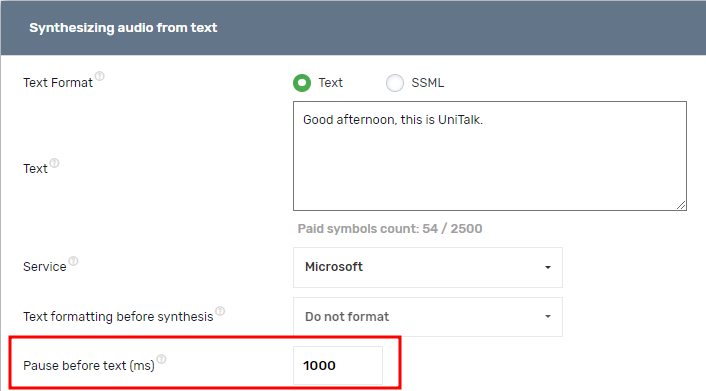
Here you can choose a pause before the text, which is measured in milliseconds. 1 second = 1000 milliseconds. The length of the pause also affects the number of paid characters.
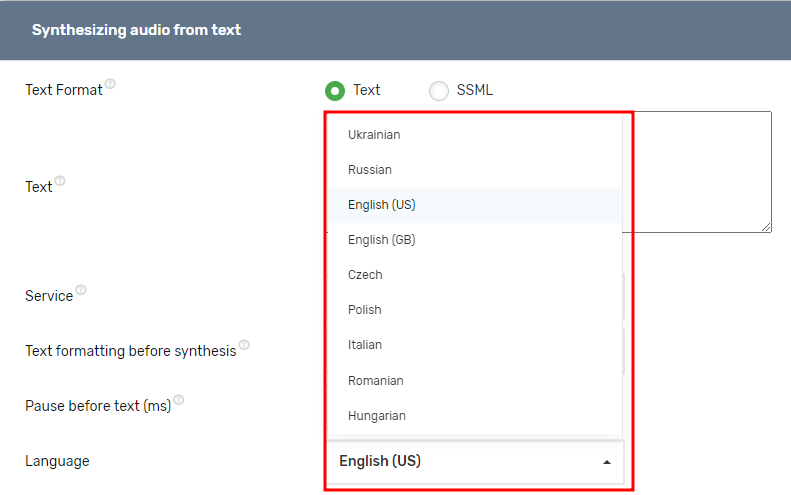
It is also possible to choose the language in which the text you enter will be voiced.
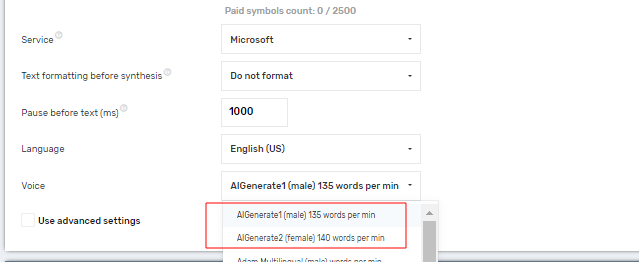
You can also choose the voice variant that will be used to read the text.
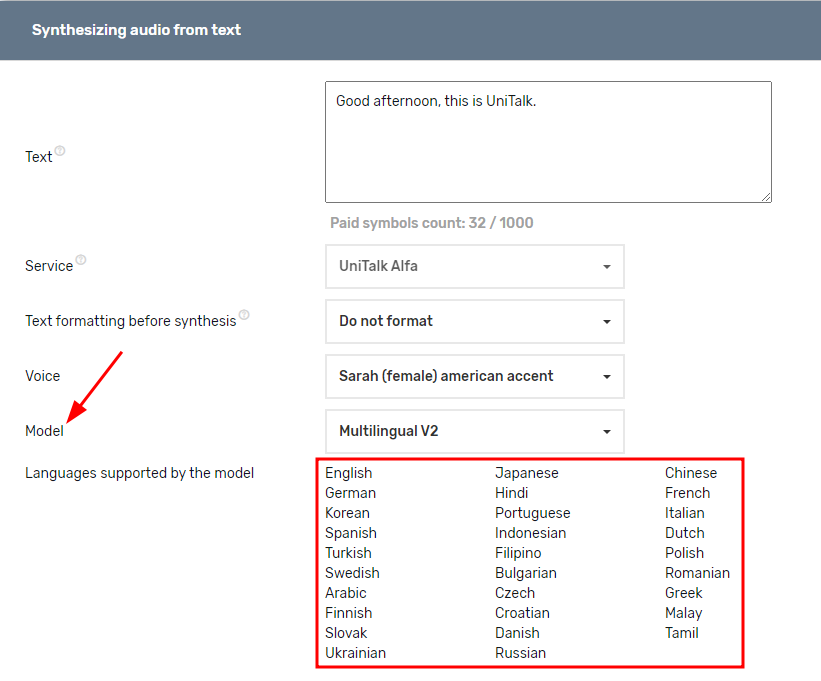
It is worth noting that the UniTalk Alfa service also offers a choice of models and a larger number of supported languages.
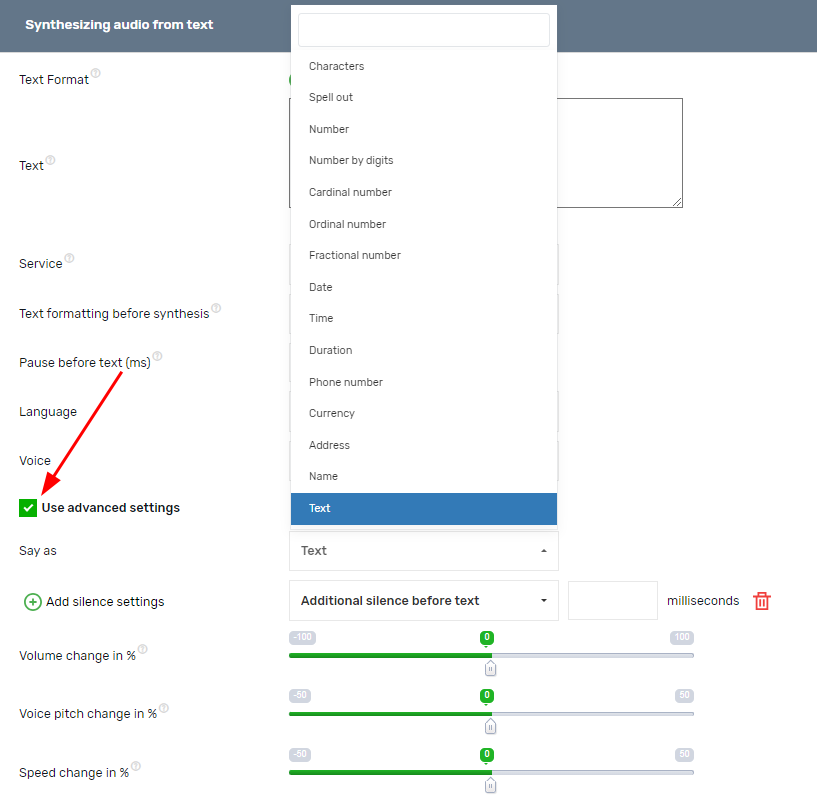
One of the advantages of speech synthesis is the ability to use advanced settings. These settings include adding additional silence before the text, after the text, before punctuation marks, between sentences, as well as the ability to change the volume, pitch, which will allow the voice to sound lower or higher, and the ability to change the speed of reading the text. In addition, you can choose how the phrase you entered will be pronounced: as an address, currency, phone number, time, date, etc.
All these settings will help you to synthesize your text as close as possible to a real human voice.
It is also convenient that you can immediately see the cost of synthesizing the text you want to synthesize.
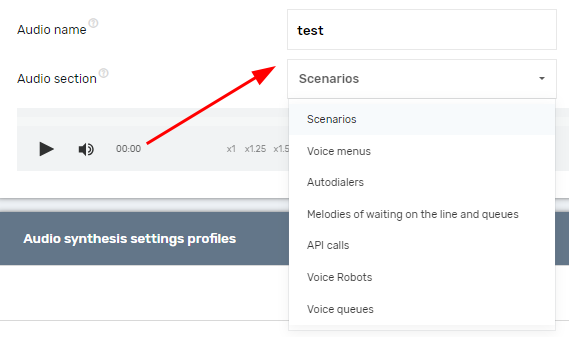
After you have entered the text to be synthesized, made all the necessary settings and clicked on “Synthesize”, you need to enter the name of the audio and select the section to which it will be added. It is important to choose the section where you are going to use the audio. If you add it to the Scenarios section, for example, it will not be available in other sections.
You can view the list of audio milestones, as well as the sections to which they have been added, in the “Audio files” section of your personal account.
2. Audio synthesis in autodialer and predictive dialing
Speech synthesis settings are also available in auto-calls. If you need to play different or partially different audios when calling different subscribers, you can add numbers to call along with a list of audios (audio id or voiceover text) – up to 5 audios, a maximum of 2 of which can be synthesized from text or SSML. If the call number is specified with a voiceover text, the audio will be synthesized before the call starts. Such audios are not displayed in the list of project audios and are stored for 1 week after the call is completed or for a maximum of 3 months. There are two ways to add a number to a call with a list of audios:
1. Through the API (documentation of the ADD_CALLS method)
2. When adding numbers from the xlsx file (with columns audio1, audio2, audio3, audio4, audio5) on the calls page.
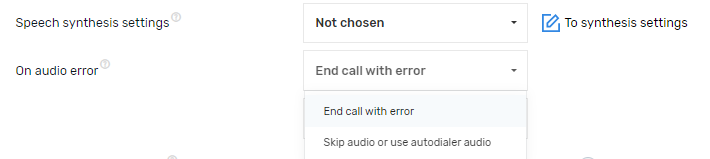
In this case, audio synthesis occurs literally during the call, so if an error occurs during audio synthesis, you can choose whether the call will end with the status “Audio error” or the general call audio will be used.
3. Audio synthesis in API calls
Audio synthesis is also available in API calls. When initiating an API call, you can specify a list of audio by entering the audio id or text that will be spoken. You can select up to 5 audios, a maximum of 2 of which can be synthesized from text or SSML. If text is specified, the audio will be synthesized before the call starts.
Example JSON request:
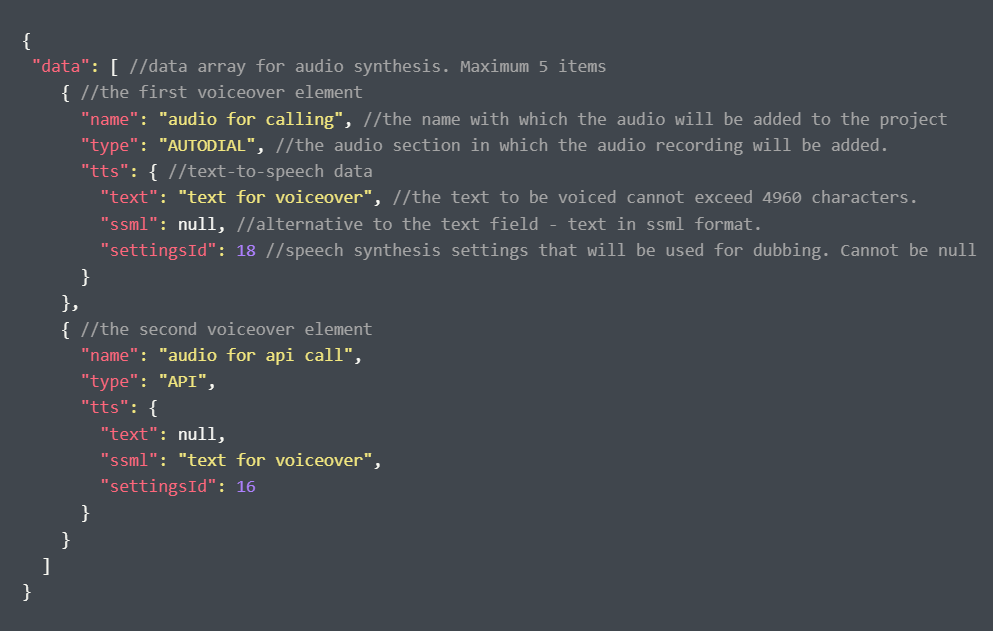
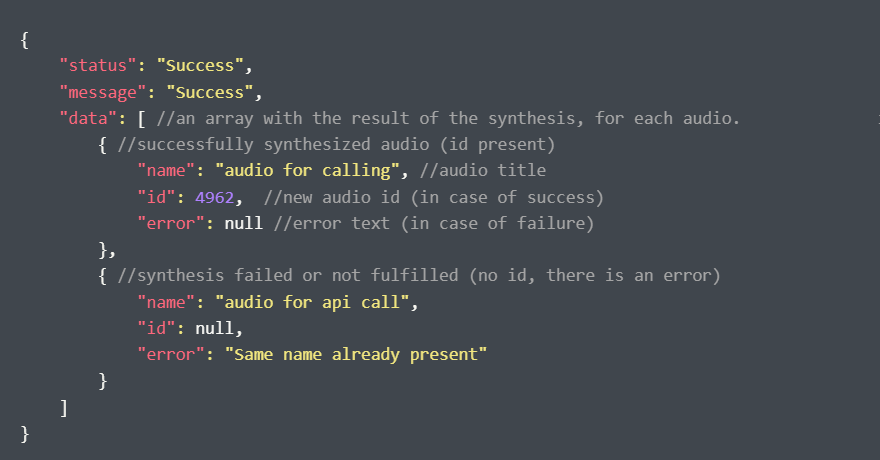
Example response:
4. Audio synthesis services
At this point, you can use speech synthesis services from Microsoft, Google, Yandex, and UniTalk Alfa.
Speech synthesis services from Microsoft, Google, Yandex, and UniTalk Alfa have a lot in common, but also differ in a number of ways, including voice quality, supported languages, customization options, and price.
1. Microsoft
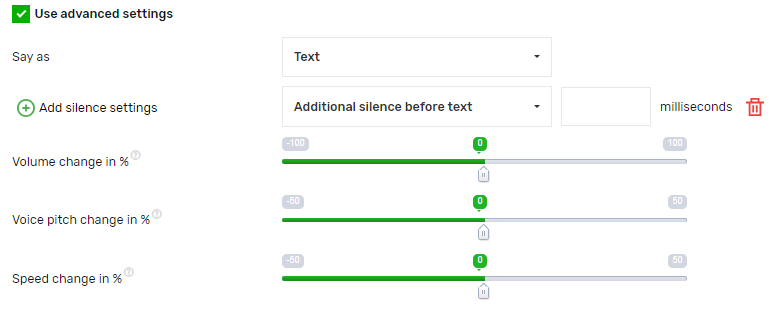
- Language support: Microsoft supports 9 languages, such as – Ukrainian, Russian, English (US), English (UK), Czech, Polish, Italian, Romanian, and Hungarian, offering at least a few voice options for each language.
- Voice quality: Uses neural networks to create high-quality and natural voices. It is also possible to customize voices for specific tasks.
- Functionality: The service offers functions for changing the pronunciation style, speed, and volume of speech, as well as changing the pitch of the voice. In addition, it is possible to specify the conditions of silence when reading out text.
2. Google
- Language support: Google, just like Microsoft, supports 9 languages such as – Ukrainian, Russian, English (US), English (UK), Czech, Polish, Italian, Romanian, and Hungarian, offering at least a few voice options for each language, but much more than Microsoft.
- Voice quality: Google uses advanced neural networks to create high quality voices. Recent models such as Tacotron 2 have achieved a significant level of naturalness.
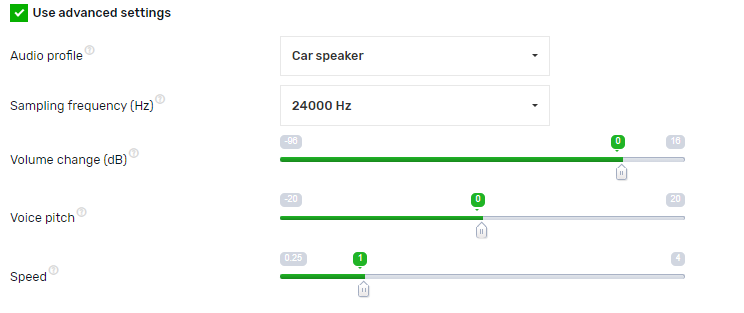
- Functionality: Google offers voice customization, such as changing speed, pitch, and volume. It is also possible to set the profile of sound effects applied to the audio and specify the sample rate (Hz).
3. Yandex
- Language support: Yandex supports only two languages, including Russian and English. This makes it less flexible than other services.
- Voice quality: Yandex uses neural networks to create voices that are quite natural, especially for the Russian language. Voice quality is optimized for Russian accents and pronunciation.
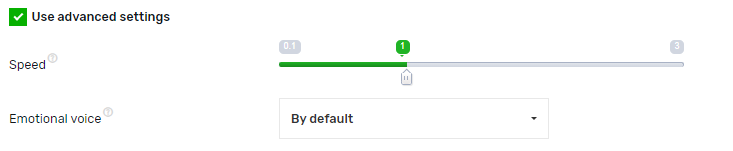
- Functionality: The service offers opportunities to change the speed and can imitate emotional tones.
4. UniTalk Alfa
- Language support: UniTalk Alfa supports 31 languages and different accents. Open up new communication horizons with multilingual support that covers the most common languages of the world and accents for each of them.
- Voice quality: Thanks to high-quality speech synthesis, UniTalk Alfa achieves the most natural and natural sound that is indistinguishable from a live voice. Whether you need a formal tone for business or an emotional style for advertising, UniTalk Alfa will provide an accurate reproduction of the desired voice.
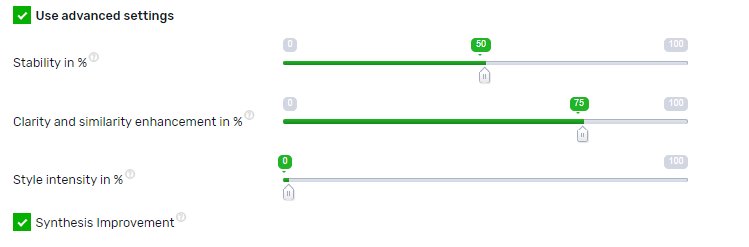
- Functionality: The service offers adjustments for stability, style intensity, clarity, and pronunciation similarity, allowing you to create customized solutions for any need. Support for unique settings that allow you to achieve maximum realism of sound, which is not inferior to a live voice.
Speech synthesis is a key tool for modern automation that saves you time and budget. Thanks to flexible settings (SSML, pauses, pitch) and the ability to choose from leading providers (including the multilingual and realistic UniTalk Alfa), you can create audio files that are practically indistinguishable from a professional voice actor’s recording. Use this technology for instant personalization of mass dialing campaigns, updating IVR menus, and ensuring continuous and natural communication with clients.



