Instructions for connecting and configuring UniTalk integration with Messageservice
TurboSMS implementation
API key: Go to the “Gateway (API)” section, then to “API Settings”. Enable the “HTTP API” option and copy the current token for authorization.

Name of the SMS sender: Go to the Senders section, select SMS Senders, and add a new sender name.
Viber sender name: Go to the Senders section, select VIBER Senders, and add a new sender name.
Setting up BSG
API key: Go to Settings, select API/SMPP Keys, click Generate Live API Key, and save the settings.

After saving the settings, all keys and passwords will be sent to your email.
Register a sender name for SMS and Viber: On the main page, register your sender name.
Setting up SMS Club
API key: Go to the “Manage” section, then to “Profile”, select “Token” and click “Get Token”.

Name of the SMS sender: Go to the Manage section, then to Alpha Names and apply for an alpha name registration.
Sending messages
Send messages from your call history by selecting the Send Message option in the phone number’s context menu.

Setting up access
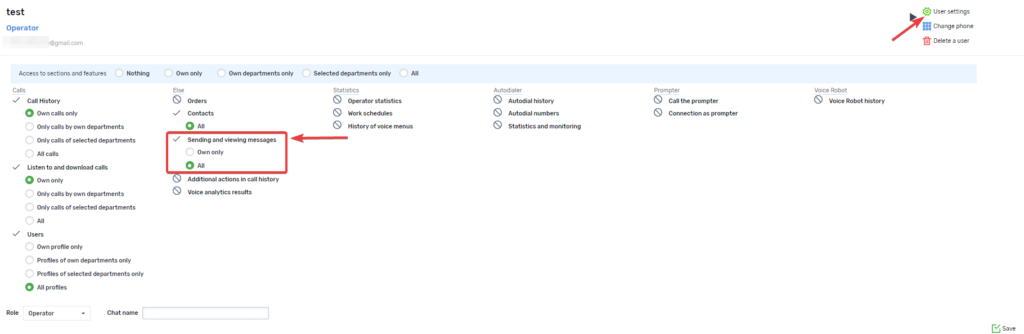
On the users page, you can restrict the ability to send messages, view message history, and messages of all users for operators and managers.
Sending a message using an event handler
You can send SMS messages and Viber messages using the event handler in calls that are called by a caller, as well as in calls with a voice menu.
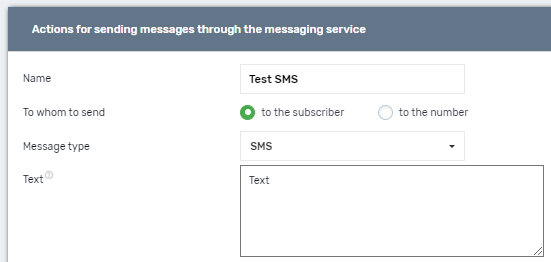
An example of a message sending action that can be added in the Event handling menu item.
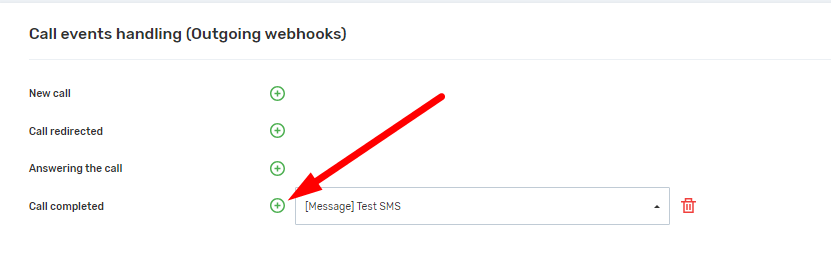
How to add an event handler in calls:
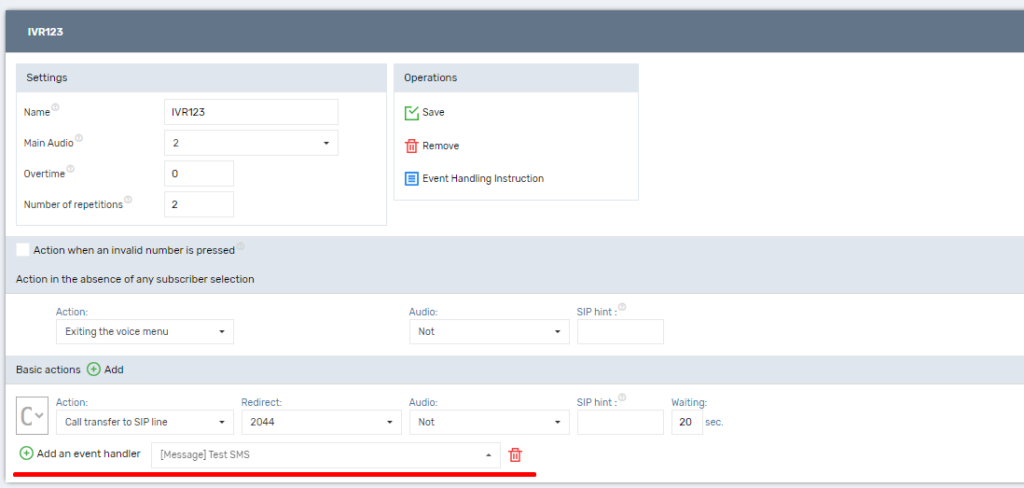
How to add an event handler in the voice menu.