Outgoing calls: setup scenario
In your UniTalk personal account, you can create flexible outgoing call distribution schemes to solve any business problems.
To configure, you need to go to the IP telephony – Outgoing scripts section.
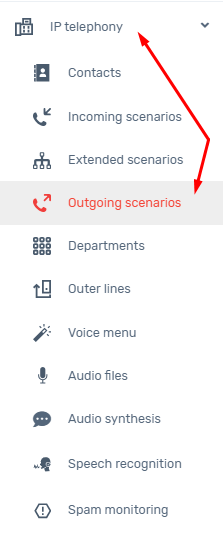
You can configure the distribution of outgoing calls as follows:
1. Department
Allows you to specify a specific department/employee and assign a specific number to him, so that employees can call from dedicated numbers for their department.
To do this, you need to click on “+ rule” and select a department, where in the drop-down list you can select one of the previously created departments and specify it as the conditions for the call.
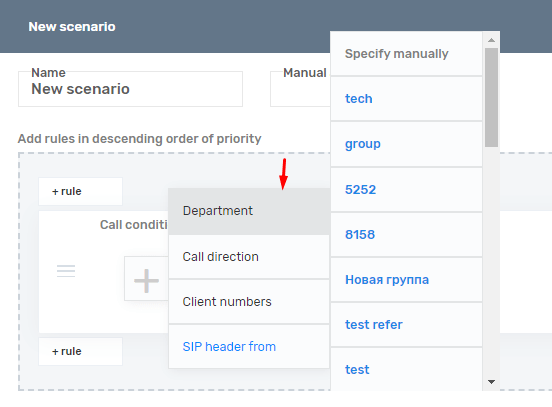
Next, we will select the department we need to make calls.
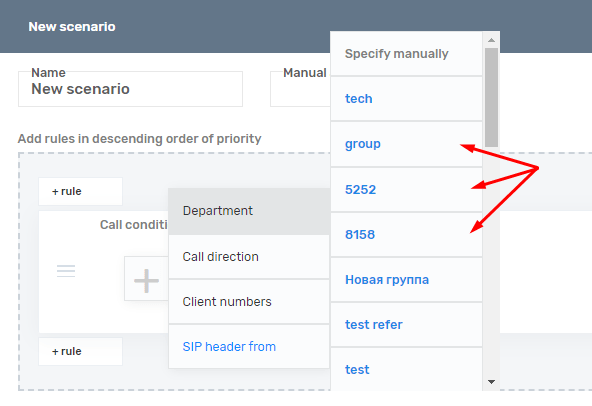
It is also possible to manually specify employee lines if the “Department” has not been previously created. To do this, in the new rule you need to select “Department” and “Specify manually”.
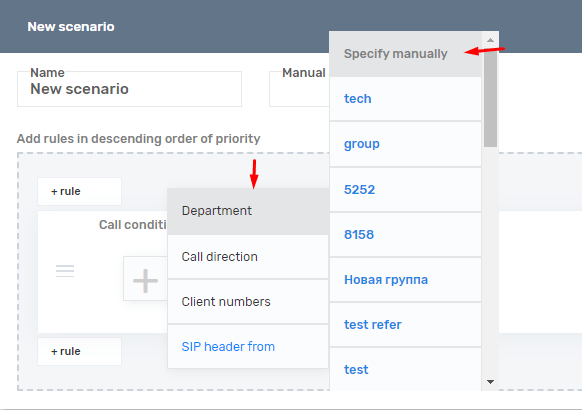
Next, you will see a list of internal lines, where you have the opportunity to specify the required line or lines if several are needed.
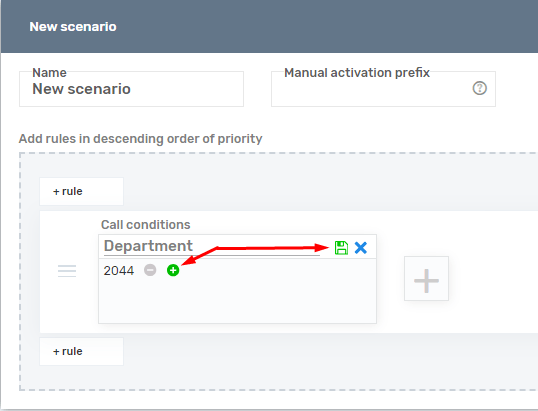
By clicking on “+” you have the opportunity to specify a list of lines that will use the assigned external number for calls.
2.Call direction
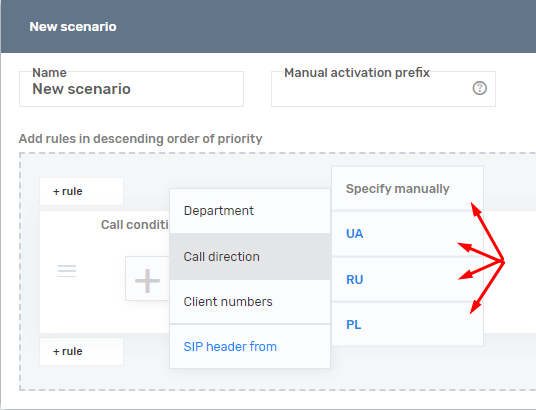
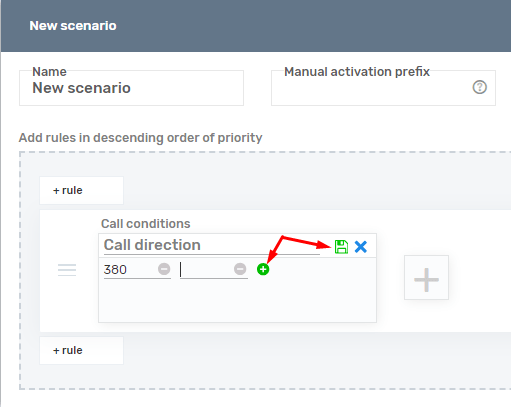
This setting is responsible for the number’s ability to make a call in the direction you need. If you need to limit the ability to call the number “38050-1111-11-11” to an international direction, then you can specify the rule (38050,38099…38073) and when calling a number that does not correspond to this direction, the operator will not be able to make the call.
This is done so that the number cannot call to a direction that, for example, is not available on your rented number or a call from your number to an international destination may have a high tariff.
By default, the rule is empty and has no restrictions
You can choose one of the pre-configured direction templates (Kyivstar/Vodafone/Lifecell).
It is also possible to specify the direction of the call manually by specifying the country code to dial.
3. Customer numbers
You can also specify a specific customer number. This means that if an employee dials 38050-999-99-99, the call will be made from the number specified in the script.
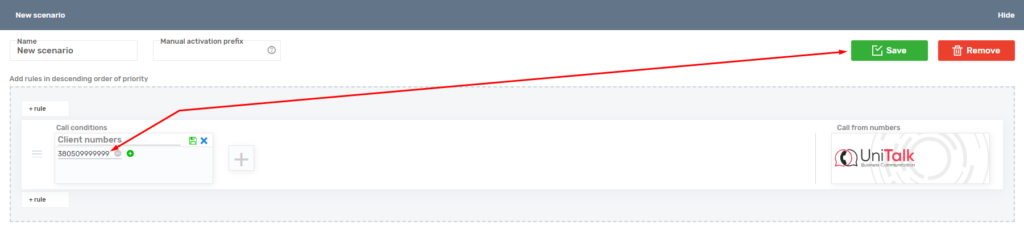
Once you have specified several rules or conditions for making a call, you need to arrange them in order of priority:
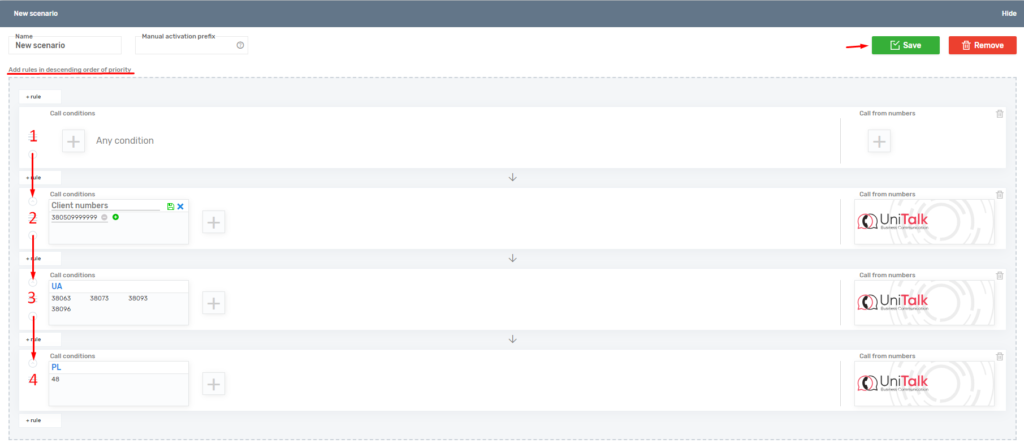
The rules in the script work by priority, that is, the topmost rule has higher priority than the one at the bottom of the script. The way this works is that the top rule will be processed by the system first. And if you specified the first rule with “Any condition”, then the logic described to you after this rule will not be used.
When a script is created, it becomes active by default, and this script has priority. Scripts that do not have the “Active” label will be ignored when making a direct outgoing call.
Numbers for making outgoing calls.
UniTalk numbers:
These are general numbers that are used for customers who do not have a leased or personal number to make calls. This number is common to all clients.
Rented numbers : Numbers that are rented from us, or from a third-party provider, in order to make/receive calls.
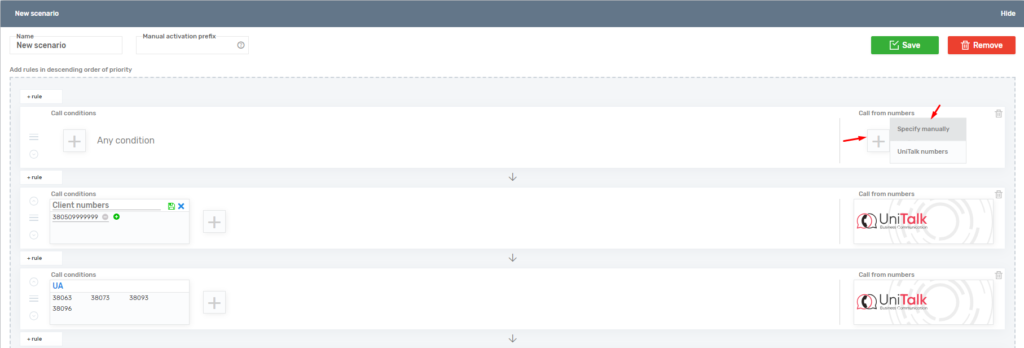

When using a rented number, it becomes possible to specify the call logic when using a list of numbers:
Setting up outgoing call logic:
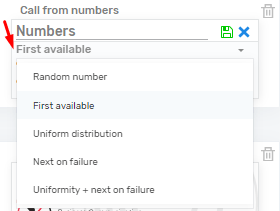
– Random number: The system selects a random number from the list of numbers to make an outgoing call.
– First available: The call will be made from a number that is available for calling; if a manager is currently speaking on the number, the system will select a free number without talking and with an available channel for making a call.
– Uniform distribution: Calls will be made from numbers evenly in order. The call will be made in this way: first the call will be made from the first number, the next call will be made from the second number, and then each call will be made from the next number in the list.
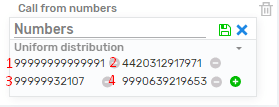
– Next in case of failure: The call will be made one by one from each number in the list; if one of the numbers cannot reach the called subscriber, then the call will go from the next number and so on until a successful call to the client.
– Uniform + next on failure: Combines two outgoing calling logics. When using logic with Uniform distribution, the call will proceed like this. The call will be made one by one from a list of numbers, and when calling from a number, having received an error, the call will be made from the next number until successful contact with the client. The next call will be made from the number from which there was successful contact with the client.
Prefix
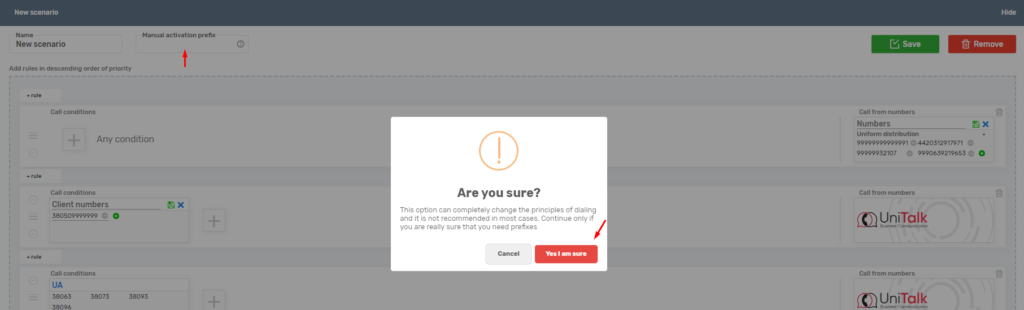
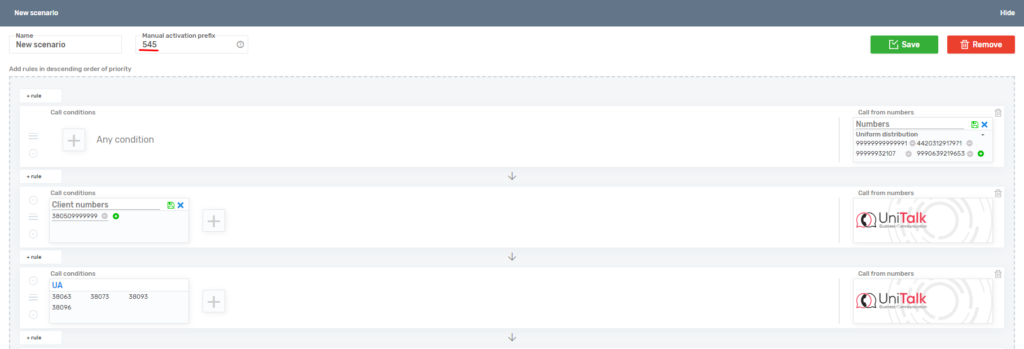
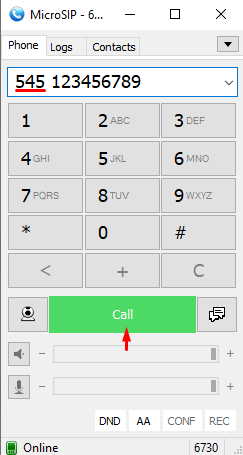
Also in outgoing scripts it is possible to specify a prefix for manual call activation. This service allows you to call from a specific scenario, ignoring the active scenario, by specifying a digital prefix (from three digits, for example, 545 + customer number).