


Setting Up Voice Bot Action Types: Managing Call Routing
Once the Voice Bot has successfully recognized the client’s intent (using conditions), it is time to execute a specific action. These Actions are the critical element that determines whether the call will be transferred to a live operator, another department, a voice menu, or terminated. UniTalk provides you with a full suite of tools for seamless routing, ensuring that every dialogue concludes with a relevant and useful action. Review the types of actions available to turn your dialogue into a final transaction.
The following types of actions are possible:
- Speech recognition
- Transfer a call to a SIP line
- Transfer a call to a GSM number
- Transferring a call to a department
- Activate a scenario
- Activate the voice menu
- Switch to the second node
- End the call
- Exit the voice robot
- Play audio
Final actions and their customization
The Voice robot works until it reaches the root (start) node to the end node. The action type determines not only what action will be performed when you move to a node, but also whether it can have children or is the end node.
Nodes with action types other than Speech Recognition and Go to another node are end nodes.
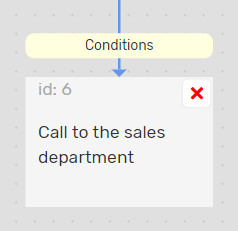
For endpoints, the Endpoint Type setting is available with a choice of Successful or Failed. The setting is not available for background robots.
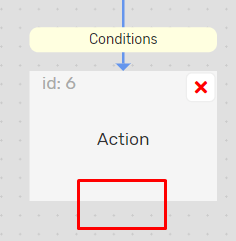
Description of final actions and available settings:
1. Transferring a call to a SIP line
Specific settings:
- Redirect to extension number
- Waiting seconds – if the operator does not answer the call within this time, the call will continue according to the scenario or end
- Ringtone – the melody that the subscriber will hear during the call
2. Transfer a call to a GSM number
Specific settings:
- Redirect to a mobile number
- Waiting seconds – if there is no answer to the call within this time, the call will continue according to the scenario or end
- Ringtone – a melody that the subscriber will hear when calling a mobile number
3. Transferring a call to a department
Specific settings:
- Redirect to the operator department
- How to call is an algorithm for selecting an operator (or operators) from the department to which the call will be redirected. The setting is not available for departments with GSM numbers, for them the operator is selected randomly.
- Waiting seconds – if there is no answer to the call during this time, then if the robot was started from a scenario, the call will continue according to the scenario, otherwise the call will end
- Ringtone – the melody that the subscriber will hear during the call
4. Activating the scenario
Specific settings:
- Redirect to the incoming script
5. Activating the voice menu
Specific settings:
- Redirect to the voice menu
6. Playing audio
Does not have any specific settings
7. Ending the call
Does not have any specific settings
8. Exit from the Voice robot
It has no specific settings. It differs from the “End call” action in that:
- If the robot was called from a scenario, the call will not end but will continue according to the scenario
- If the background robot was called from the main (regular) robot, the call will not end but will return to the main robot
The correct configuration of end actions is key to the success of any dialogue scenario. Thanks to the wide range of options—from redirecting to a SIP line or department with a specified operator selection algorithm, to activating an IVR or an incoming scenario—you ensure the call is processed as efficiently as possible. Use the “Exit Voice Bot” action for a seamless return to the main scenario, guaranteeing that the client always receives the necessary assistance without experiencing a break in communication.



