


STEP-BY-STEP GUIDE TO SETTING UP TELEPHONE FOR MACOS
The Telephone app for macOS is a lightweight way to handle business calls directly from your computer. Integration with UniTalk IP-telephony allows you to manage calls with a single click while maintaining high-quality connection without extra hardware.
Step-by-Step Setup:
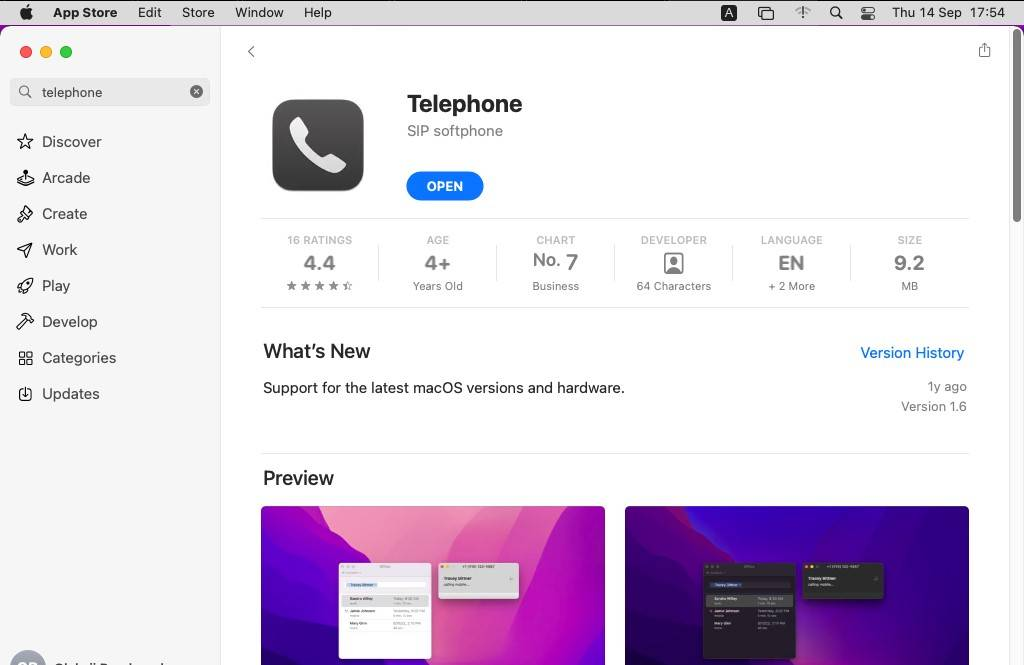
1. In the App Store, locate and install the Telephone app.
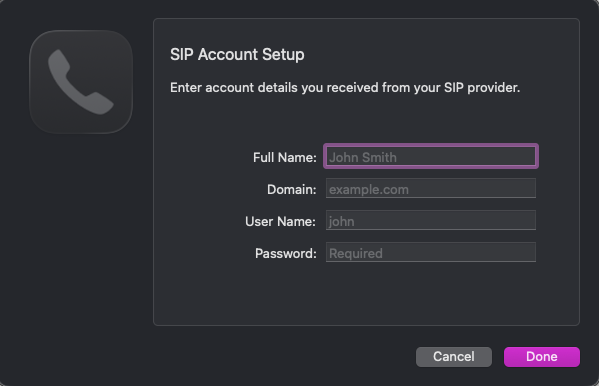
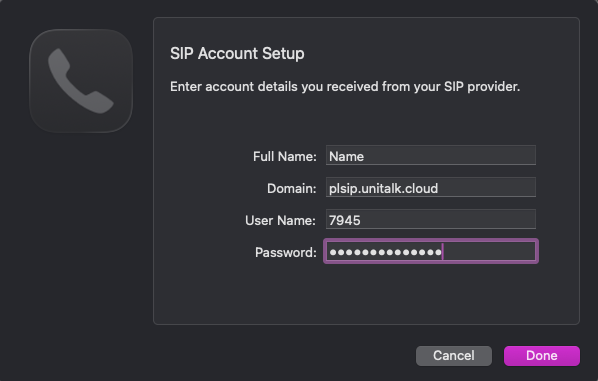
2. Go to the application, fill in the “New account” window. Enter your first and last name in English, server address in the “Domain” field (plsip.unitalk.cloud (as specified in the SIP line settings on the Users tab). To see the password, you need to click on the bottom button “Settings”, there you can also copy the server address. Then click “Add”.
3. If everything has been entered correctly, you should see a green indicator and “Available” at the top.

Your Mac is now a part of your corporate network. All calls are automatically tracked in the analytics system, where call history and recordings are stored for quality control. This provides objective data on your team’s performance. If you have any questions, our support team is available 24/7.



