


UNITALK UPDATE: ADDITIONAL EMPLOYEE MONITORING CAPABILITIES
Do you want full control over team productivity without constantly interrupting your managers? UniTalk provides you with objective data on team performance in real-time. The new monitoring functionality is your visual control panel: you see statuses, workload, and can react quickly, ensuring stability and service quality. Let’s begin the setup!
For more detailed monitoring of your company’s employees, the UniTalk team has developed additional operator monitoring functionality. It is an ideal tool for business owners or managers, allowing them to observe or change the status of internal lines and the status of each operator individually in real time, as well as analyze the number of incoming and outgoing calls.

For quick access, an employee monitoring panel has been added to the top of the user’s personal account:
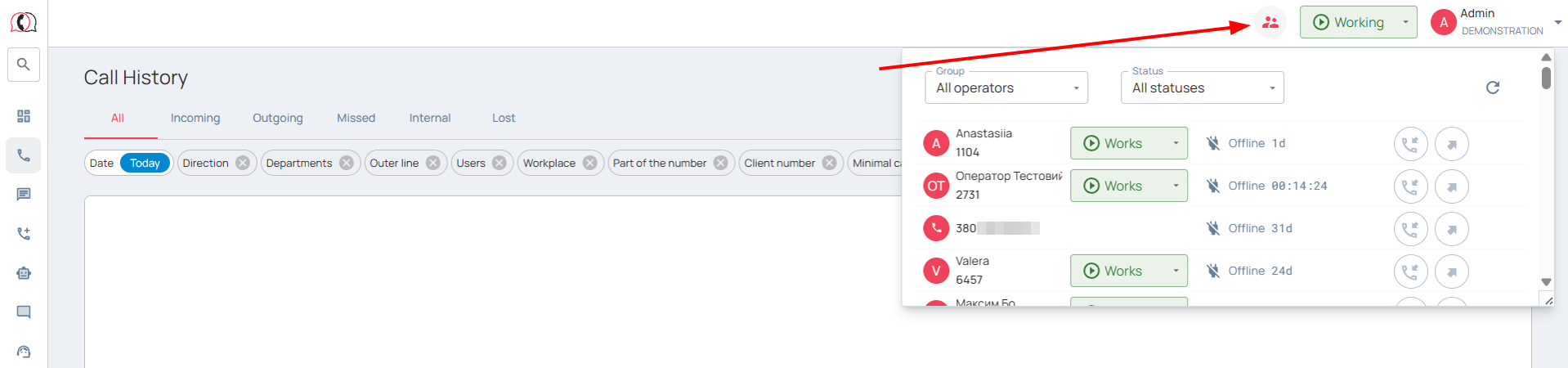
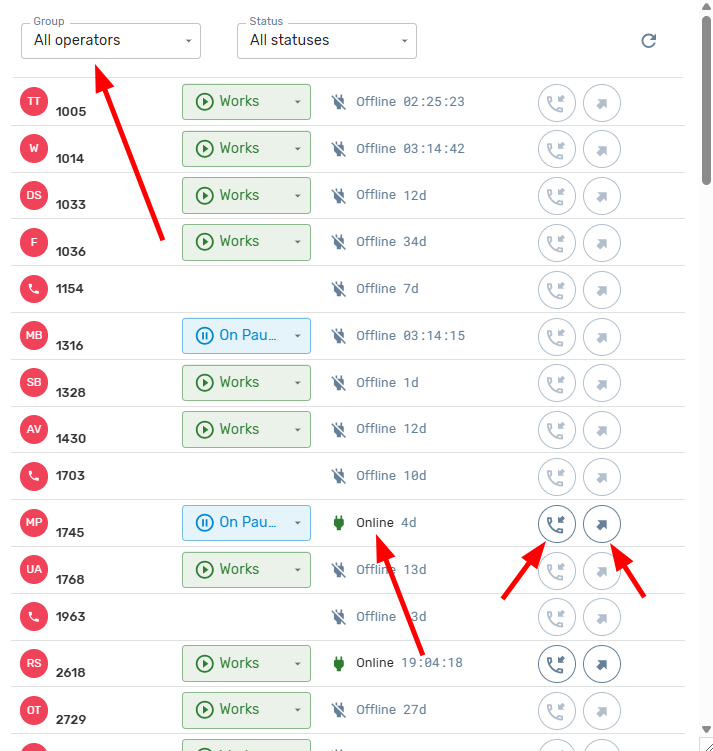
Thanks to the built-in filter, you can display information about all employees or the department (division) you are interested in. The name of the operator displays the internal phone number, their first and last name (if this information is entered in the project settings).
The current status of an internal line reflects its availability: “Available” and “Offline,” indicating the total amount of time since the last status change. In addition, when a call is active, the status “Talking” is displayed, indicating the subscriber’s phone number and the type of call (incoming or outgoing).
The operator status shows whether the employee is currently working or not.
The project chief or administrator can change the status of an employee here, for example, if the employee forgot to complete the work.
If your company uses the prompter option (connecting to a conversation to listen in and provide prompts to new employees), you can call up the prompter on the panel or connect to the current dialogue with the desired operator. As with normal operation, a number of conditions must be met in order to use the prompter setting in a conversation. For more details, please refer to the article on the “Prompter” feature.
The “Operator Monitoring” tab has appeared in the navigation bar of your personal account.
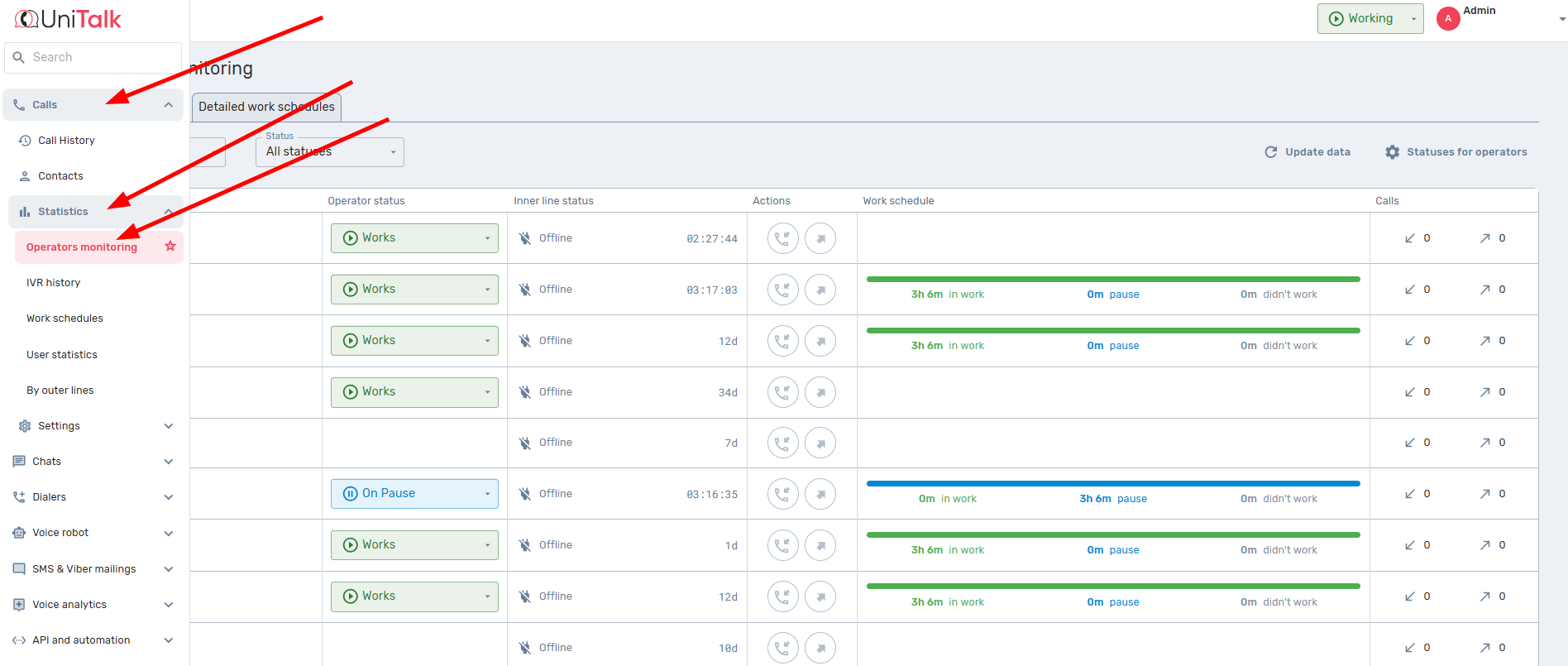
In addition to the above information, which is available in the express panel, there are additional features.
The number of incoming and outgoing calls shows how many phone calls were made or received during the working day by each employee individually.
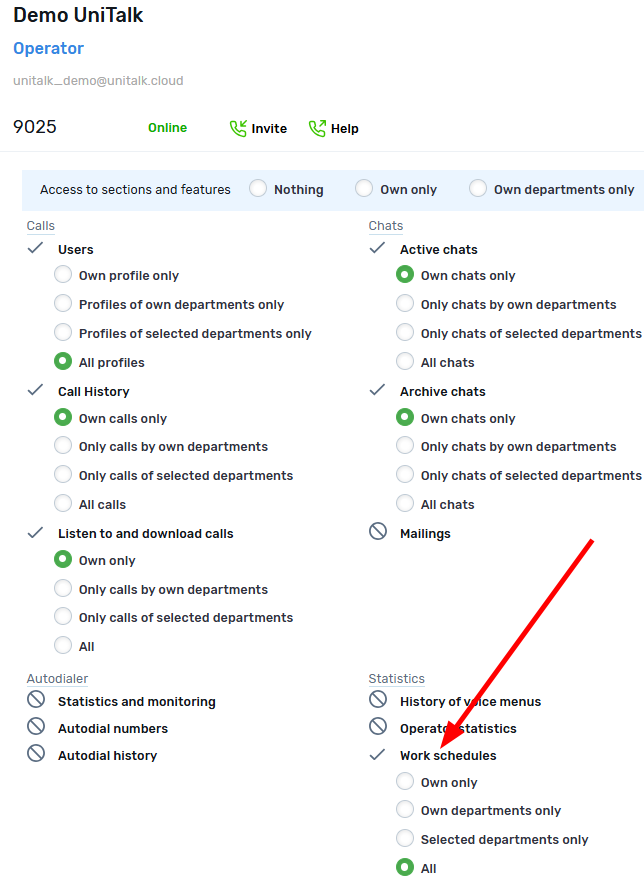
Access for employees to the quick access panel and to the “Operator Monitoring” page itself is controlled by the “Work schedules” checkbox on the “Users” page.
For the functionality to work correctly, you may need to refresh the page using CTRL+F5 (clearing the cached information).
The monitoring panel is your control center for the team handling calls. Your benefit? Instant control, the ability to quickly adjust statuses or join a conversation using the Whispering/Barging feature (Суфлер). Use this objective data for effective call distribution and maximizing your results.



