


What is a Voice Robot and what is it for?
Routine calls, repetitive questions, and the need for 24/7 support no longer require a large team of human operators. The UniTalk Voice Bot is a multifunctional tool capable of taking on a significant portion of standard communication. Unlike outdated Interactive Voice Response (IVR) menus, our bot recognizes natural human speech, conducts a full dialogue, and instantly performs the action dictated by the script. This allows your team to focus on complex tasks while the bot ensures uninterrupted processing of requests 24/7 and budget savings.
A Voice Robot is a multifunctional tool that recognizes human speech, conducts a dialog, and, depending on the subscriber’s response, performs a certain action specified in the script. The main task of the Voice Robot is to conduct a natural dialog with the subscriber instead of a human.
What are the similarities and differences between Voice Robot and IVR?
The principle of operation of the Voice Robot and IVR is similar, only IVR reads the numbers that the subscriber presses and, depending on the number, performs a certain action, and the Voice Robot recognizes the words of the subscriber and performs an action depending on it.
An important difference between the Voice Robot and the voice menu is that one IVR reads digits once. To read them several times in a row, you need to create a chain of IVRs. And the Voice Robot has a tree-like structure, thanks to which you can build full-fledged dialogs with any number of words for the secretary to recognize.
Here is how the IVR structure would look like in the Voice Robot editor:

As you can see, there is only one place where the subscriber presses a number and the actions are performed accordingly after pressing it.
And here is an example of a simple Voice Robot:

The dialog looks lively, has a greeting, a question about whether the subscriber left a request, and clarifications about the time and method of delivery.
How is the Voice Robot useful?
A conversation with a Voice Robot is as similar as possible to a conversation with a live person. It can fully or partially replace telephone operators.
Where is the Voice Robot configured?
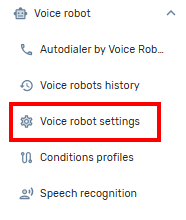
The Voice Robot settings are located in the Voice Robot tab in the sidebar.
What do I need to start using Voice Robot?
The Voice robot service must be available in your plan.
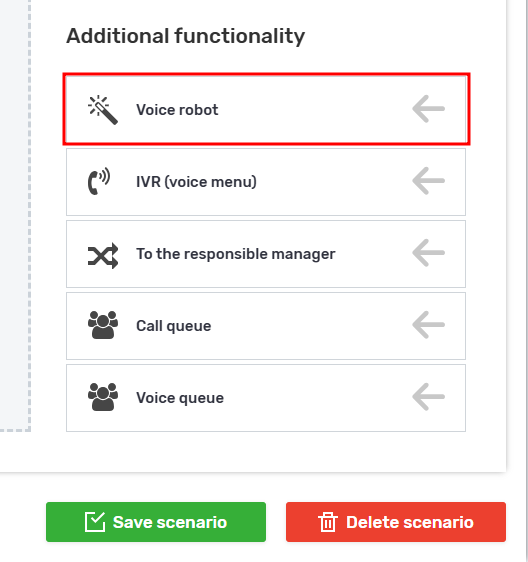
You can specify the service in the incoming script.
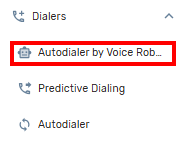
In the new type of calling, the service is called “Autodialer by Voice Robot”.
The service can be specified in API calls, see the documentation for more details.
The Voice Bot is not just an IVR replacement; it’s a powerful automation tool that can completely change the approach to customer support and sales. Thanks to its tree-like structure and ability to recognize speech, you can create maximally natural dialogues that save budget and operate around the clock. Start using the Voice Bot today to ensure instant processing of all requests, reduce the load on operators, and maximize your contact center’s efficiency.



