How to Create a Viber Mailing: A Step-by-Step Guide
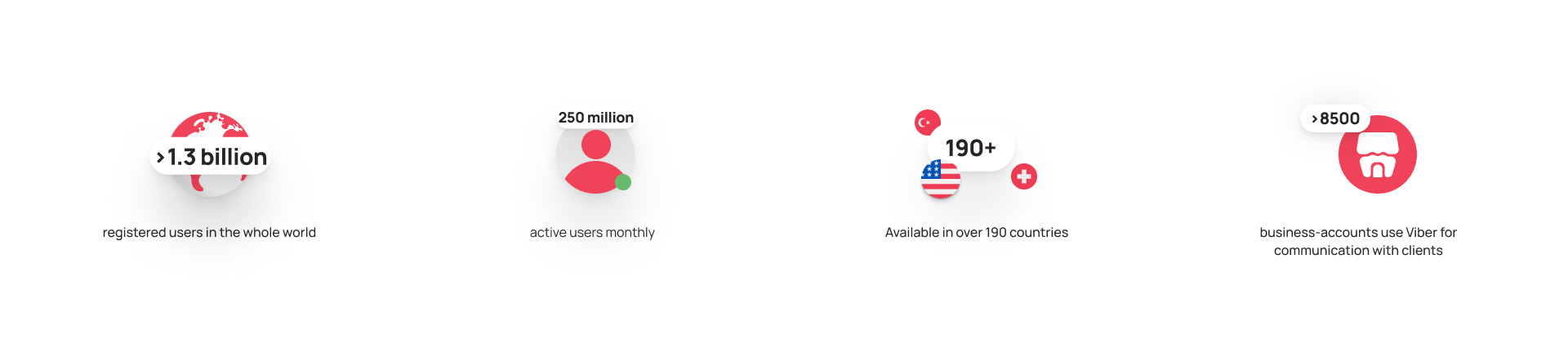
Viber is the most popular messenger in Eastern Europe and Southeast Asia. While it is among the top ten messaging apps globally, in Ukraine it consistently ranks in the top three, with 70% of the population using the platform. Businesses choose Viber to stay in touch with customers: confirm orders, notify about delivery, and offer related products. It is also used for mass mailings via Viber: to share promotions, discounts, changes in operations, contests, and other special occasions.
Here is how to set up a Viber campaign in 2026, the key differences between paid and free options, and the rules you must follow to avoid being blocked.
Ways to Create a Viber Mailing
You can create a mass mailing on Viber in different ways. The methods differ in the number of recipients, cost, moderation capabilities, and settings.
Personal mailing lists (up to 50 people)
Any user can create a free mailing in Viber to their own list—up to 50 people and only those who have saved their number in their phone book. In this case, the message will appear in other users’ chat list. This method suits small companies and those that have just gained their first customers and want to stay in touch with them. To use this option, tap the “New chat” button at the top right → “Create a mailing” (megaphone icon).
Note: the personal mailing list must include at least two recipients, and all users will receive the same messages.
Communities and groups: what’s the difference?
If you need to reach more than 50 recipients, consider using group chats or communities. Mailings there are also free, and the main difference lies in the number of participants and management tools.
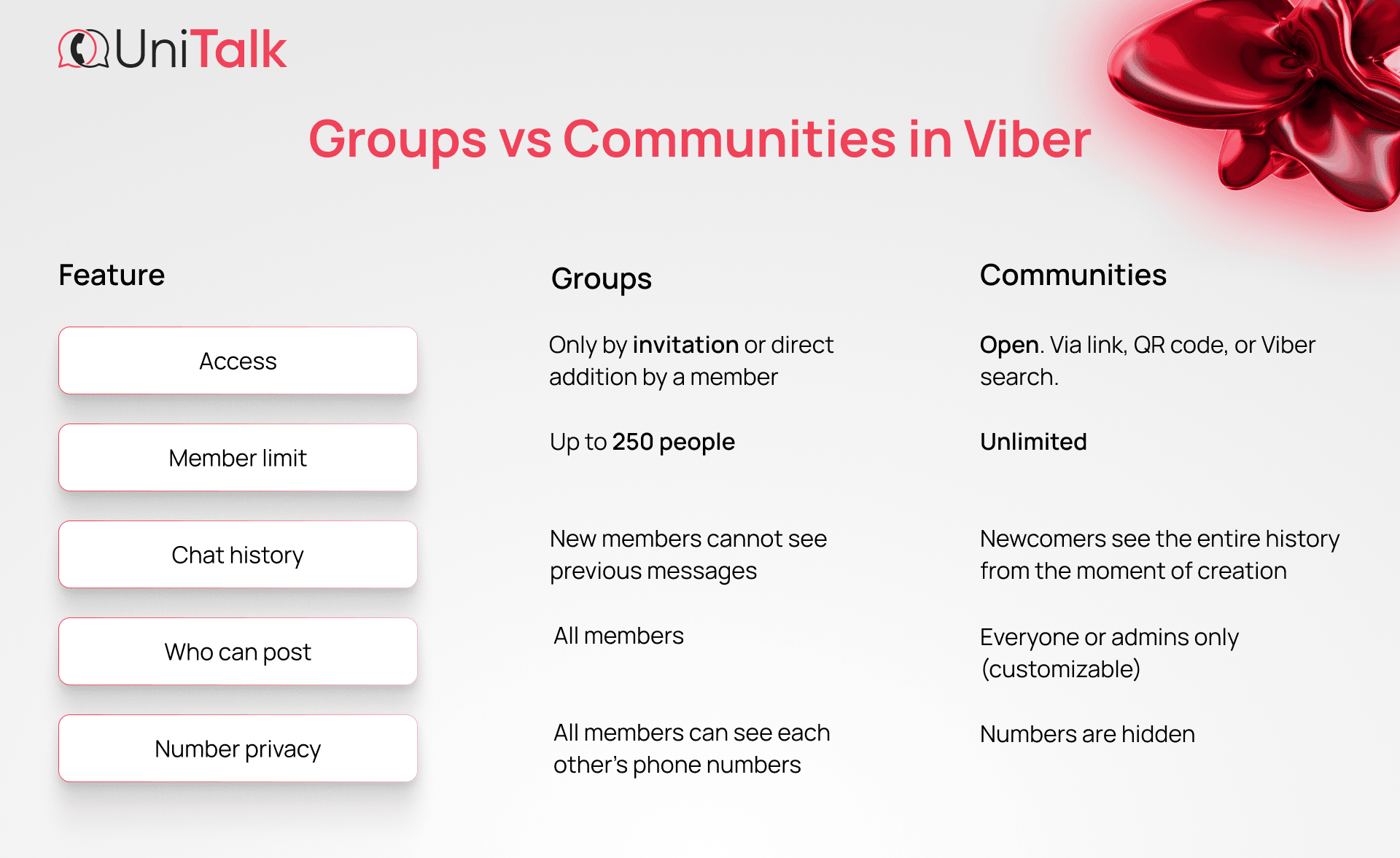
- In groups—up to 250 participants. The administrator can add and remove participants, assign other administrators, and also delete messages containing insults, spam, or advertising. Groups are always private, and new members can join by invitation only. At the same time, all participants can see each other’s phone numbers, which is not always suitable for business.
- In communities—an unlimited number of participants. Here, the administrator has more control: they can view activity statistics, manage participants’ rights (assign who can write and who can only read messages), make the community private or public via a direct link. Phone numbers in communities are hidden—people see only the names of other participants.
Groups are better suited for interest-based communication and for bringing together people who know each other. That’s why they are chosen for building chats, parent chats, or small work teams, and only very rarely—for commercial Viber campaigns.
Communities are better adapted for businesses that need to reach a wide audience and send regular mass mailings. In both cases, participants receive push notifications about new messages and can react to them or reply directly in the chat, if the administrator allows it.
Professional mailing via official partners (Viber Business Messages)
For those looking for a full-fledged business channel to communicate with an audience, there is an advanced way to create a mass mailing—Viber Business Messages.
Viber Business Messages is an official tool of the Rakuten Viber platform that allows companies to send messages to customers directly in the messenger: with the brand name, logo, images, and buttons with a CTA. Such messages come not from a random number, but from a verified profile and go to the “Business Chats” folder, so they won’t get lost among numerous personal conversations.
You can’t connect to Viber Business Messages directly—the platform works only through trusted partner providers who help integrate business messages into the company’s CRM via API.
Key Viber Business Messages capabilities for creating mass mailings:
- messages are sent from a platform-verified sender with a name and logo;
- up to 1000 characters of text, an image, and a button to go to a website can be included in a single message;
- statistics are available for each mailing—for example, how many messages were delivered and read, how many users clicked the link;
- with the SMS Fallback feature, users who don’t have Viber or can’t access it will receive the business message as a text SMS;
- CRM integration reduces the amount of manual setup and makes it possible to receive detailed reports without leaving your usual workspace.
Note: only legal entities can work with Viber Business Messages. Individuals who do not conduct entrepreneurial activity do not have access to this tool.
How to Create a Viber Mailing for Business — Step by Step
Let’s look at the main stages of launching a Viber Business Messages mailing. And we’ll do it using UniTalk as an example—a business communications service that is an official Viber partner.
In our ecosystem, this tool is called Viber by UniTalk and has a simple, user-friendly interface—so you can review it on the main product page or during testing.
Step 1. Register
Before sending business messages in Viber, you need to register. You can do this on your own or with the help of our manager. After the brand is reviewed and approved, you should set up a business profile and specify a Viber ID—the company name that is displayed instead of a number, the business area, company information, logo, phone number, email, and a website link.
Note: a Viber ID is paid for each calendar month at a fixed rate. There is an option to freeze the account up to four times a year during periods when you do not plan to send mailings—these are Viber’s rules.
Step 2. Set up mailing parameters
Start with the goal to determine the message type in your mass Viber mailing:
- promotional—if you want to draw attention to a promotion, a new product, or a special offer. For example, “20% off today only — Go to the catalog”;
- transactional—if the message is a response to a user action or you need to deliver important information without an explicit commercial intent. For example, confirm an order, notify about payment, remind about an appointment, or reply to a support request.
Next, here is how to set up your Viber mailing:
- choose a budget—how much money you are ready to spend on the campaign, taking into account the size of your contact list and the cost per message;
- set the sending schedule—choose the date, time, and, if needed, the sending plan for a series of mailings. Consider the audience’s time zone, time of day, holidays, and commemorative days;
- prepare the contact list—it’s important that it contains only real numbers and that their owners have agreed to receive messages from your company;
- activate SMS Fallback (Viber+SMS)—an SMS will be sent to users who do not have Viber or are offline (read why SMS and Viber mailings don’t get delivered—we covered this separately).
Step 3. Create the message
Before making a mass Viber mailing, think through the message text. It can include up to 1000 characters of text, emojis, an image, and a button link to a website.
How to write a message that recipients will respond to:
- write briefly and to the point—long texts are rarely read to the end;
- add one image that reinforces the meaning of the message or attracts attention;
- use a button with a clear call to action: “Go,” “Get a discount,” “Learn more”;
- add emojis, but in moderation—1–2 will be enough.
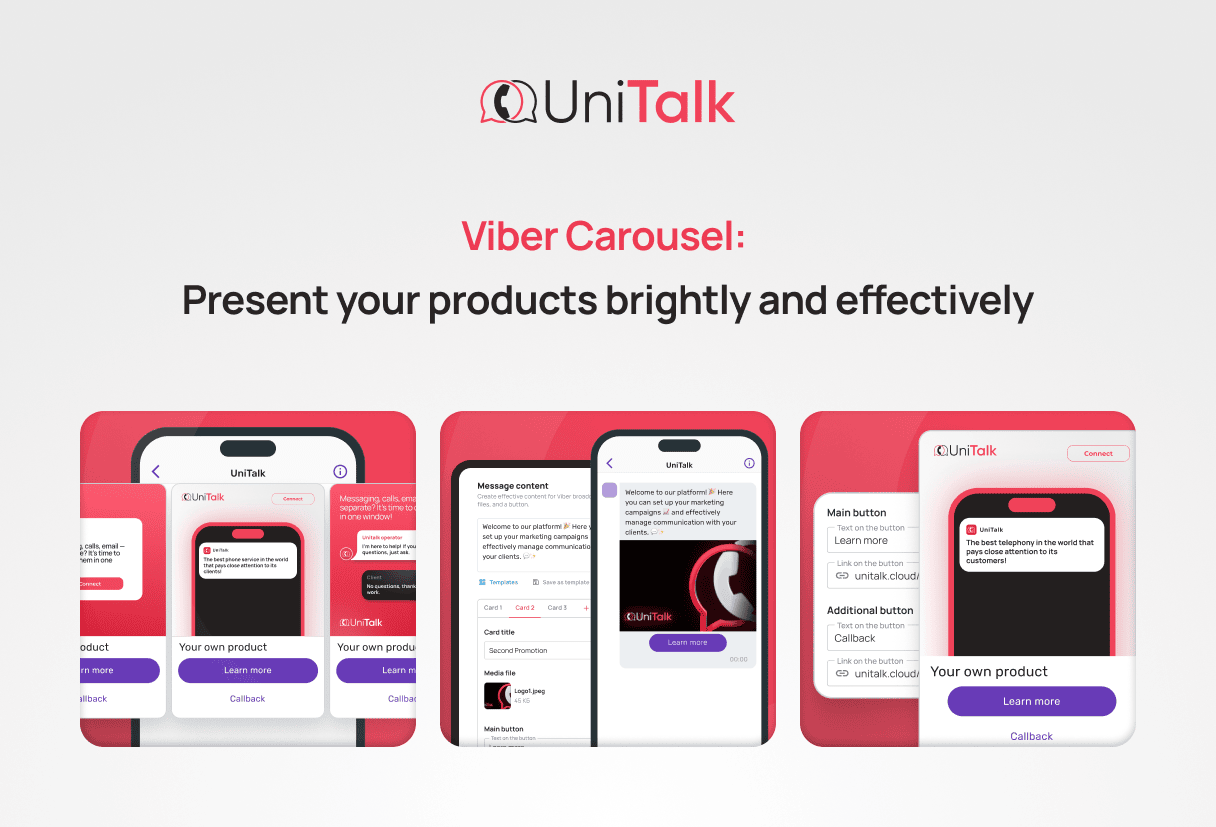
Note: in Viber mailings, you can create full-fledged showcases with Viber Carousel—it allows you to show up to 5 different offers in one message.
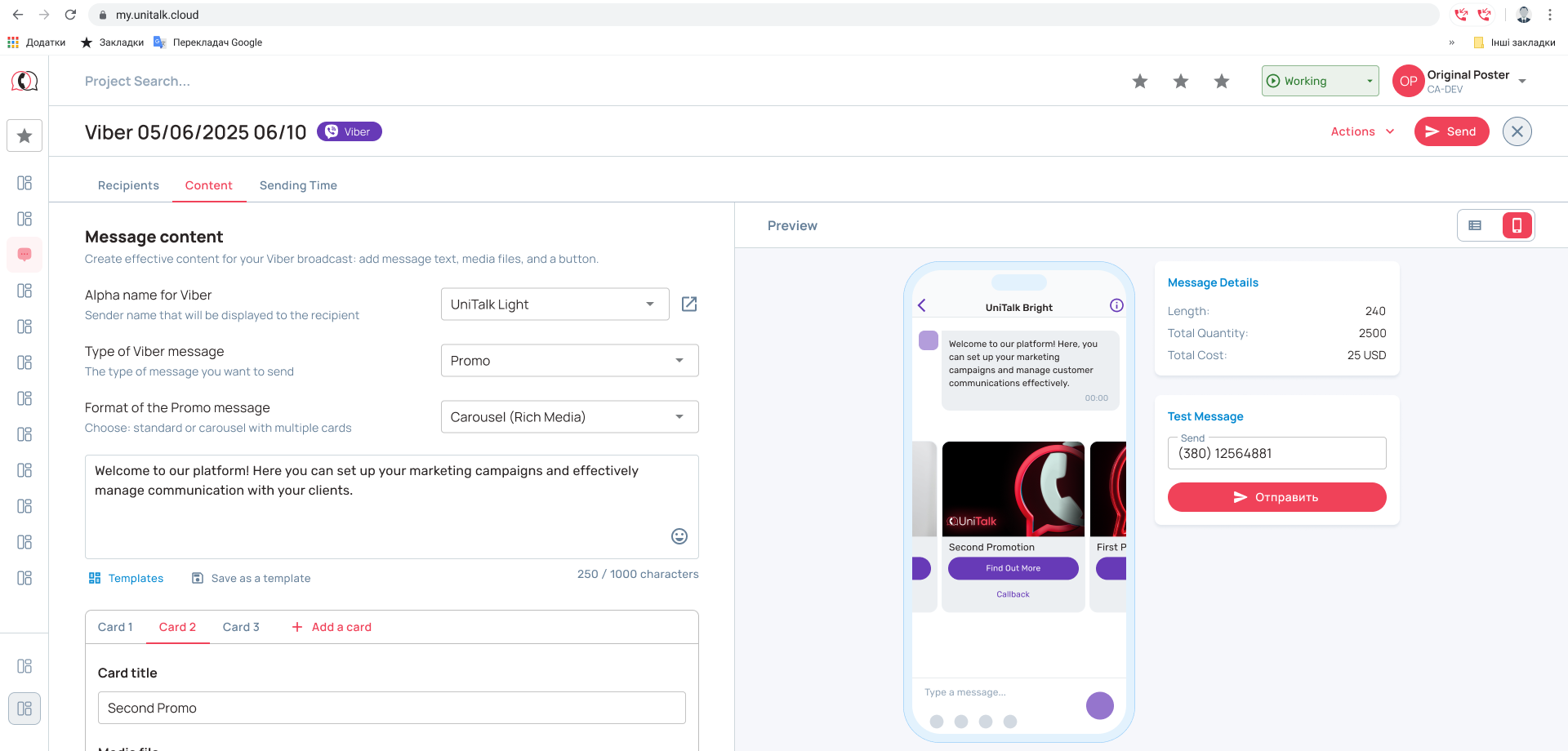
Step 4. Launch the mailing and analyze the results
After the campaign is completed, review the statistics: how many messages were delivered and opened, how many users clicked the button or followed the link. This data will allow you to conduct a comprehensive performance review and optimize your future campaigns. It’s convenient that with CRM integration, all statistics go into it automatically, without manual effort.
Note: registration and verification of the Sender ID in Viber Business Messages will take three to five business days, so we recommend starting it a few days before the planned mailing launch.
With UniTalk, you get simple CRM integration, a convenient web dashboard with a clear interface, and you pay only for delivered messages. If you have questions—we are available 24/7.
Viber Requirements for Mailings: How Not to Get Banned
Rakuten has rules for brands that send mass mailings via Viber. The platform may review and then reject or remove a message if it does not comply with its policy.
To minimize the chances of being blocked:
- send only targeted and informative messages. They should be aimed at a specific audience and provide value;
- check the content for prohibited topics. The platform does not allow mailings related to gambling, microloans, alcohol, tobacco, and politics. Phishing links and any content that violates copyright are also prohibited;
- track audience reactions. Recipients can block the sender if they consider the messages irrelevant and the company too intrusive. This will be a negative signal for Viber, and it will disable the advertiser’s account;
- stick to your subject area. If a company is registered as an online store, it’s not a good idea to send text urging people to purchase medical insurance.
Mass mailing via Viber is not available to political parties and direct competitors of the platform. Also prohibited are companies in the areas of gambling, lending and pawnshop services, debt collection, the sale of alcohol, tobacco, weapons, and drugs, as well as adult content. Religious and esoteric services, open blogs and portals without content moderation are also on this list.
Common Mistakes in Viber Mailings
Regular business mailings always require significant resources: you will need to pay not only for each message, but also for the work of the team—marketers, designers, copywriters, and other specialists. To ensure your efforts are not wasted, try to avoid these mistakes.
- Sending the same messages to everyone. Your contacts have different expectations and needs. So segment the audience by grouping it by common characteristics: interests, past purchase experience, demographic or behavioral factors. Then create a separate mailing for each group—this way, the message is much more likely to be read.
- Too many messages or calls to action in one message. Messages become annoying and irritating if a company sends them frequently—users see it as intrusive, may unsubscribe, or block the sender. And if the text promotes many products and includes several links, the recipient gets overwhelmed by choice, and the advertising campaign fails to achieve its goals.
- A vague call to action. Without a clear call to action — such as ‘Buy Now,’ ‘Learn More,’ or ‘Claim Your Discount’ — users may not understand what steps to take next. It’s better to design such prompts as buttons rather than just placing links in the text. Buttons are more noticeable and deliver better click results.
- Poor timing. Messages received late in the evening, in the morning on a weekend, may remain unread.
- Poor formatting. A “wall” of text, many exclamation marks, mistakes, and typos create a bad impression and undermine trust in the sender. And if it’s the first message from the brand, the recipient may mistake it for spam.
- Problems with the landing page. If the link in the message leads to a site page that is unavailable, opens very slowly, or is not optimized for viewing on a smartphone, the recipient may leave.
Conclusion
Viber is a working channel for business with high reach and open rates, but only if used correctly. Personal lists, groups, and communities are suitable for getting started; however, for regular communication with a large audience, it’s better to choose Viber Business Messages. By working with it through an official partner, you get a verified profile, analytics, and unlimited scaling.
In the app, you can send identical messages for free to a maximum of 50 recipients, provided that you are saved in their address book. But for full-fledged business mailings with no limit on the number of contacts, you need a paid service that works through an official Viber partner.
A regular mailing can be done by anyone using their own contact list, or by an administrator—to the members of a group or community. For a business mailing, the company verifies the profile and works through a partner service. But the main thing is that it can add buttons, track metrics, and automatically send the message as an SMS if the recipient doesn’t have Viber or the app is unavailable.
In SMS, you can send a maximum of 160 characters of text in Latin script or 70 characters in Cyrillic; in a Viber mailing, up to 1000 characters of text can be sent, and you can add an image and buttons. At the same time, the cost of a Viber message is often lower than SMS, and the open rate is higher.
Yes, of course. With Viber Business Messages, it’s convenient to send order status notifications, abandoned cart reminders, and personalized promotions.
To do this, add UTM tags to your links and track clicks via Google Analytics or a similar tool. This way, you will see the exact number of clicks from each campaign.