


How to connect and configure UniTalk integration with Firmao
Publication date: 05.08.2024
Connecting the Integration
- Go to the UniTalk dashboard to the integration page with Firmao and click “Сonnect”.

Credentials are provided in the Firmao dashboard in the “Company Settings / Integrations” section under “API”:
- login: in the “API Login” field;
- password: by clicking the “Show password” button.

Configuring the Integration
In the UniTalk dashboard in the integration section with Firmao, in the “Settings” block, enable the checkboxes to perform the corresponding actions.
- If the “Create contacts” checkbox is disabled, deals will only be created if there are existing contacts when the “Create deals” checkbox is enabled.
- When the “Create deals” checkbox is enabled, specify the currency, which is a required parameter when creating a deal.
- When the “Create deals if none are open” checkbox is enabled, a new deal will be created only if the last created deal for the contact has a closed status.
- When the “Create entities on outgoing calls” checkbox is enabled, contacts and deals will be created in the CRM system for outgoing calls to contact mobile numbers.
- When the “Create entities only for answered calls” checkbox is enabled, contacts and deals will only be created in the CRM system for phone calls that were answered.
- When the “Show responsible person for incoming calls in SIP client” checkbox is enabled, it is necessary to additionally enable the “Show caller name” checkbox for each user in the Users section of the UniTalk dashboard in the “SIP Settings” block.
Other actions:
- To add an audio listening link to the contact and deal card comments, enable the “Add audio link to comment” checkbox.
- To add a call recording to the contact and deal card files list, enable the “Send call recordings” checkbox.
- To create call-back tasks for missed incoming calls, enable the “Create tasks for missed incoming calls” checkbox and specify the task priority.
- Fill in the contact and deal fields that will be populated with data from UniTalk when created. The value of the “Boolean value” field must be false – off, true – on. The value of the “Date” field should be entered in the format 2024-07-12 or 2024-07-12T14:36:16.

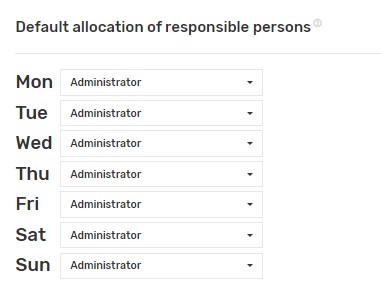
12. Select those responsible for missed calls.
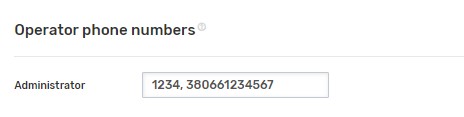
13. Specify the phone numbers of Firmao users separated by commas. These can be internal lines or GSM numbers.
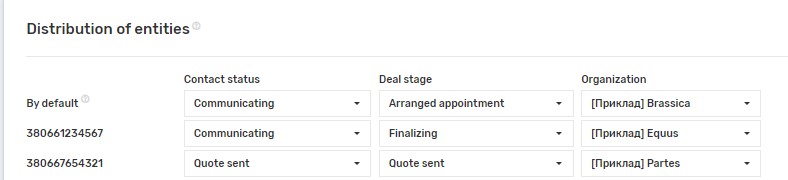
14. Depending on the external line from which the call came, select the settings with which to create entities.
Done!
UniTalk – A single solution for managing customer communication
Request a call back or give us a call
+38 (093) 170 08 00Get a consultation



