


How to set up free calls between employees
An effective team is one that is constantly connected, but communication costs should never become a barrier. UniTalk allows your employees to communicate with each other absolutely free of charge, regardless of their location—whether it’s the next office or another country. All it takes is a simple setup. This guide will help you quickly create an internal network where colleagues can reach each other using short 4-digit internal numbers. The benefit for you is zero cost for internal calls and complete control over your team’s communication.
INSTRUCTION: Setting up a Free Internal Network
Have you already registered and created a telephony project? If yes, then read on, if not, then you should start reading from the article .
1. The first thing you need to ensure free calls is stable internet at the employees you need to connect by telephony. And, no, mobile internet is not suitable. This is not only because not everywhere there is a confident reception of your mobile operator, but also since the technology of cellular communication when moving the subscriber between towers of the mobile operator is accompanied by significant ping jumps.
Ping, or access time, is the most important criterion for IP telephony.
Therefore, under stable Internet we understand good old wired Internet or high-quality Wi-Fi connection.
2.The second thing you should not forget about is a headset (headphones with a microphone) for talking through a softphone program.
However, if you are a happy owner of IP-phones, then for you the instruction ends with the words: “read the manual for setting up your model of IP-phone, and if there is no such manual, please contact our technical support”.
3. So, if you do not have an IP-phone, then you need to download one of the many free (!) programs for calls via IP-telephony, for example, Microsip or Zoiper. Setup instructions can be found in the relevant sections of our website.
4. In any case, no matter what you connect, you will need to go to the “Setting” -> “Users” menu section of your Personal Cabinet on the UniTalk website.
And add as many SIP lines as you have employees. In other words, you create personal internal numbers for your employees. By dialing the corresponding 4 digits, you will be able to talk to your employee wherever he/she is located.
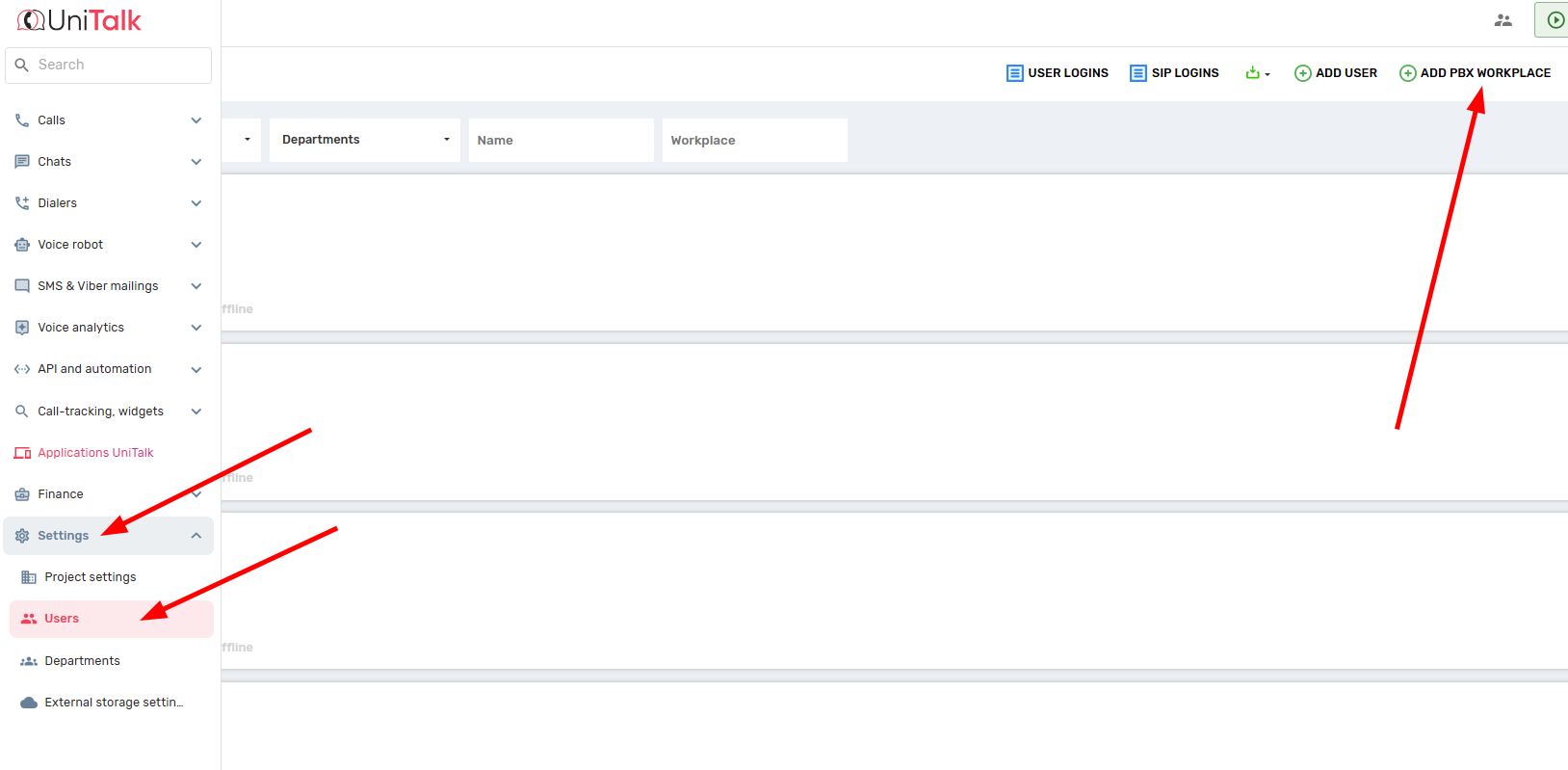
5. By expanding the settings of the corresponding SIP line you get access to the parameters of the SIP line – login, password and server address. These parameters you will have to enter in the settings of the program for calls.
Never configure the same SIP line on different programs – this may result in loss of calls or even telephony failure.

6. So, if you have configured everything correctly, you should end up with the following approximate scheme:
Employee #1 has a Microchip program on his computer, on which the sip line 2081 (for example) login and password are prescribed.
And employee #2 has the Microsip program (or another one) on his computer, on which sip line 2082 is written.
Now employee #1 can safely dial only 4 digits of the second employee’s number in the program and enjoy Free(!) conversation with employee #2.
You have just created a reliable and cost-effective internal network for your team. This system ensures stable connectivity (provided you have quality Internet) and absolute free of charge for all internal conversations. This is a vital step toward uniting your team, regardless of geography. If you are planning to scale or require advanced integration with a CRM, our IP telephony and SIP Trunks are ready to meet all your business needs.



