


Incoming calls. Scripts setup
Missed calls mean lost revenue, and a client waiting too long on the line means a damaged reputation. To prevent this, you need a perfectly configured incoming call script. Your UniTalk Personal Account offers unique flexibility: you can create custom distribution logic (responsible manager, department, IVR) for every situation—from peak working hours to holidays. So what’s the benefit for you? You ensure 24/7 connection stability and guarantee that every client reaches the right employee in seconds. Let’s set up your ideal call flow!
In UniTalk personal account, you can create flexible schemes for distributing and redirecting incoming calls to solve any business problems.
It is possible to set up call distribution:
- for a particular employee
- per department (group of employees) according to the specified types of call distribution;
- to external number;
- for audio recording;
- on IVR menu;
- to the responsible manager (according to various parameters of the “client-manager” binding);
- set the reception of incoming calls in the order of priority with flexible distribution options for employees.
It is possible to redirect a call if the line is not answered/busy:
- per employee/department (group of employees);
- to an external number/group of numbers;
- to an external SIP-account or other telephony;
- to a voice message.
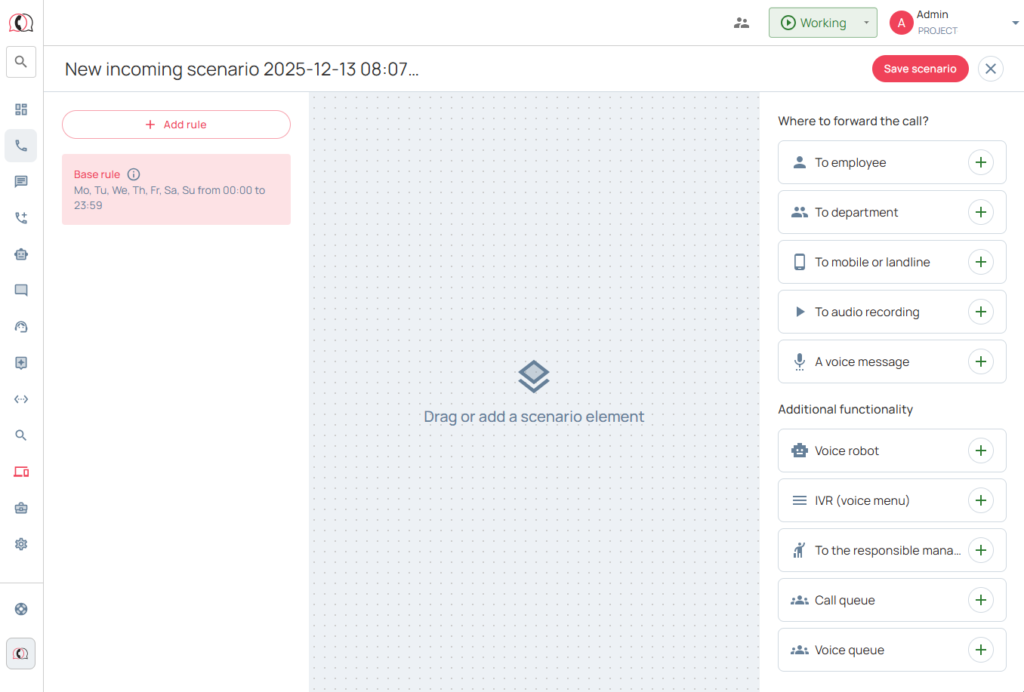
We have devoted a separate article to a detailed analysis.
Step-by-step instructions for setting up an incoming call script.
1. Log in to your UniTalk account
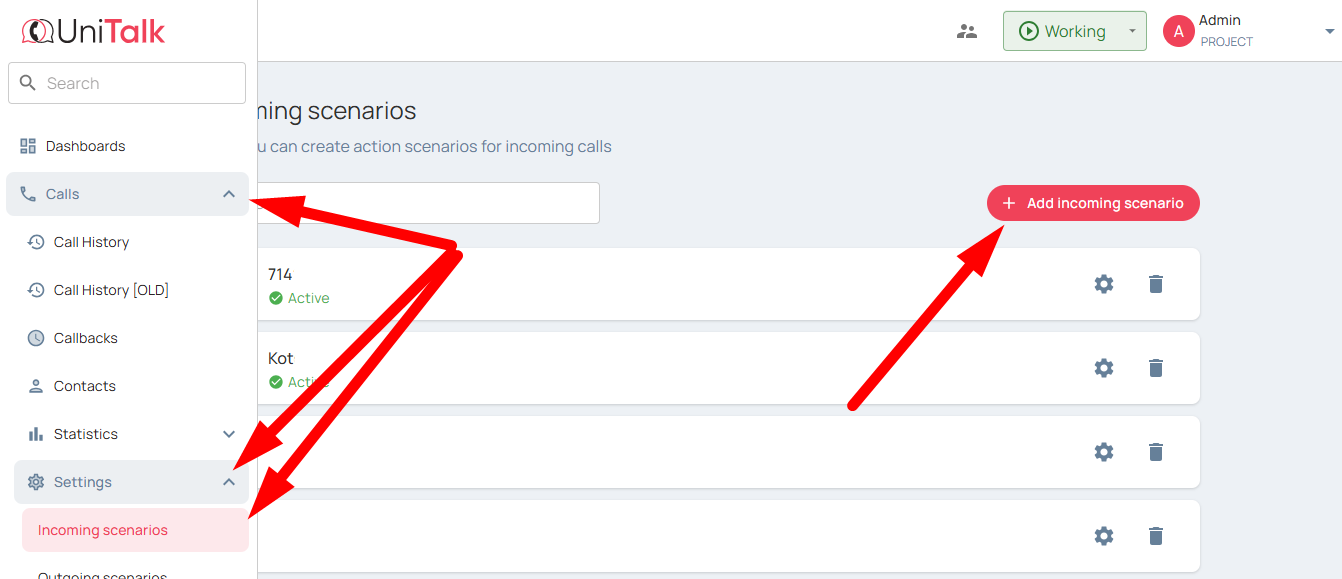
2. Go to the section «Calls» → «Settings» → «Incoming scenarios» → click «Add scenario» and start setting up:
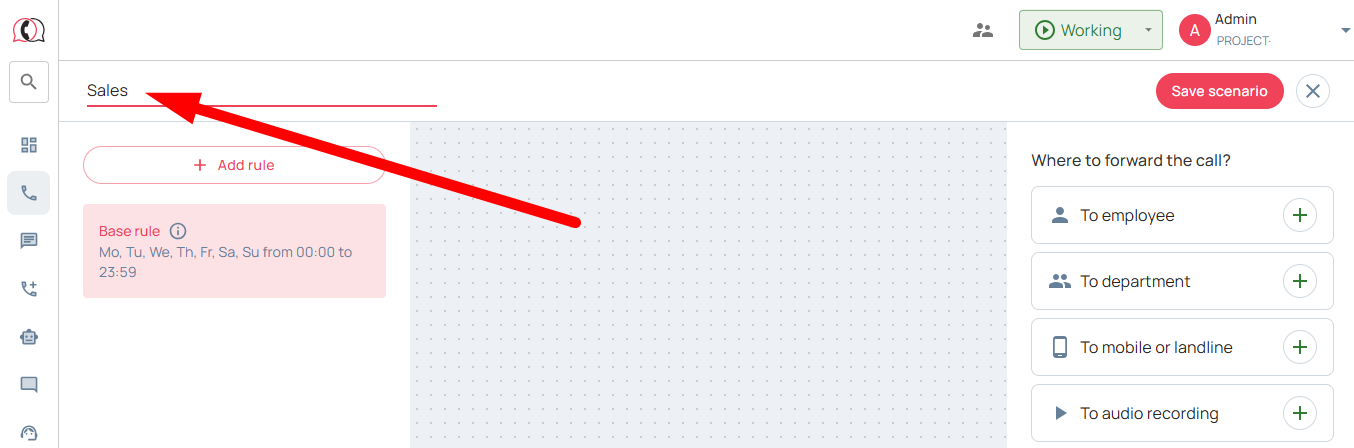
3. Specify a script name, such as “Sales” or “Working Hours”:
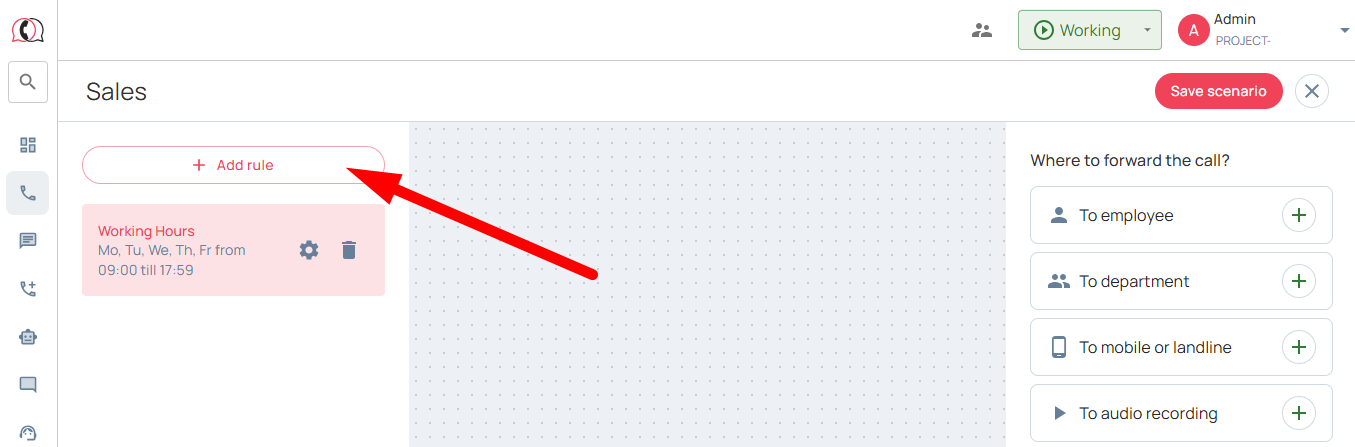
4. Set up a rule for distributing incoming discussions during working days and hours using the “Add rule” option.
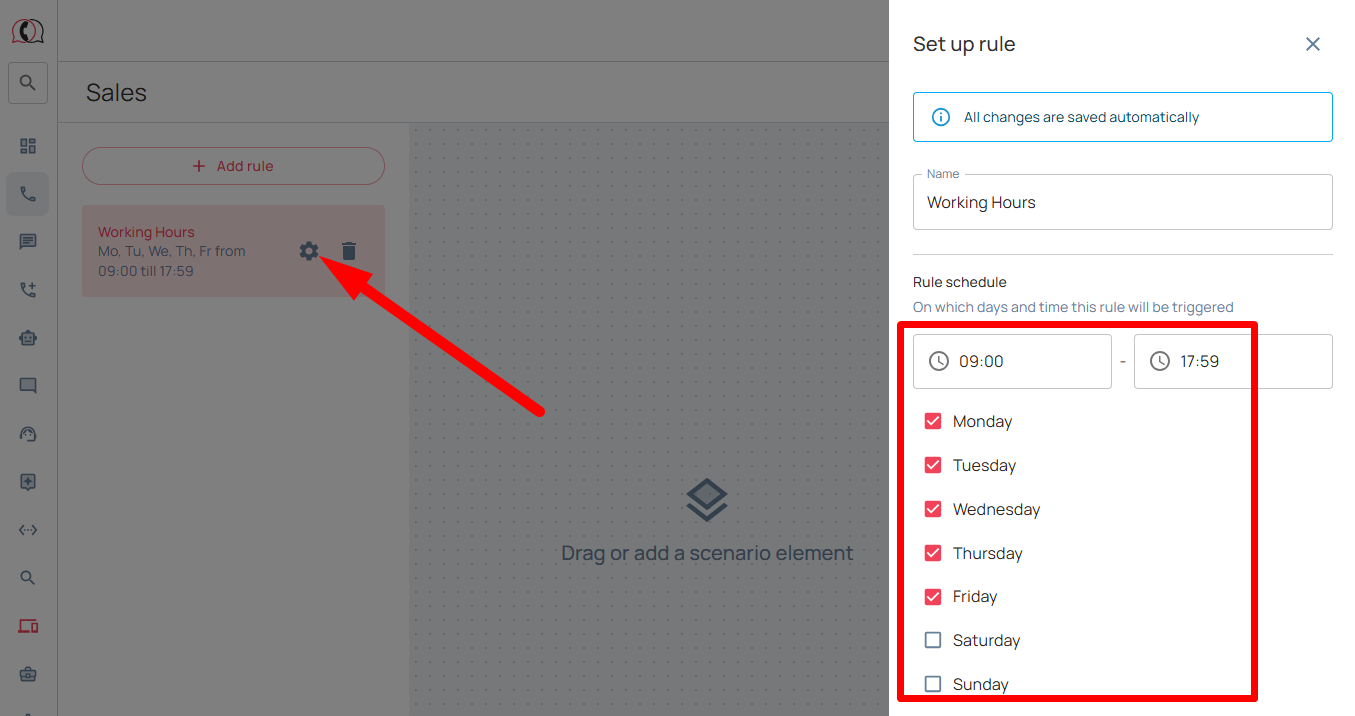
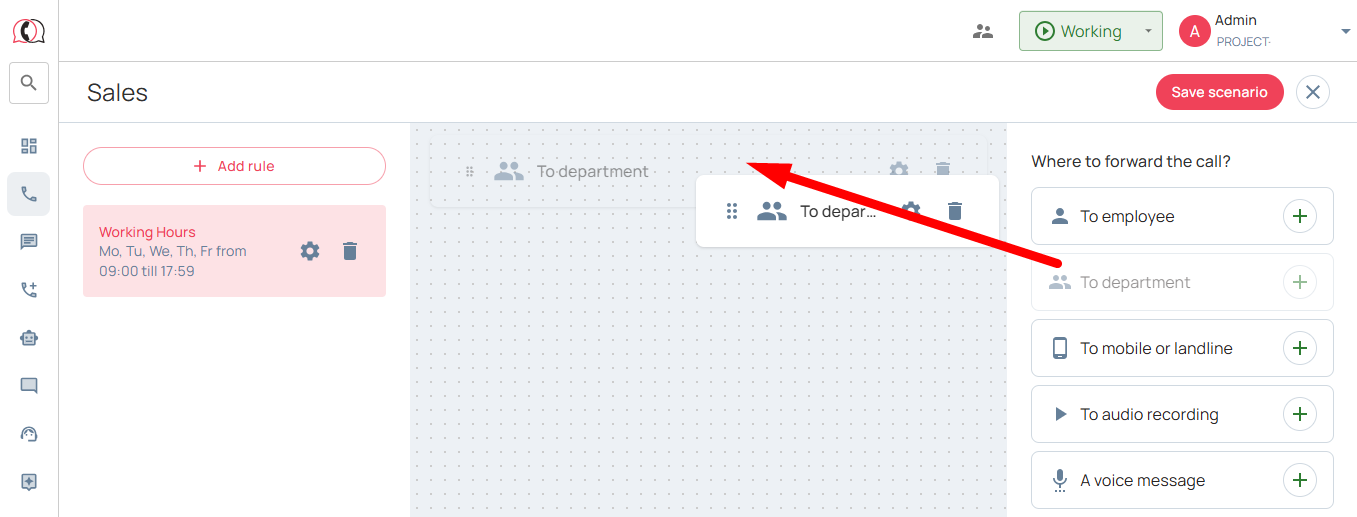
5. Simply drag the blocks from the right box to the left box in the order in which you want the incoming call to arrive.
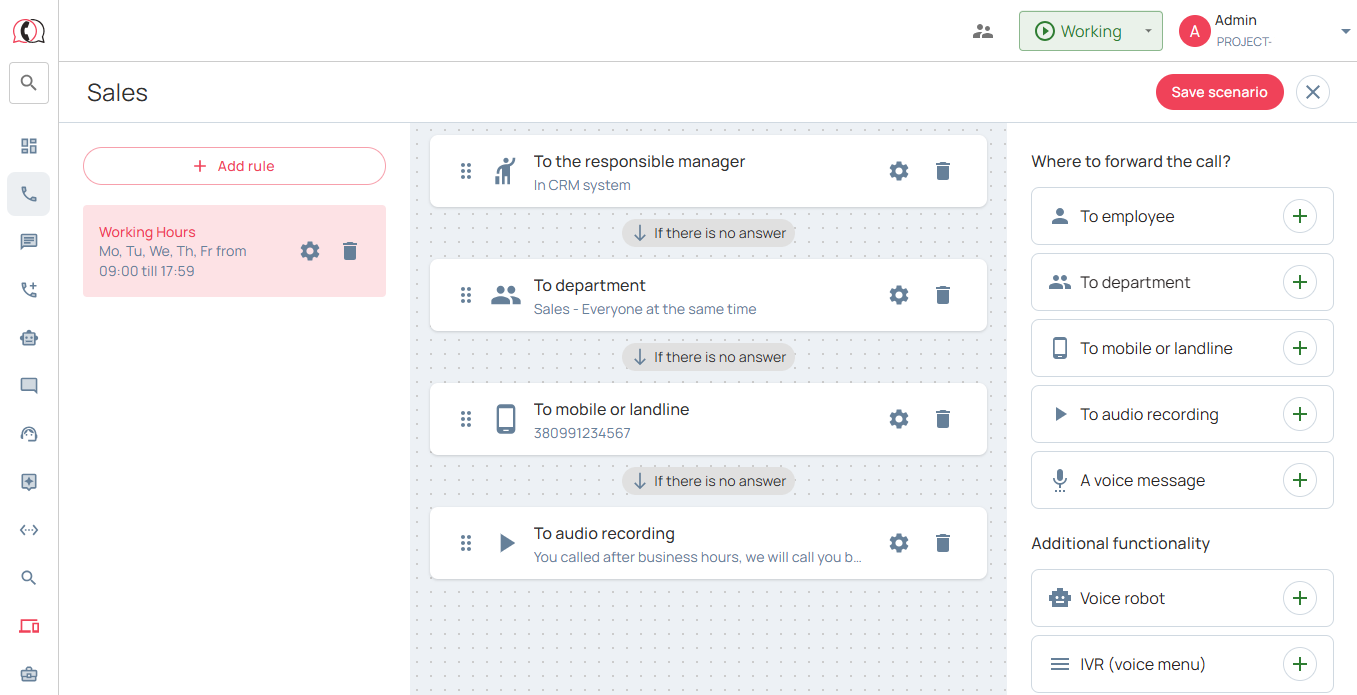
Below is an example of a typical scheme for setting up a script for receiving incoming calls, which is suitable for most companies:
- Working hours: 09:00-18:00 from monday to friday;
- An incoming call goes to the responsible manager. If there is no answer after 15 seconds →
- The call goes to the department (“Sales Department”), to all employees at the same time. If there is no response after 15 seconds →
- The call comes to the head of the sales department (for example, to an external number). If there is no answer after 10 seconds →
- The call comes to the “Audio Recording”: “Hello, at the moment all operators are busy, we will call you back within 10 minutes.”
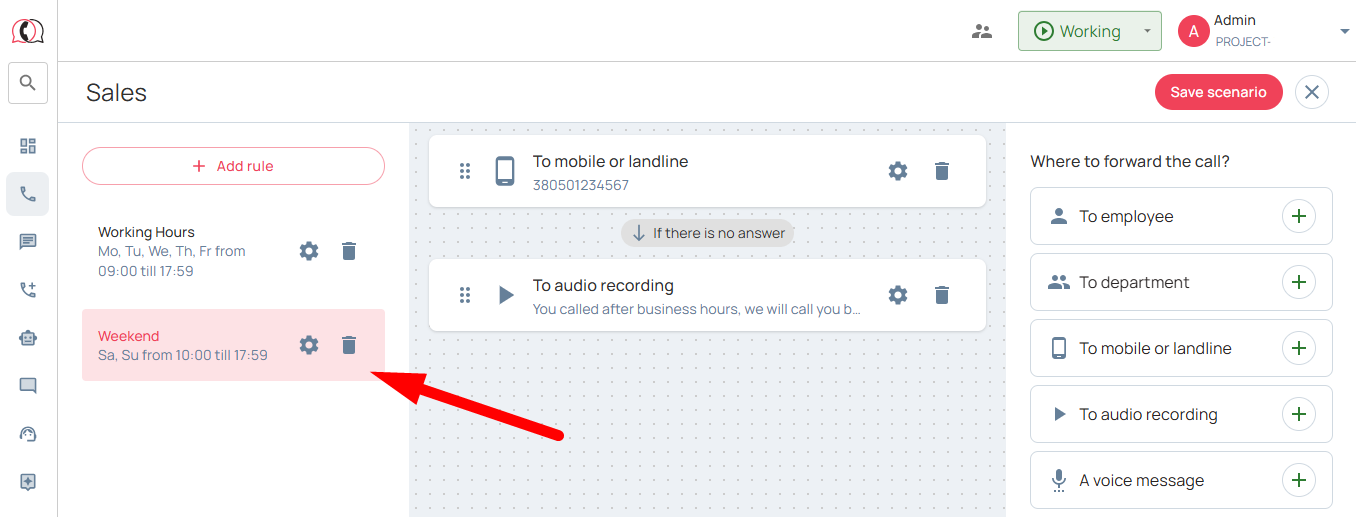
6. Next, if necessary, set up a rule for distributing incoming calls on non-working days and hours. Below is an example of a typical scheme that is suitable for most companies:
- Non-working hours: 00:00-23:59 from Saturday to Sunday;
- An incoming call is received on the personal telephone of the employee on duty (distribution “Call to an external number”). If there is no answer after 30 seconds →
- The call goes to “Audiorecord”: “You called after business hours, we will call you back later.”
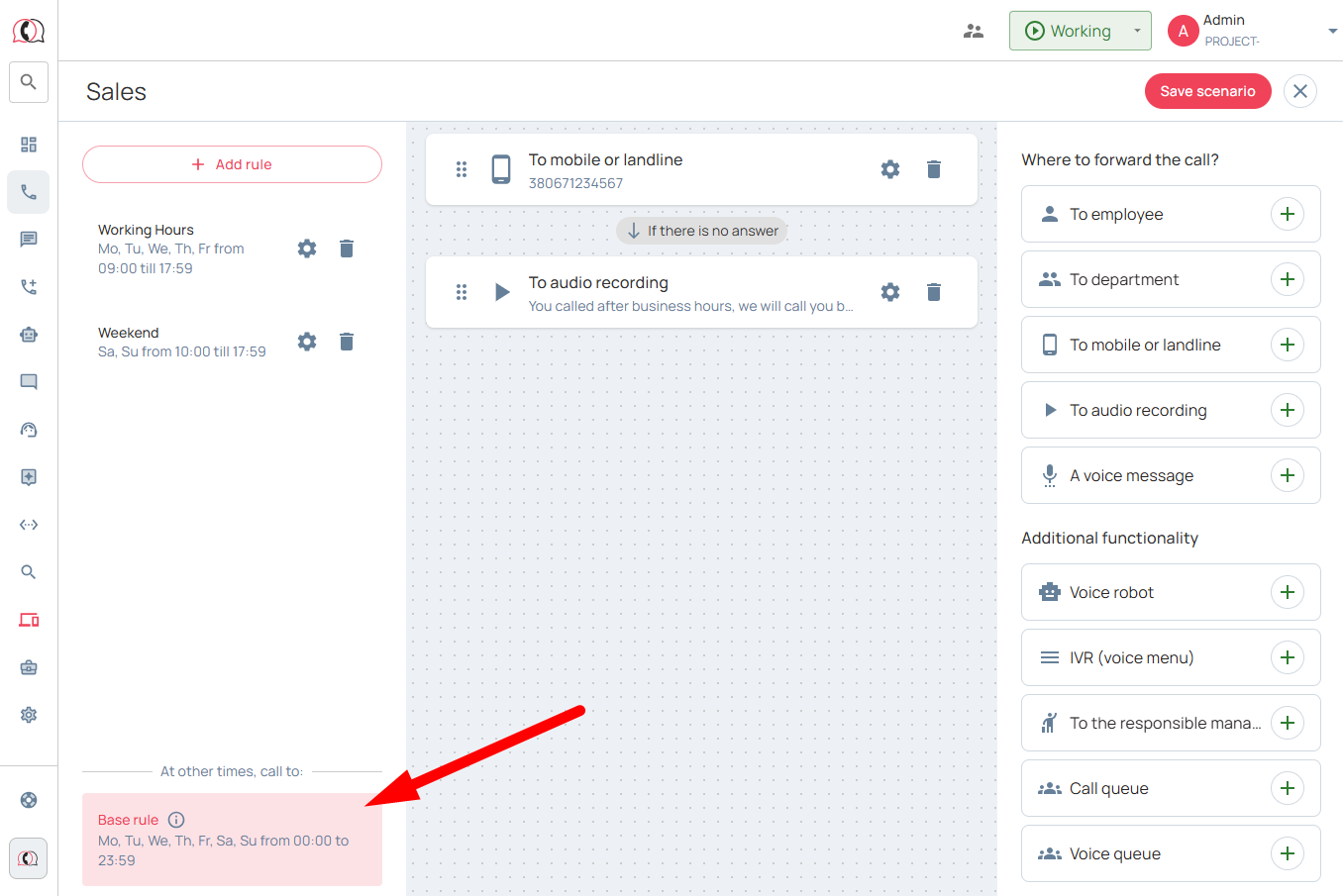
7. Next, set up the “Basic Rule” to make sure that all incoming calls that will be received at all other times (for example, so as not to create separate rules for the period Fri from 18:01 to 29:59; holidays, etc.), when working and non-working time scripts are not involved, get into telephony, for example like this:
- An incoming call is received on the personal telephone of the employee on duty (distribution “Call to an external number”). If there is no answer after 30 seconds →
- The call comes to the “Audio Recording”: “You called after hours, we will call you back later.”
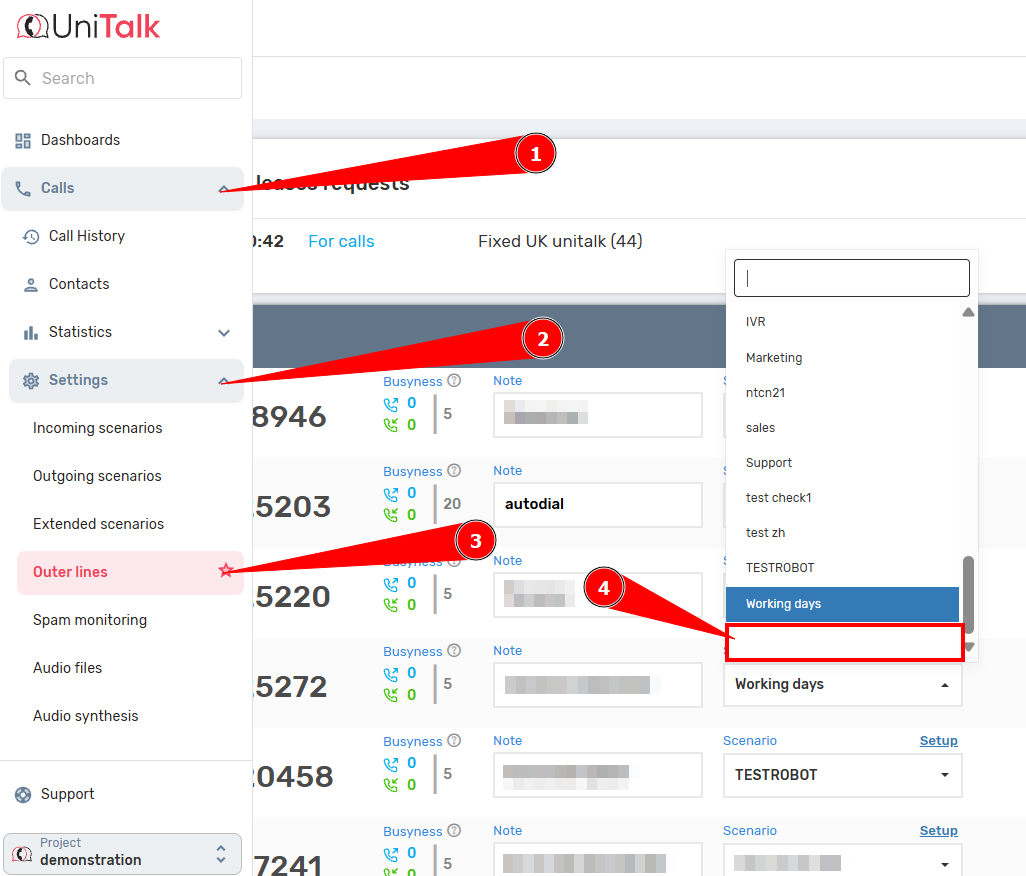
In case if a certain phone number should not receive incoming calls, do not link the incoming call script to this number:
You’ve successfully built a reliable “shield” against missed calls. Configured call scripts are the foundation of your customer communication automation. You now have full control over routing and can be confident that if a manager is busy, the call won’t get lost; instead, it will follow the exact chain you defined (to a department, a supervisor, or a voice message). We recommend you also explore the Accompanied voice queues feature to ensure clients waiting on the line remain engaged and informed. With UniTalk, your IP telephony works flawlessly!
Read also the article Accompanied voice queues



