UniTalk Update: CRM RemOnline Integration
RemOnline is a multifunctional Ukrainian CRM system designed for sales and service delivery.
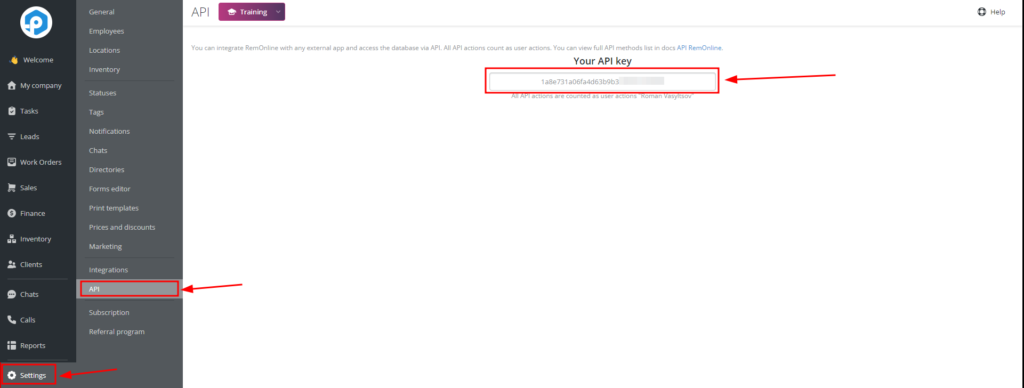
- To set up the integration of UniTalk IP telephony with the RemOne CRM system, follow the link and copy your API key in the “Settings” section.
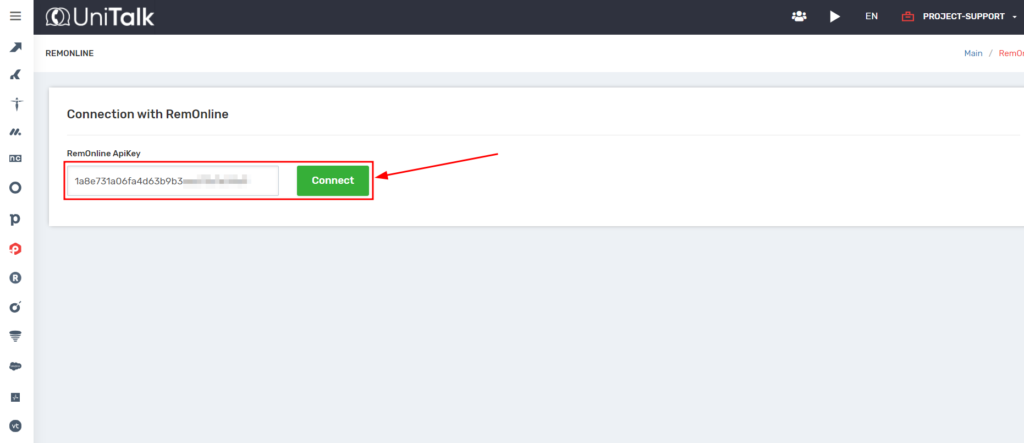
2. Next, in the UniTalk personal account, follow the link in the “Integration” section, find the “RemOnline ApiKey” field and paste the copied API key. Click the “Connect” button.
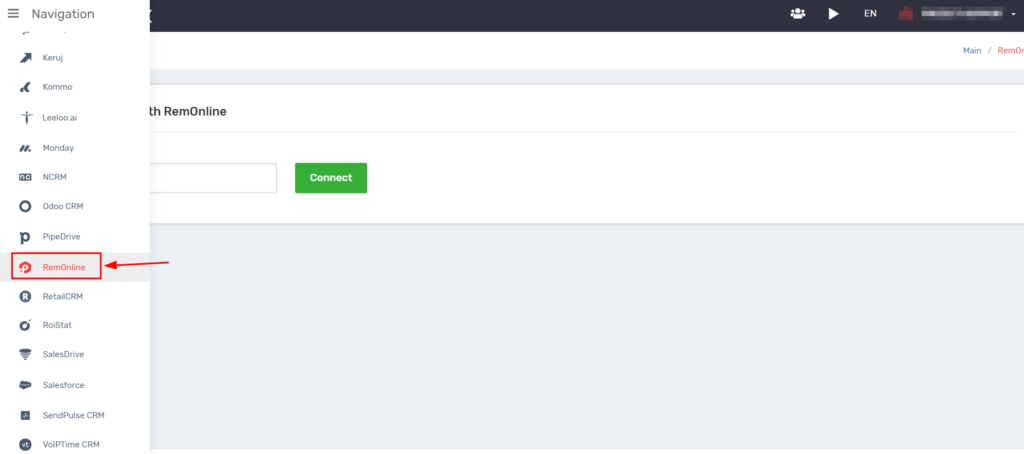
3. Select the Enable integration checkbox. Choose one of the following options: “Contacts and orders or Contacts and requests.
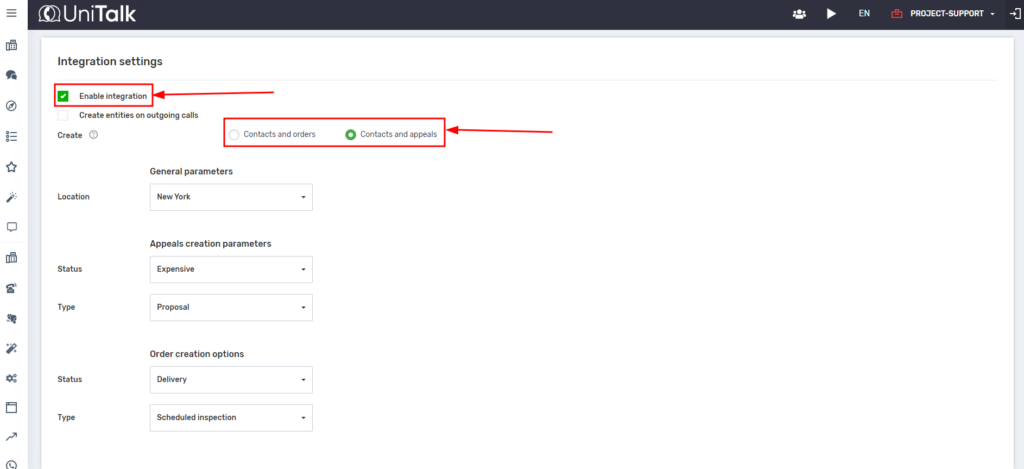
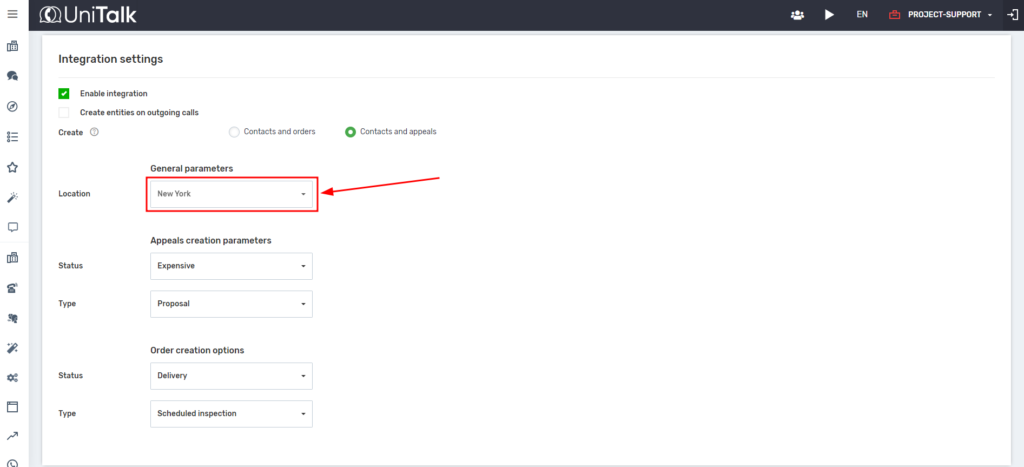
4. In the General settings section, select the required location.
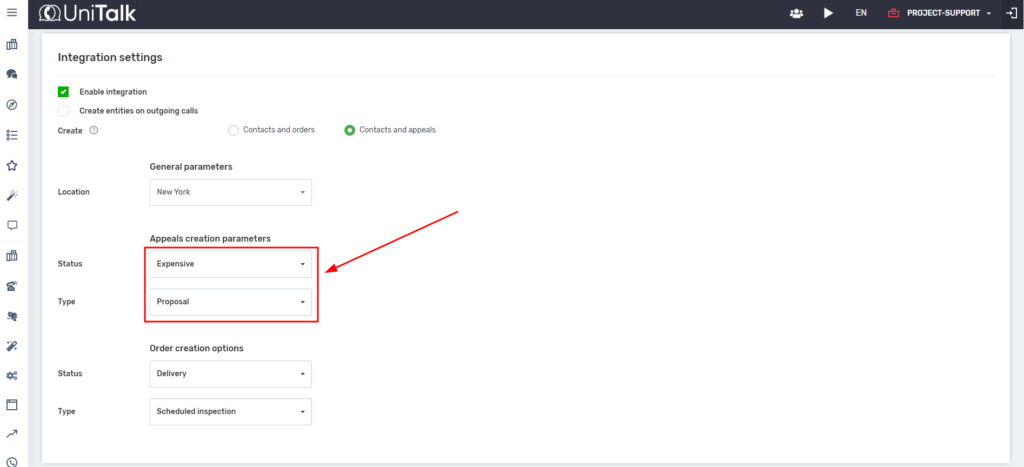
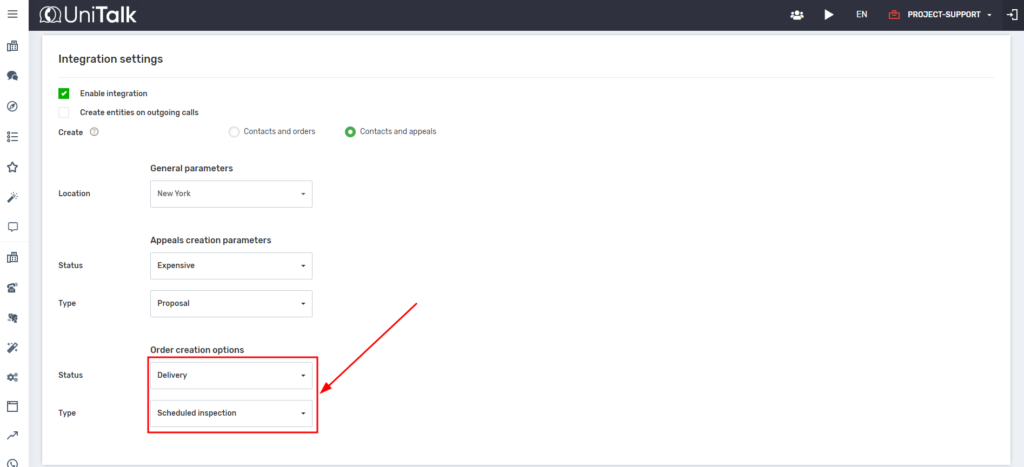
5. In the “Appeals creation parameters” or “Settings for creating orders” section, set the status and type of requests or orders, respectively.
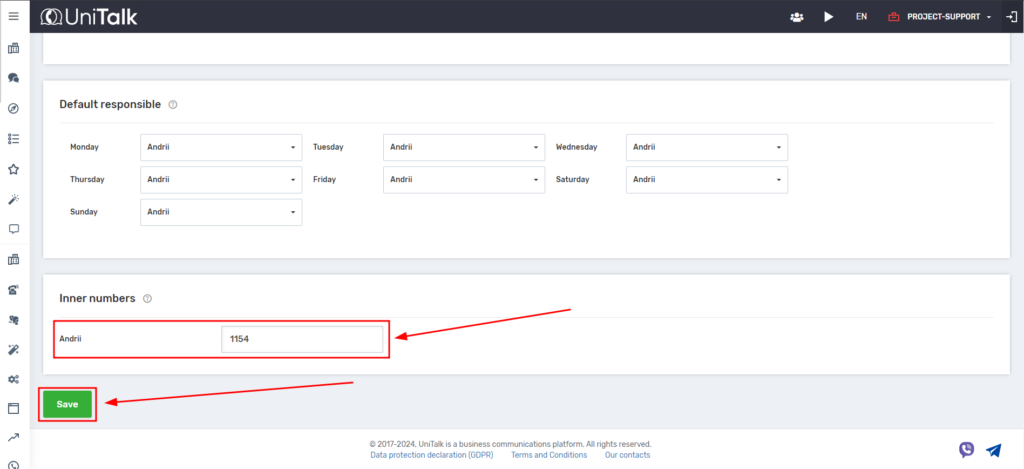
6. In the Default responsible person section, you can specify the details of the responsible manager for missed calls. You can assign one or more managers. You can assign different managers on different days of the week. If you don’t need to do so, you can leave the Default responsible person field blank.
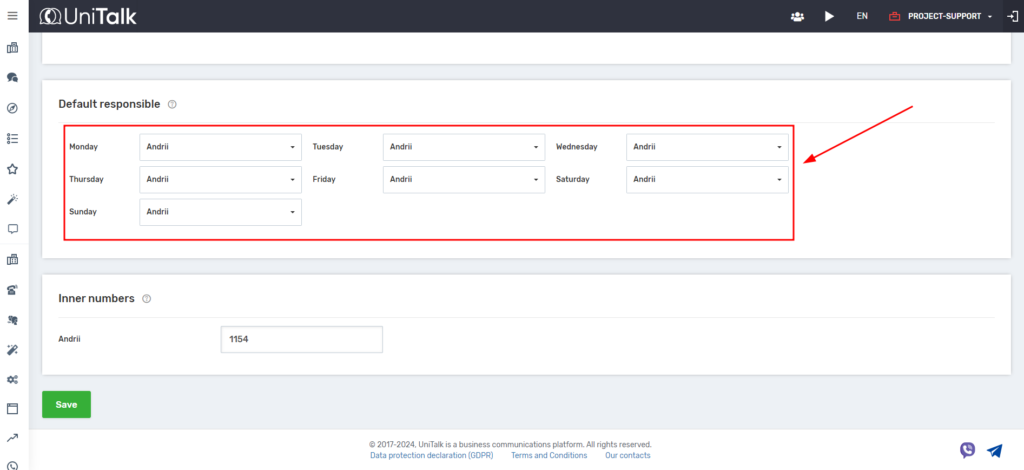
7. In the Inner numbers section, enter the telephone extensions of your employees. This will allow you to transfer calls to the responsible manager. Click the Save button.