Top 12 Task Managers for Business in 2026: Review and Comparison
Setting a task sounds simple enough, until your team grows past five people or you’re running several projects at once. Suddenly tasks are scattered across three messengers, deadlines keep slipping, and the person responsible “didn’t know.” Your manager spends more time chasing status updates than doing actual work.
Picture this: a sales team lead starts every morning collecting updates from five reps in Telegram. Some respond, some don’t. The week’s priorities exist in someone’s head, not in one place. By Friday, half the tasks have been forgotten, and a new deal is stuck because no one knew who owned it. Sound familiar?
That’s exactly what a task manager is built to solve.
A task manager is software for managing tasks and projects that lets you centrally assign work, set owners, define deadlines, track progress, and communicate, all within a single workspace.
According to Mordor Intelligence, the project management software market is valued at $11.27 billion in 2026 and is expected to reach $23.09 billion by 2031. Demand is growing not just among large enterprises – small and medium businesses are increasingly adopting task managers to stay organised across distributed and hybrid teams.
The market offers dozens of solutions, from simple kanban boards to full-featured platforms with automation, analytics, and CRM functionality. Choosing the right one can be genuinely tricky. The UniTalk team rounded up 12 of the most widely used task managers in 2026 and put together an honest review covering pricing, strengths, and limitations.

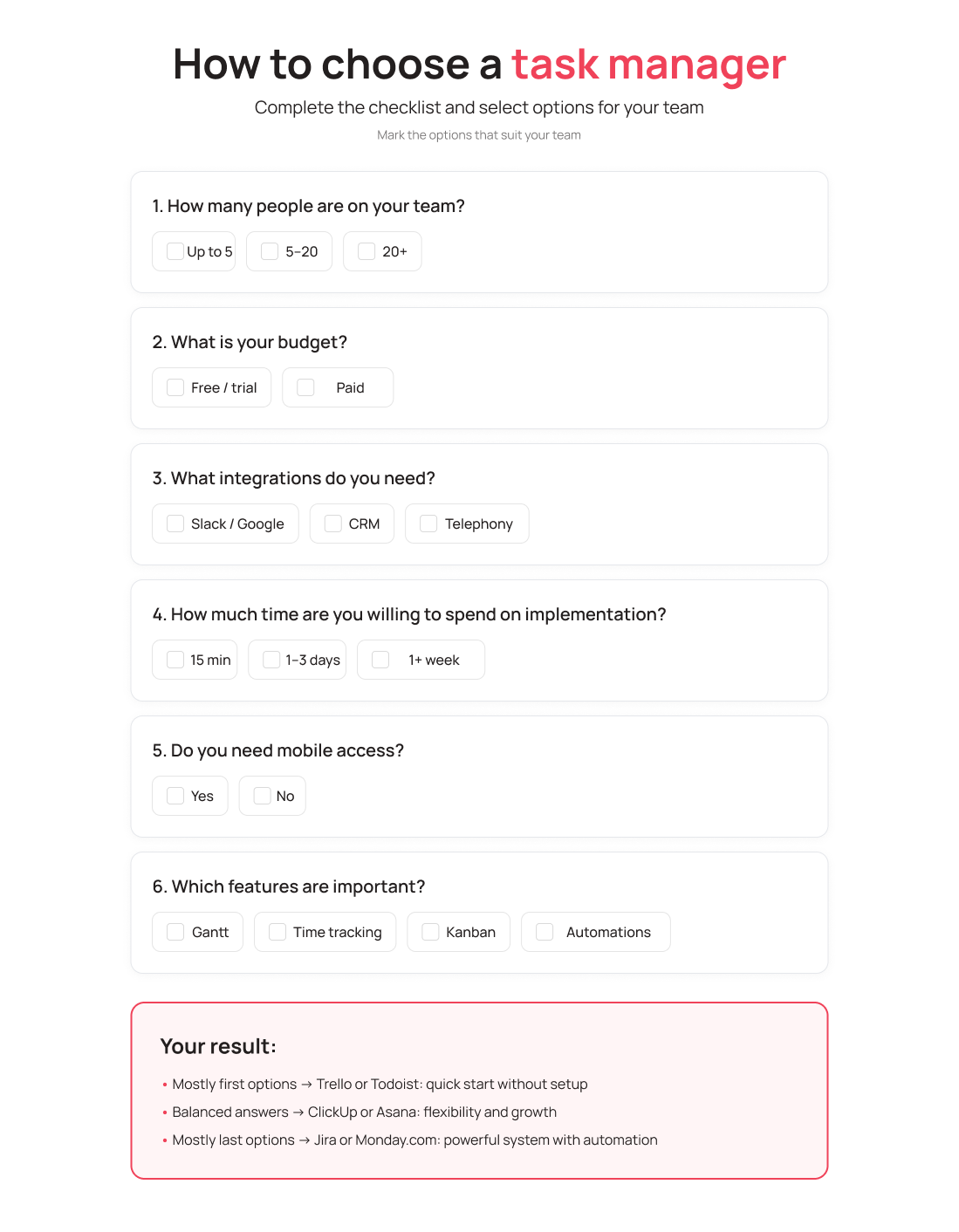
How to Choose a Task Manager: 6 Key Criteria
Before diving into specific tools, it’s worth getting clear on what you actually need. Here’s what to look at first.
1. Team size and project type. For a team of 3–5 people with straightforward tasks, a lightweight tool like Trello works well. For 20+ people running multiple parallel projects, you need a full platform with dependency management and reporting. Technical teams working in Agile or Scrum need sprint support and kanban boards.
2. Free plan or trial period. Most tools on this list offer a free plan or a 14–30 day trial. Don’t pay upfront – test your actual workflow on the free tier first.
3. Integrations. A task manager rarely lives in isolation. Make sure it connects to your existing tools: Slack, Google Workspace, Zoom, your CRM. Especially important is the connection to your customer communication platform. If your team uses telephony or an omnichannel chat, calls and messages should appear directly inside task cards – no switching between tabs.
4. Interface and learning curve. The best task manager is the one your team actually uses. If a tool takes weeks to set up and learn, there’s a real risk half the team will drift back to old habits.
5. Mobile app. For salespeople, project managers, and anyone constantly on the move, a mobile version isn’t a perk – it’s a requirement.
6. Must-have features: Gantt, time tracking, agile. If you need a Gantt chart for planning, time tracking for client billing, or kanban boards for agile work – check whether those features are available before choosing a plan. They’re often locked behind paid tiers.
UniTalk’s Task Manager Ranking
1. Trello
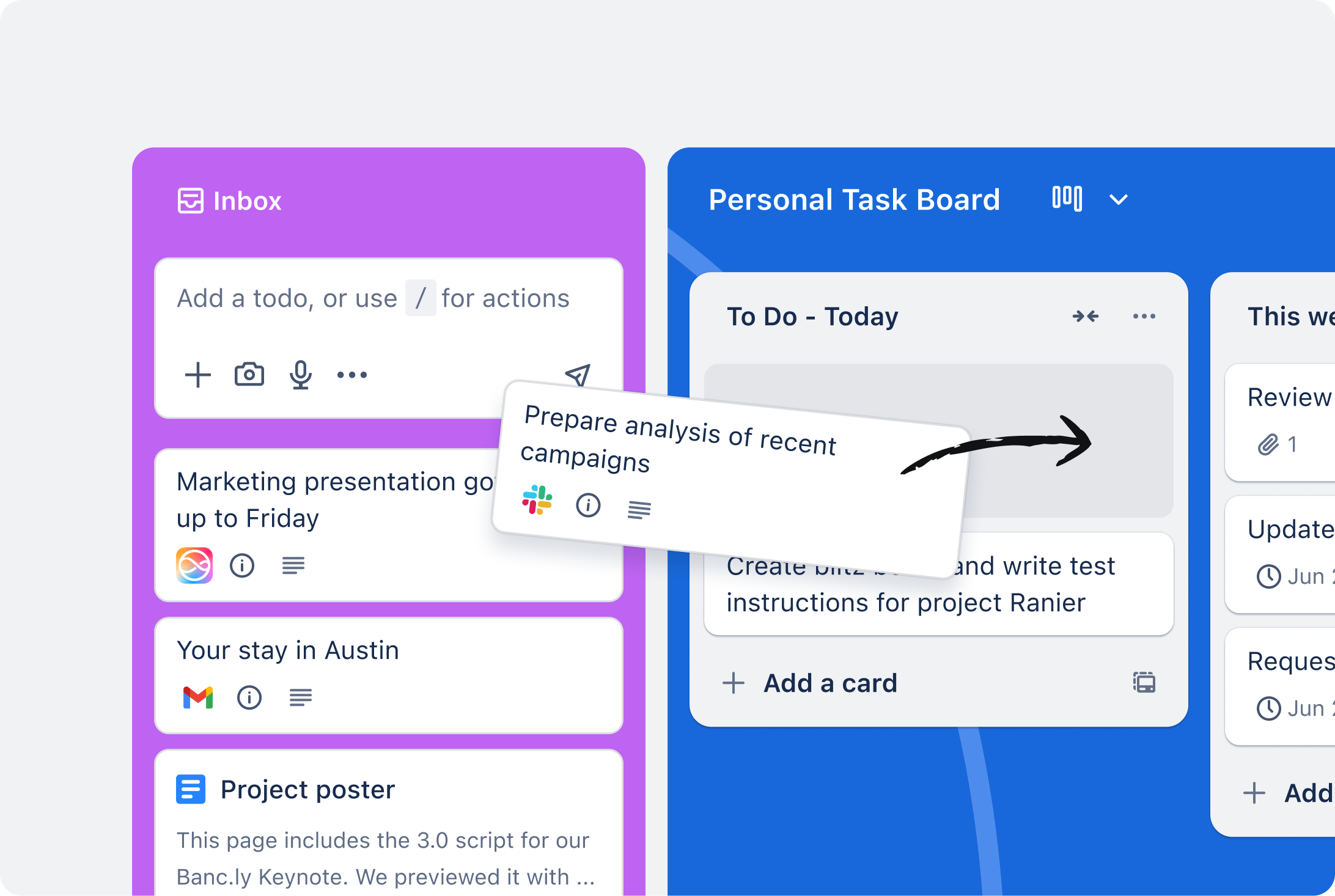
Trello is a classic. One of the first task managers to bring kanban boards to a mainstream audience. It’s simple, visual, and intuitive from the first minute.
What it is and who it’s for.
A great fit for small teams and freelancers who need to get organised quickly without a lot of setup. It’s also a popular first task manager for startups and nonprofits.
Key features:
- Kanban boards, cards, and lists as the core of the system
- Deadlines, labels, and checklists inside cards
- Automations via Butler (up to 250 commands/month on the free plan)
- File attachments, comments, and mentions
- Integrations through Power-Ups (Slack, Google Drive, Jira, Zapier, etc.)
- Mobile app for iOS and Android
Strengths:
- Simplest interface of all competitors – ready to use in 5 minutes
- Generous free plan
- Large library of templates
- Works great for visual thinkers
Limitations:
- Doesn’t scale well for large or complex projects
- No native Gantt chart (only via Power-Up)
- Limited reporting and analytics
- Weak agile features
Pricing:
| Plan | Price |
|---|---|
| Free | $0 – unlimited cards, up to 10 boards |
| Standard | $5/user/month (annual billing) |
| Premium | $10/user/month |
| Enterprise | $17.50/user/month |
G2 rating: 4.4/5 (over 13,000 reviews)
Best for: freelancers, startups, teams of up to 10 people with straightforward projects.
2. Asana
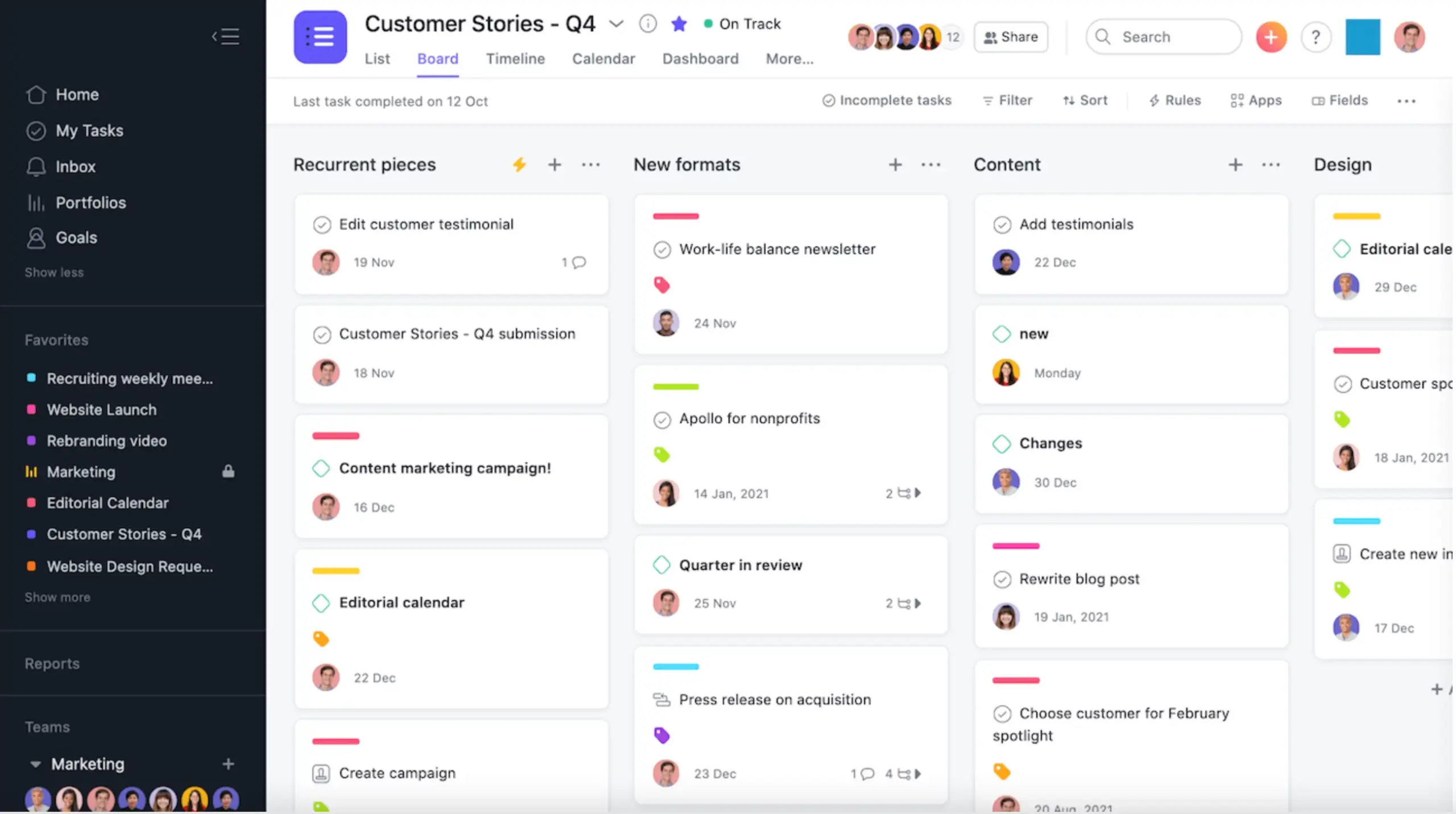
Asana is one of the most recognised project management tools in the world. Founded in San Francisco by former Facebook engineers, it now serves over 150,000 organisations.
What it is and who it’s for.
Asana is a mature platform for mid-size and large teams that need structure, visibility, and dependency management between tasks. Especially popular in marketing, HR, and product teams.
Key features:
- Multiple views: list, board, calendar, timeline (Gantt)
- Task dependencies and subtasks
- Goals for OKR tracking
- Built-in rules automation
- Forms for collecting requests from external users
- Portfolio view for tracking multiple projects at once
- 200+ integrations
Strengths:
- Clean, intuitive interface
- Excellent cross-functional collaboration between departments
- Powerful automation even on paid plans
- Regular updates and AI features
Limitations:
- Cost scales up quickly as the team grows
- Time tracking only through integrations (not native)
- Missing some agile tools for complex IT projects
Pricing:
| Plan | Price |
|---|---|
| Free | $0 – up to 10 users, basic features |
| Starter | ~$10.99/user/month (annual billing) |
| Advanced | ~$24.99/user/month |
| Enterprise | custom pricing |
G2 rating: 4.4/5 (over 10,000 reviews)
Best for: marketing and product teams, companies with complex cross-departmental projects.
3. ClickUp
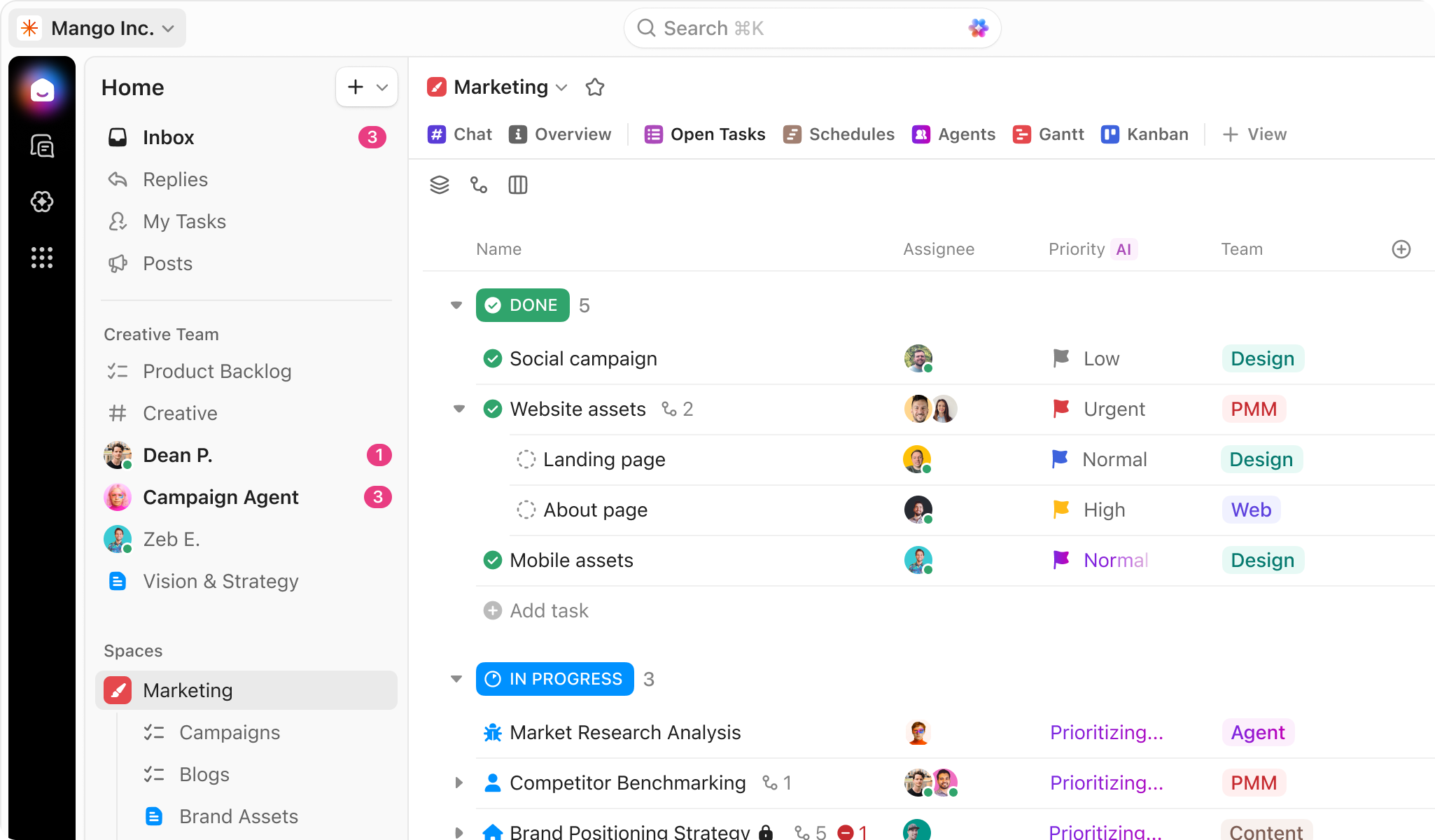
ClickUp calls itself “the one app to replace them all.” It’s one of the most feature-rich platforms on the market – and also one of the most complex to set up.
What it is and who it’s for.
ClickUp is built for teams that want maximum flexibility and are willing to invest time in customisation. Popular among IT companies, marketing teams, and anyone looking to consolidate multiple tools into one.
Key features:
- 15+ views: list, board, Gantt, calendar, table, mind map, and more
- Native time tracking
- Built-in docs and wikis
- Goal management (OKR)
- No-code automation
- AI assistant for writing and summarising tasks
- 1,000+ integrations
Strengths:
- Most generous free plan on the market
- Extreme flexibility – customisable to almost any workflow
- Excellent value for money
- Constantly adding new features
Limitations:
- One of the steepest learning curves among competitors
- Interface can overwhelm new users
- Can be slow with large amounts of data
Pricing:
| Plan | Price |
|---|---|
| Free Forever | $0 – unlimited tasks and members |
| Unlimited | ~$7/user/month (annual billing) |
| Business | ~$12/user/month |
| Enterprise | custom pricing |
G2 rating: 4.7/5 (over 9,000 reviews)
Best for: IT teams, marketing teams, companies looking to replace multiple tools with one solution.
4. Monday.com
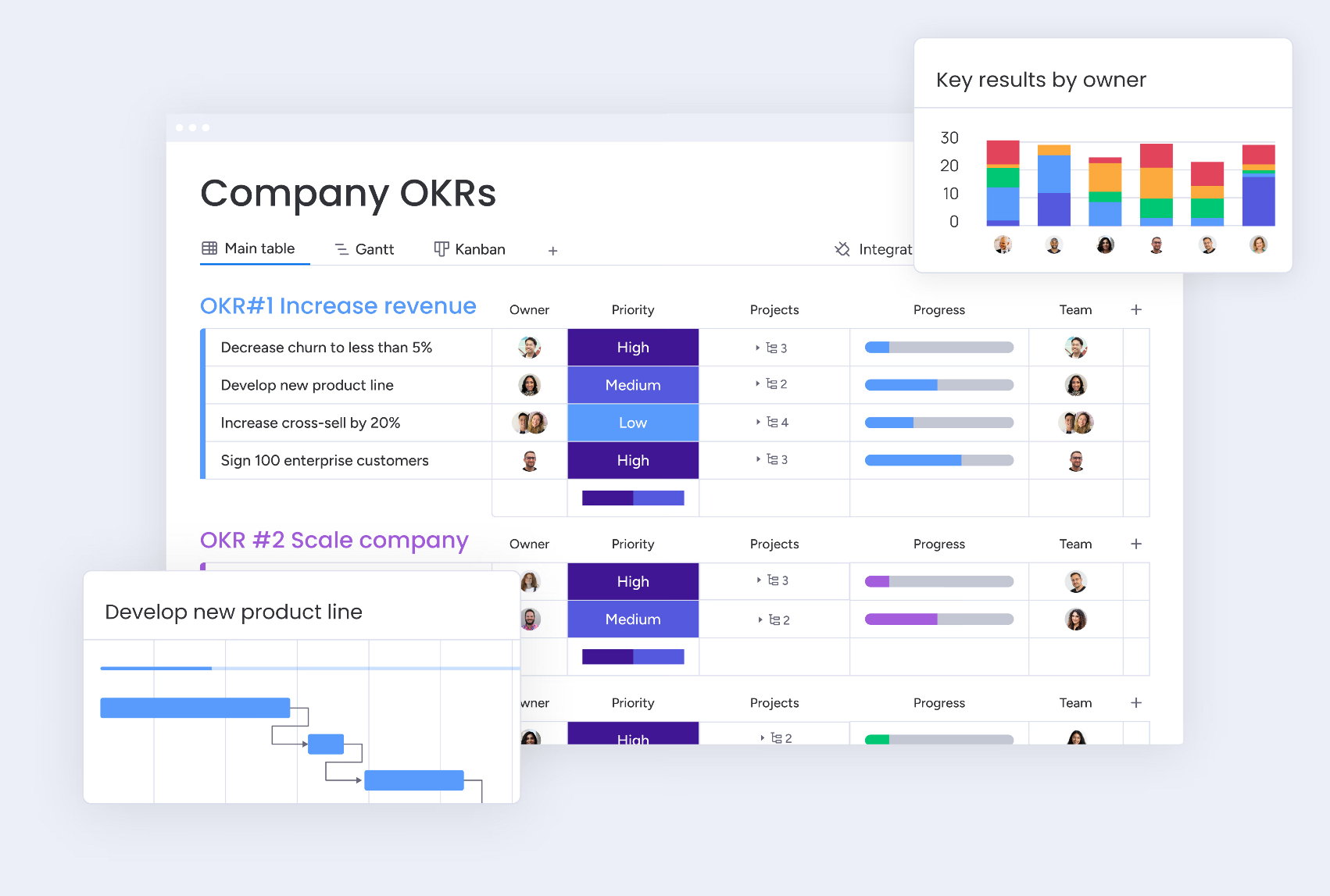
Monday.com is one of the most recognisable work management platforms in the world. Founded in Israel in 2012, it now serves over 225,000 customers in 200 countries. Monday.com long outgrew the label of simple task manager and became a full Work OS – an operating system for business.
What it is and who it’s for.
Monday.com is a great fit for non-technical teams that need a flexible, visually intuitive platform. Particularly popular in sales, HR, marketing, and operations.
Key features:
- Flexible boards with custom columns (status, date, people, budget, formulas, etc.)
- No-code automation with hundreds of ready-made recipes
- Views: Gantt, kanban, calendar, map, table
- Built-in CRM (monday Sales CRM)
- Workdocs – documents directly inside the platform
- 200+ native integrations, including UniTalk
💡 UniTalk + Monday.com: Monday.com is the only platform on this list with a direct integration with UniTalk. This means your team can make and receive calls directly from a task card or deal in monday.com. Call recordings, duration, and details are saved automatically to the element – no manual entry needed. Incoming calls can automatically create new board items, and call routing between managers is configured right inside the monday.com interface. For teams that combine project management with client-facing work, this significantly cuts down on switching between tools.
Strengths:
- Intuitive interface with a minimal learning curve
- Flexible customisation without coding
- Excellent workflow automation
- Wide range of industry-specific templates
- Responsive customer support
Limitations:
- Minimum 3 seats even on the base paid plan
- Free plan is limited (only 2 users)
- Automations and integrations capped on lower tiers (250/month on Standard)
- Cost rises quickly as the team scales
Pricing:
| Plan | Price |
|---|---|
| Free | $0 – up to 2 users, 3 boards |
| Basic | $9/seat/month (min. 3 seats, annual billing) |
| Standard | $12/seat/month – most popular |
| Pro | $19/seat/month |
| Enterprise | custom pricing |
G2 rating: 4.7/5 (over 12,000 reviews)
Best for: sales, HR and marketing teams, businesses that need a task manager and CRM in one, teams that communicate with clients by phone.
5. Jira
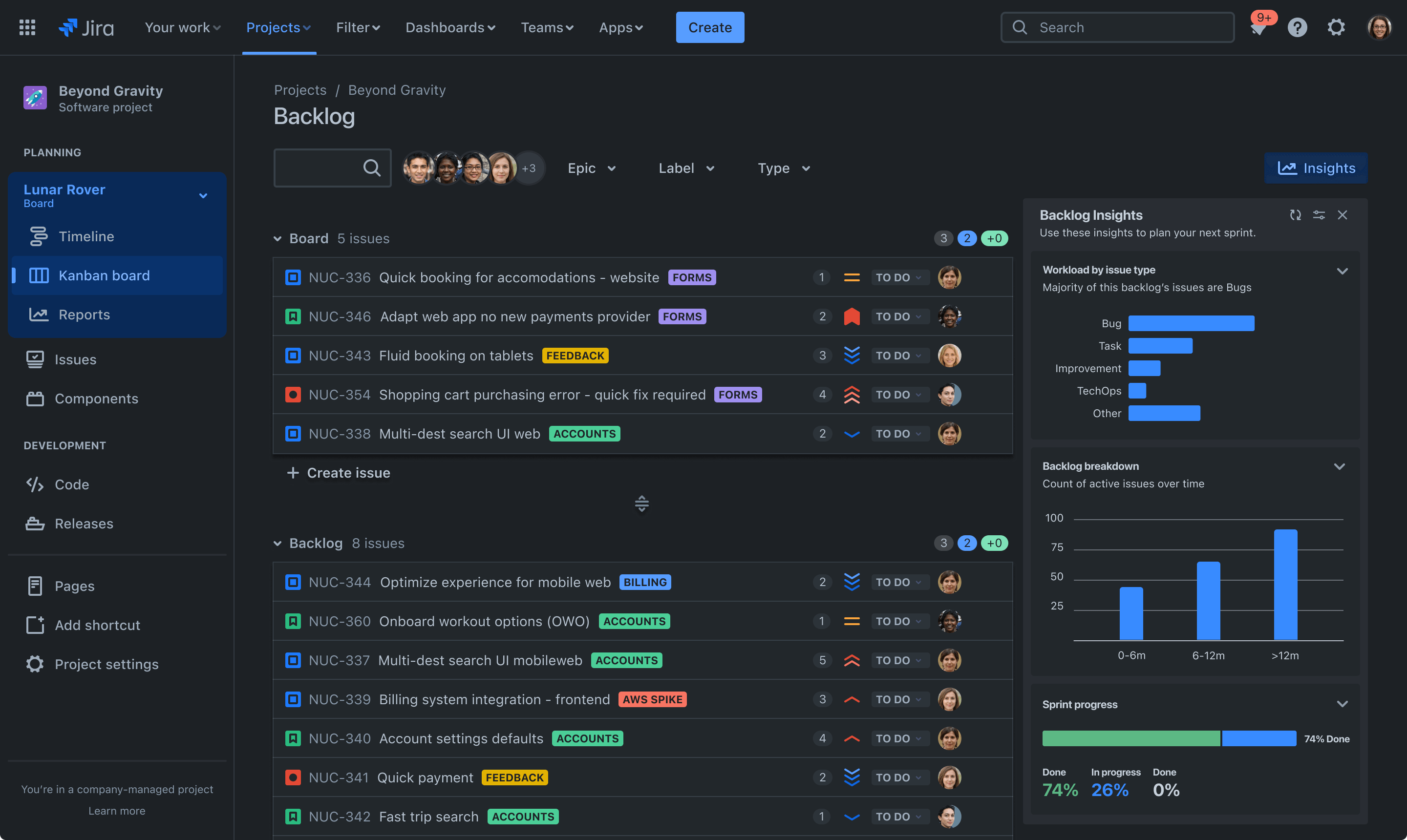
Jira from Atlassian is the industry standard for project management in software development. If your team writes code and lives by Agile or Scrum, Jira is probably already on your radar.
What it is and who it’s for.
Jira is built specifically for technical teams: developers, QA engineers, product managers. It integrates deeply with development tools – GitHub, GitLab, Bitbucket, Confluence – and is part of the broader Atlassian ecosystem.
Key features:
- Scrum and Kanban boards with native sprint support
- Backlog, release planning, roadmap
- Detailed reports: burndown charts, velocity, cumulative flow
- 3,000+ apps in the Atlassian Marketplace
- Deep integrations with GitHub, GitLab, Bitbucket, Confluence
- Jira Align for large enterprise teams
Strengths:
- The most powerful tool for agile development
- Huge ecosystem of plugins and integrations
- Detailed analytics for product managers
- Reliable platform with a large community
Limitations:
- Complex setup and steep learning curve
- Cluttered interface – not great for non-technical users
- Gets expensive at scale
- Overkill for simple team task management
Pricing:
| Plan | Price |
|---|---|
| Free | $0 – up to 10 users |
| Standard | ~$7.91/user/month |
| Premium | ~$14.54/user/month |
| Enterprise | custom pricing |
G2 rating: 4.3/5 (over 5,800 reviews)
Best for: development teams, IT departments, companies working in Scrum or Kanban.
6. Notion
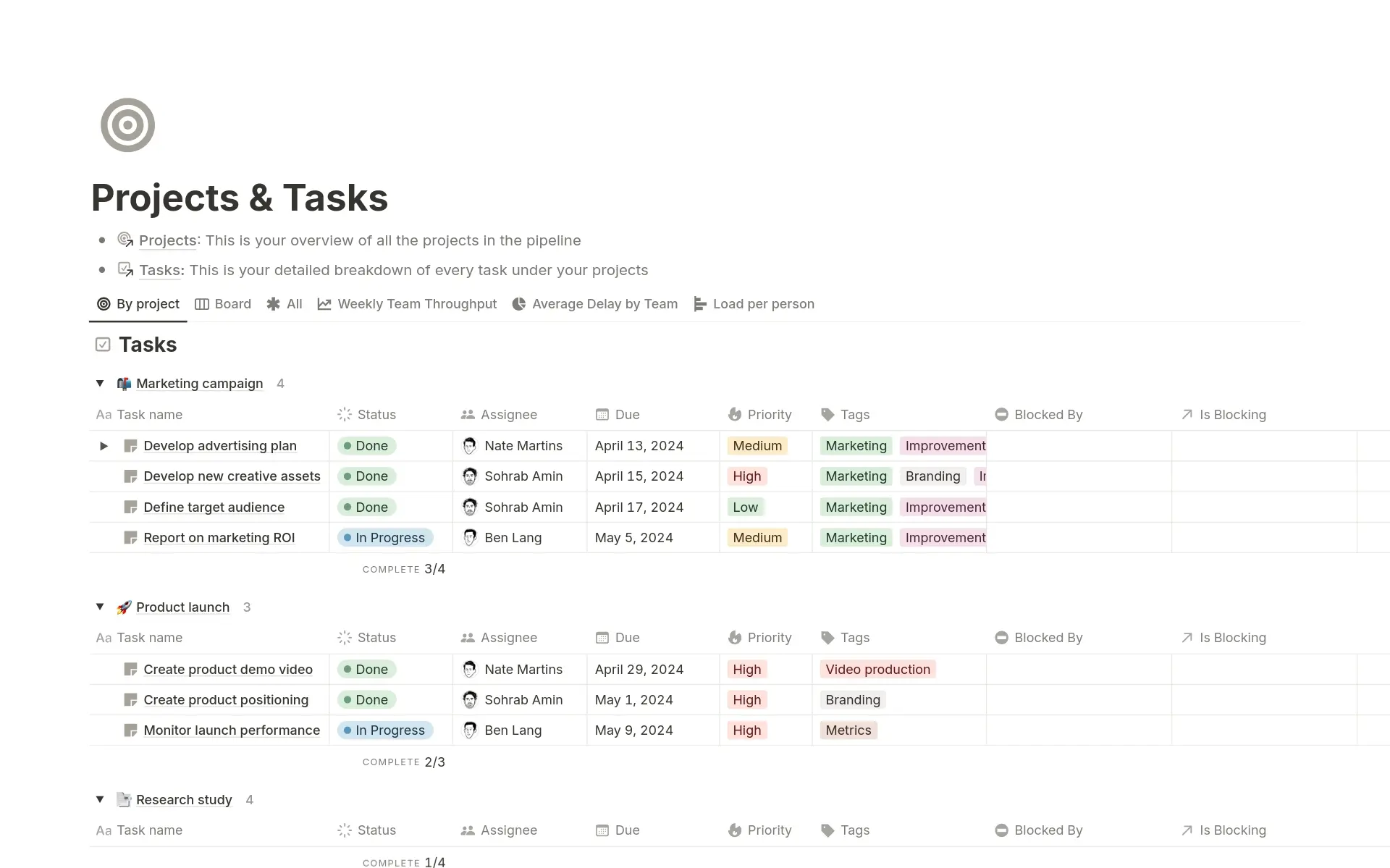
Notion is a unique hybrid: knowledge base, task manager, and documentation platform in one. It isn’t a task manager in the traditional sense, but millions of teams use it exactly that way.
What it is and who it’s for.
Notion works well for teams that need to store knowledge and manage tasks at the same time – startups, content teams, and education projects. Also popular among freelancers and solo entrepreneurs.
Key features:
- Flexible databases – table, board, calendar, gallery, list, timeline
- Documents, notes, wikis – all in one space
- Built-in templates for projects, OKR, and meetings
- Notion AI – helps with writing, summarising, and generating content
- API and Zapier integrations
- Mobile app
Strengths:
- Unmatched structural flexibility
- Combines documentation and tasks – fewer tool switches
- Generous free plan
- Large community template library
Limitations:
- Not a true task manager – lacks notifications, reminders, and reporting
- Easy to spend more time configuring than working
- No native time tracking
- Can slow down with large amounts of content
Pricing:
| Plan | Price |
|---|---|
| Free | $0 – personal use and small teams |
| Plus | ~$12/user/month (annual billing) |
| Business | ~$24/user/month |
| Enterprise | custom pricing |
G2 rating: 4.7/5 (over 5,500 reviews)
Best for: content teams, startups, teams that need a shared knowledge base alongside task management.
7. Worksection
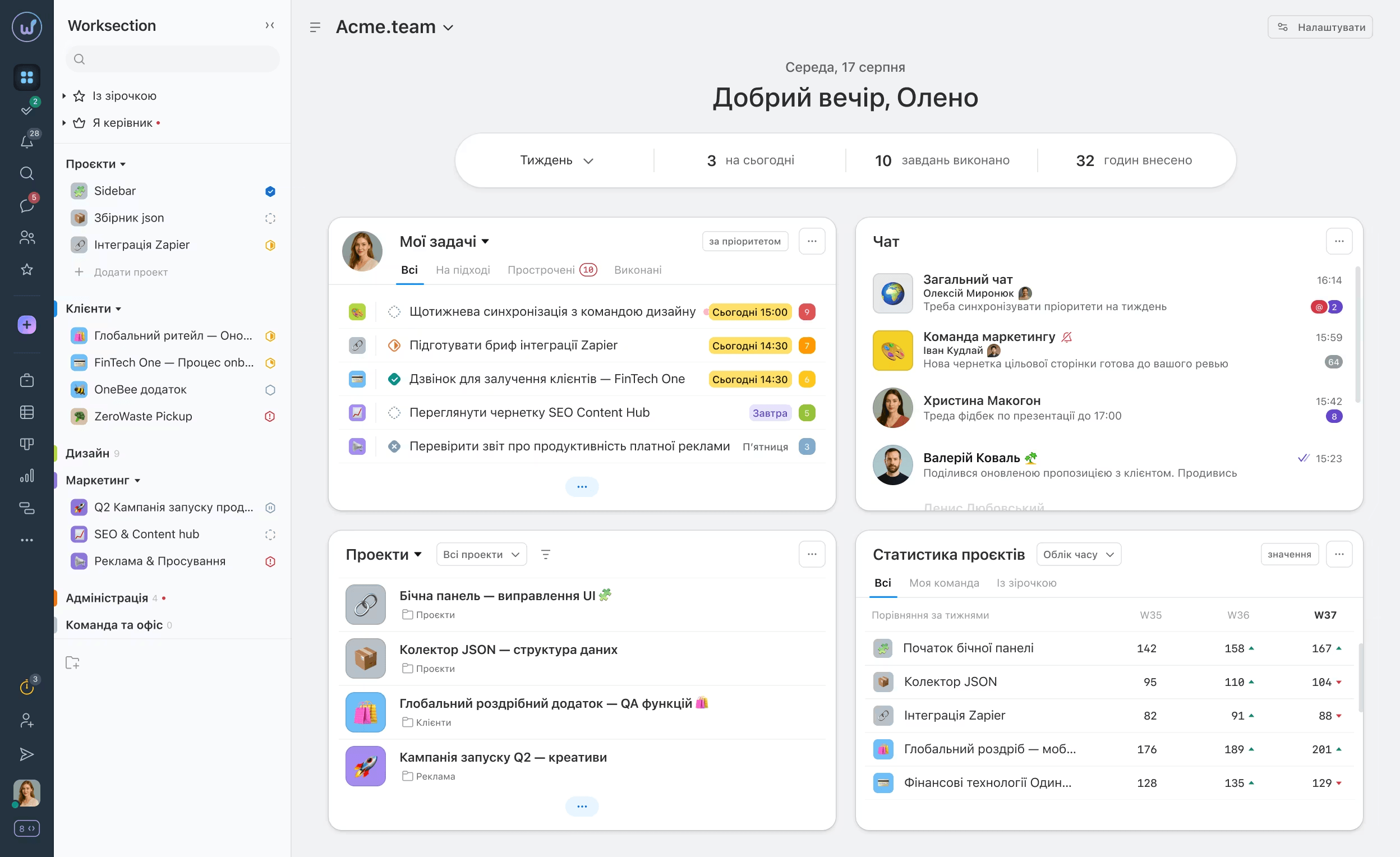
Worksection is a Ukrainian-built product that has been on the market since 2009 and is actively used by companies in Ukraine and across Central and Eastern Europe. Compared to global players, Worksection stands out for its local support, transparent pricing, and ease of implementation.
What it is and who it’s for.
Worksection is aimed at service businesses: agencies, consulting firms, IT outsourcing companies, legal and design studios. Suitable for teams of 5 to 100+ people.
Key features:
- Task and subtask management with deadlines and owners
- Built-in time tracking with detailed reports by team member and project
- Gantt chart for planning
- Financial analytics – tracking time spent in monetary terms
- Roles and access levels (guests, clients, members)
- Client access to projects at no extra cost
- Support in Ukrainian and English
Strengths:
- Ukrainian team and support – straightforward communication
- Simple pricing model (flat rate per account, not per user)
- Time tracking and financial reports included even on base plans
- Reliable performance and regular updates
Limitations:
- Interface feels slightly dated compared to competitors
- Fewer integrations than Monday.com or ClickUp
- Limited automation capabilities
Pricing: flat-rate account pricing (not per user) – from a free plan to ~$199/month for enterprise. Check current details at worksection.com.
G2 rating: 4.8/5
Best for: Ukrainian agencies, consulting firms, IT outsourcing companies, teams that value local support.
8. Basecamp
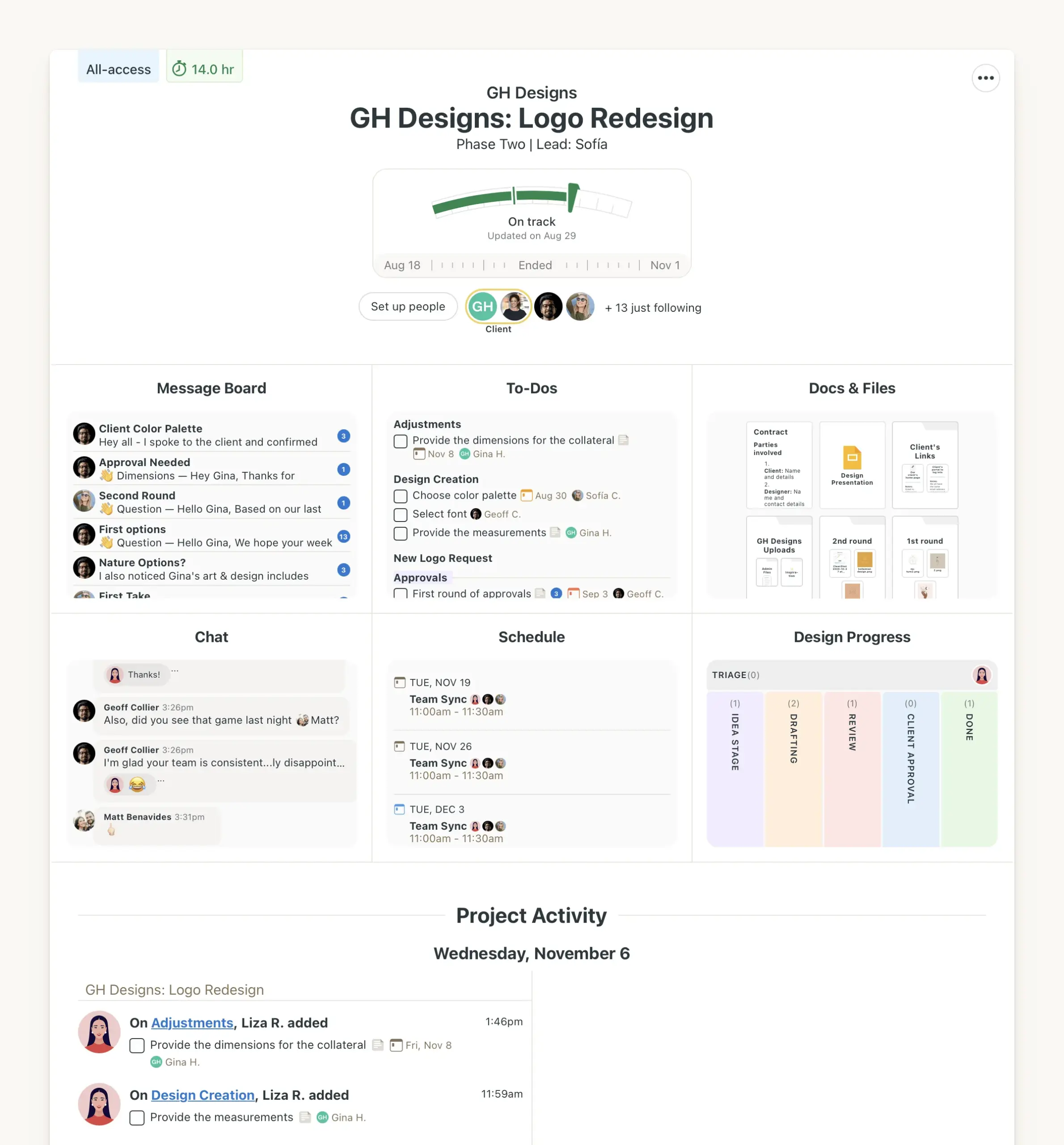
Basecamp is one of the pioneers of the project management market. Founded in 2004 as 37signals, it set the trend for simplicity and the “all-in-one” approach long before Notion and ClickUp came along.
What it is and who it’s for.
Basecamp combines task management and team communication in one place – no separate messengers, no email threads. An ideal choice for distributed and remote teams that need a central hub.
Key features:
- To-do lists with owners and deadlines
- Campfire – built-in team chat
- Bulletin board for announcements instead of email
- Shared file and document storage
- Automatic Check-ins – automated daily stand-up questions for the team
- Hill Charts – a unique visual tool for tracking project progress
Strengths:
- Flat, predictable pricing that doesn’t scale with team size (Pro Unlimited plan)
- Excellent for async and remote work
- Transparent communication within projects
- Easy for clients to understand – invite them without training
Limitations:
- No kanban boards or Gantt chart in the traditional sense
- Weak reporting and analytics
- No task dependencies
- Not suitable for agile development
Pricing:
| Plan | Price |
|---|---|
| Free (limited) | $0 – 1 project, 20 users |
| Plus | $15/user/month |
| Pro Unlimited | $299/month (flat rate, unlimited users, annual billing) |
Capterra rating: 4.3/5
Best for: companies with remote teams, projects with external clients, large teams on a fixed budget.
9. Linear
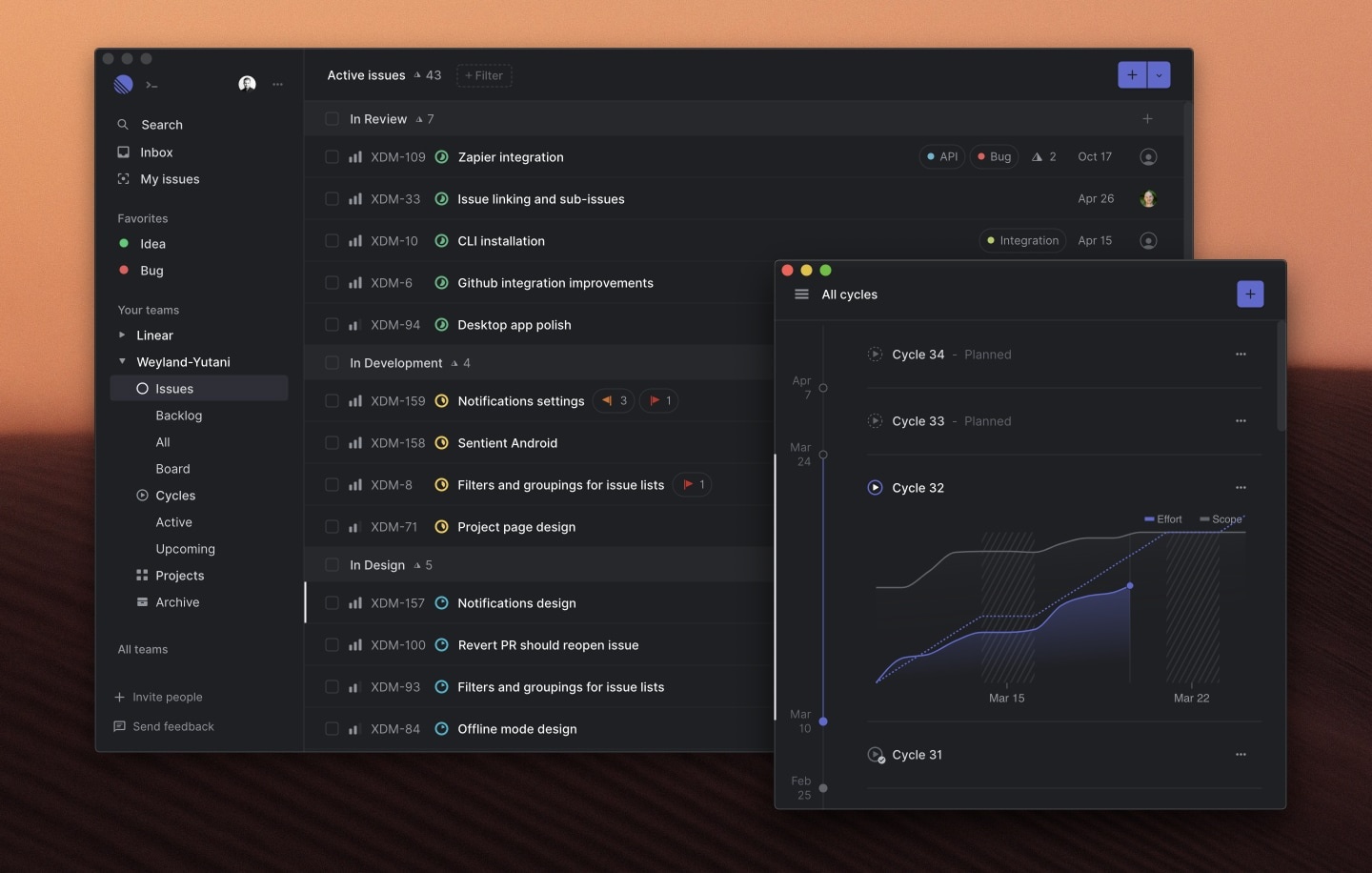
Linear is a relatively young tool (2019) that has quickly become a favourite among technical teams. Built by former Uber engineers, it positions itself as a faster, simpler, and more modern alternative to Jira.
What it is and who it’s for.
Linear is a great match for product and engineering teams at startups and fast-growing companies who’ve outgrown Jira’s complexity but still need a serious tool. Clients include Vercel, Ramp, Retool, and Cash App.
Key features:
- Cycles (sprints) and Projects for planning work
- Triage – a tool for prioritising incoming tasks
- Roadmap and milestones for product planning
- Built-in AI agents (included at no extra cost)
- Deep integrations with GitHub, GitLab, Figma, Slack
- Keyboard-first interface – most actions done with shortcuts
- Interface response time under 100ms
Strengths:
- Lightning-fast interface – a noticeable difference from competitors
- Minimalist design with no distractions
- Intuitive UX for technical users
- AI features included in all plans
Limitations:
- Built for IT only – not suitable for non-technical teams
- No native time tracking
- Fewer integrations compared to Jira
- Limited free plan (250 active issues)
Pricing:
| Plan | Price |
|---|---|
| Free | $0 – up to 250 active issues |
| Basic | $10/user/month (annual billing) |
| Business | $16/user/month |
| Enterprise | custom pricing |
G2 rating: 4.7/5
Best for: startups and fast-growing companies with product and engineering teams – as a modern alternative to Jira.
10. Zoho Projects
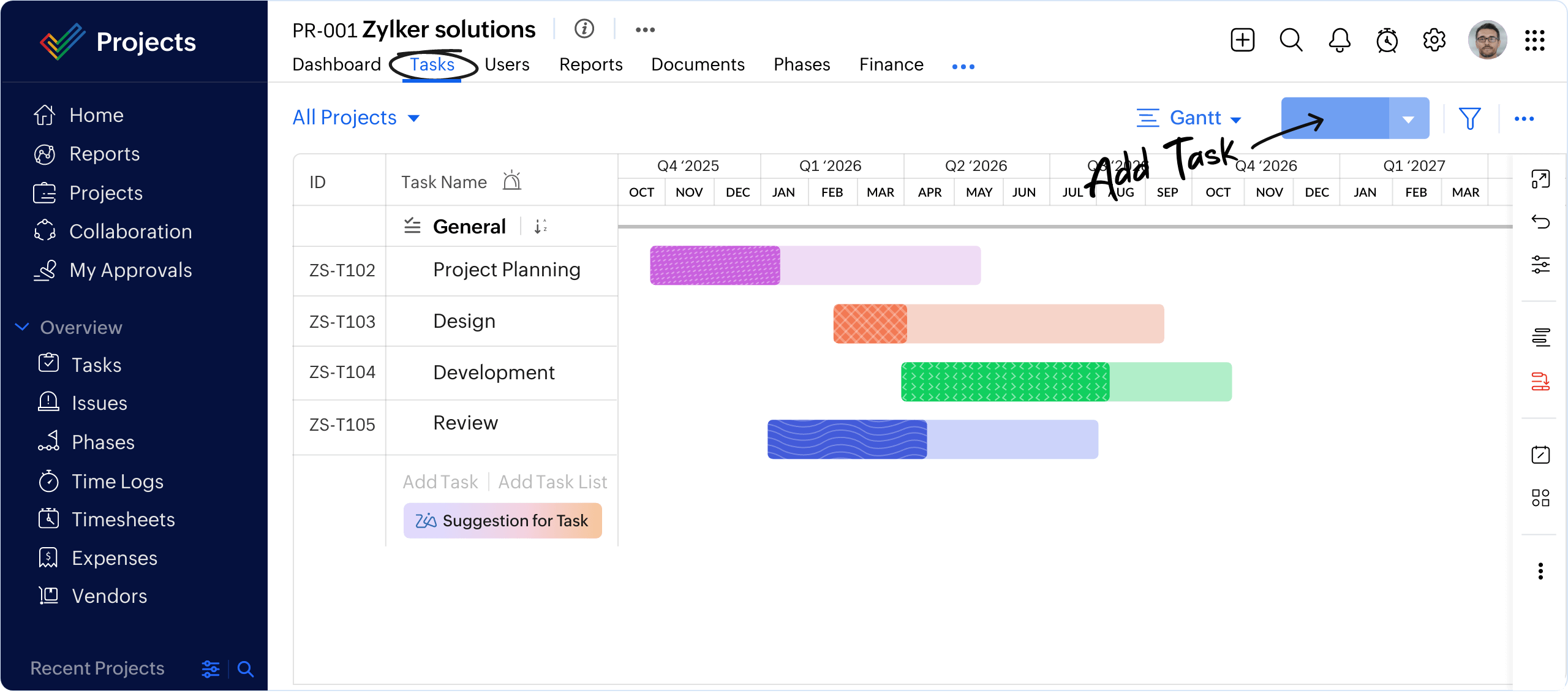
Zoho Projects is part of the broader Zoho ecosystem, which includes over 45 business tools: CRM, accounting, HR, and marketing. If your company already uses something from Zoho, this task manager integrates with the rest of the suite without extra setup.
What it is and who it’s for.
Zoho Projects is a strong option for small and mid-sized businesses that need a full-featured tool at an accessible price. Especially convenient for teams already working in Zoho CRM or Zoho Desk.
Key features:
- Gantt chart with dependency tracking and baselines
- Built-in time tracking and timesheets
- No-code workflow automation
- Zia AI assistant for analytics, content generation, and translation
- Custom fields, views, and reports
- Deep integration with Zoho CRM, Zoho Desk, Slack, and Microsoft Teams
- Mobile app for iOS and Android
Strengths:
- One of the best price-to-feature ratios on the market
- Excellent fit for teams already in the Zoho ecosystem
- Free plan available with affordable paid tiers
- AI features included on paid plans
Limitations:
- Interface is less polished than ClickUp or Monday.com
- Some advantages disappear outside the Zoho ecosystem
- Limited free plan (up to 3 projects)
Pricing:
| Plan | Price (annual billing) |
|---|---|
| Free | $0 – up to 3 projects, up to 5 users |
| Premium | ~$4/user/month |
| Enterprise | ~$9/user/month |
Capterra rating: 4.5/5 (over 855 reviews)
Best for: small and mid-sized businesses, teams using Zoho CRM, companies looking for a capable tool at a lower price point.
11. Microsoft Planner / Microsoft To Do
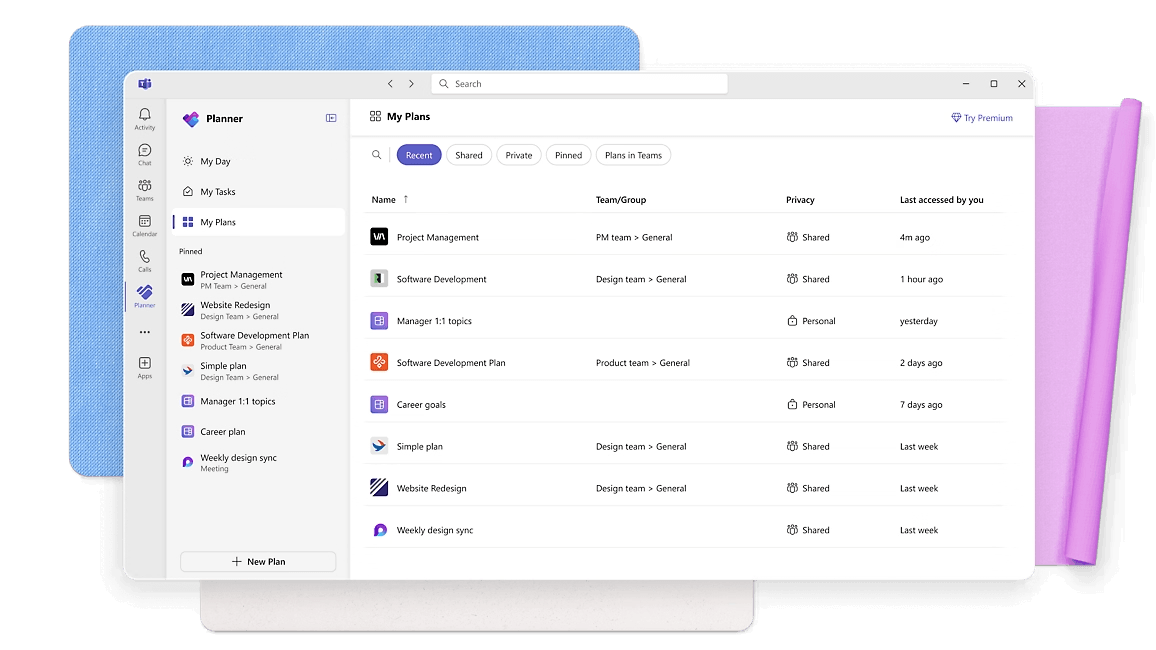
Microsoft Planner and To Do are task management tools built into the Microsoft 365 ecosystem. If your business already uses Teams, Outlook, and SharePoint, these tools are available at no extra cost.
What it is and who it’s for.
A logical choice for companies that have already invested in Microsoft 365 and want to organise task management without adding new subscriptions. Especially practical for enterprise environments.
Key features:
- Planner – kanban boards and team task tracking
- To Do – personal task planner
- Deep integration with Outlook, Teams, and SharePoint
- Loop – Microsoft’s new collaborative platform
- Power Automate for workflow automation
- Microsoft Copilot – AI assistant (on paid subscriptions)
Strengths:
- Already included in Microsoft 365
- Seamless integration with all Microsoft products
- Familiar interface for corporate users
Limitations:
- Significantly weaker in functionality compared to ClickUp or Asana
- Of little use without a Microsoft 365 subscription
- Limited customisation options
Pricing:
| Plan | Price (annual billing) |
|---|---|
| Microsoft Planner | included in Microsoft 365 |
| Planner Plan 1 | $10/user/month |
| Planner and Project (Plan 3) | $30/user/month |
| Planner and Project (Plan 5) | $55/user/month |
Prices shown before tax. Current details at microsoft.com.
Best for: enterprise companies already using Microsoft 365 and Teams.
12. Todoist
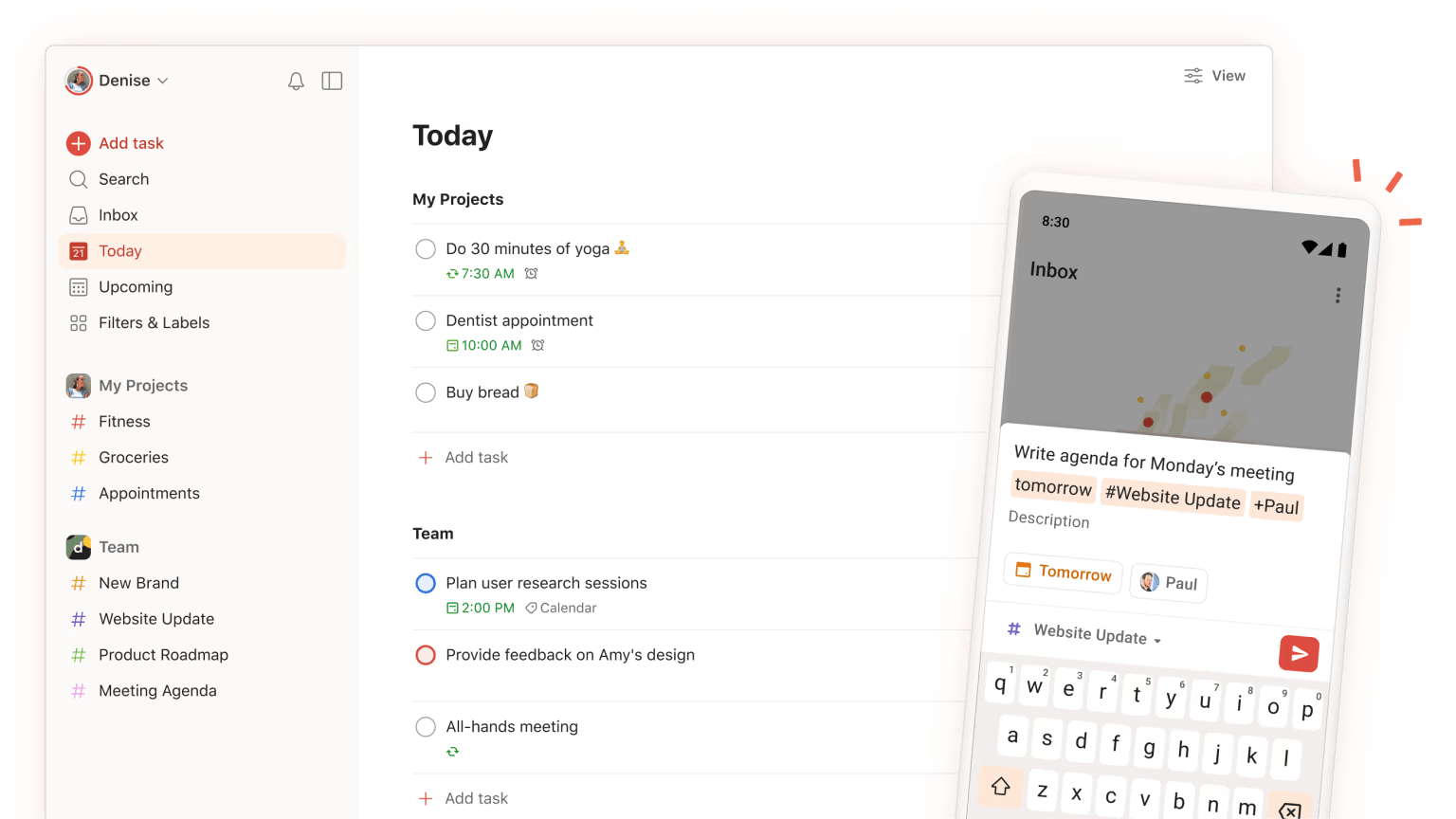
Todoist is a minimalist, elegant task planner that works equally well for personal tasks and small teams. Simple, fast, and affordable – without unnecessary complexity.
What it is and who it’s for.
Todoist is built for solo entrepreneurs, freelancers, and micro-teams that need a reliable daily planner, nothing more.
Key features:
- Tasks, subtasks, priorities, and deadlines
- Inbox for quick task capture
- Filters and labels for organisation
- Karma system for motivation
- Integration with Gmail, Outlook, Slack, and Google Calendar
- Available across all platforms (web, iOS, Android, desktop)
Strengths:
- Easiest to use among all competitors
- Excellent mobile app
- Very affordable pricing
- Browser extension and email integration available
Limitations:
- Very limited for team collaboration
- No Gantt chart, analytics, or reporting
- No time tracking
Pricing:
| Plan | Price |
|---|---|
| Free | $0 – up to 5 active projects |
| Pro | $5/month (personal use) |
| Business | $8/user/month |
G2 rating: 4.4/5
Best for: freelancers, solo entrepreneurs, micro-teams of up to 5 people.
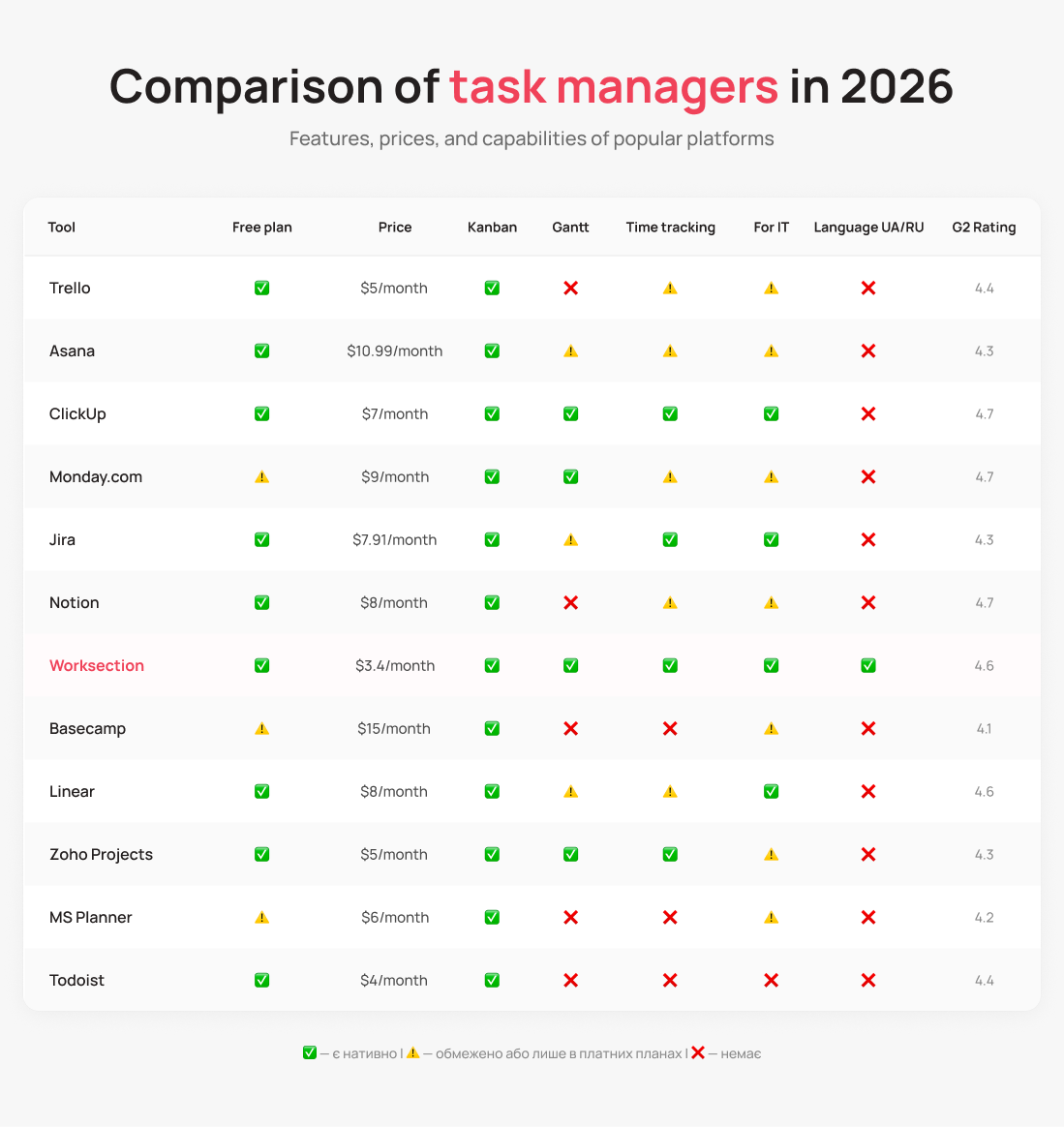
Task Manager Comparison Table 2026
Which Task Manager to Choose: Recommendations by Business Type
The right task manager depends on your team, your workflows, and your budget. Here’s a quick guide to help you narrow it down:
Startup or team of up to 10 people → Trello or ClickUp Free Start with the free plan. Trello if you need simplicity and visual clarity. ClickUp if you’re planning to grow and want to build the right structure from the start.
Service business or client-facing team → Worksection or Asana Worksection for teams that value local support and practical time tracking for client billing. Asana if your team is larger and your processes are complex.
IT company or development team → Jira or Linear Jira if you’re already in the Atlassian ecosystem and need maximum control. Linear if Jira feels too heavy and you want something fast and modern.
Sales, marketing, or HR team → Monday.com Monday.com wins here thanks to its flexibility, visual interface, and strong automation. And if your team actively communicates with clients by phone, the direct UniTalk integration means all those communications live right inside the platform.
Content team or knowledge-driven startup → Notion Notion is ideal if you need one place for both documents and tasks.
Large enterprise on Microsoft 365 → Microsoft Planner If your whole company is already in Teams and Outlook, there’s no reason to bring in a separate tool.
Freelancer or sole trader → Todoist Fast, simple, affordable. That’s all you need.
Conclusion
A task manager is a tool that either sticks with the team or collects dust. The best choice isn’t the one with the highest rating – it’s the one your team will actually use every day.
Whatever tool you pick, the goal is to reduce chaos, not add to it. Start with the free plan, get the team involved from day one, and don’t try to configure everything perfectly right away.
That said, a task manager only solves half the equation. It helps manage work internally. The other half – client communication: calls, messages, messengers – needs a separate approach. That’s what we do at UniTalk: we bring all your customer communication channels into one place, so your team never has to switch between tabs or miss a single message.
A task manager handles the internal side of the business – managing team work: tasks, projects, deadlines. A CRM handles the external side – managing client relationships: deals, contacts, sales pipeline. Some platforms – like Monday.com or Zoho Projects – try to combine both. But for most companies, dedicated tools for each job work better.
Yes. ClickUp, Trello, Asana, Notion, Jira, and Linear all have real free plans you can actually use. ClickUp is the most generous: unlimited members and tasks. Just keep in mind that free plans always have limits – on automations, integrations, or the number of projects.
For fully remote teams, async communication and visibility into progress matter most. Basecamp (built-in chat and bulletin boards), Notion (docs + tasks), and ClickUp (wide functionality and task comments) all perform well in this context.
Most platforms – ClickUp, Asana, Monday.com – have built-in Trello import. Migration takes 15–30 minutes for a small account. The harder part is rethinking your process logic for the new structure. Tip: don’t try to recreate Trello exactly – use the transition as a chance to build better habits.
Yes, and it genuinely adds value for teams that talk to clients frequently. For example, Monday.com has a direct integration with UniTalk – a platform for managing customer communications. The integration automatically links calls, recordings, and analytics to the relevant board items. More setup details are in the UniTalk knowledge base.
Kanban is a task management method where each task is represented as a card that moves through columns (for example: “To Do” → “In Progress” → “Done”). Kanban boards are available in almost every tool on this list. They work well for support teams, marketing, and any workflow where new tasks come in continuously.