Best chatbot builders: a ranking of services for Telegram, Viber, and WhatsApp
A customer messages you in the evening, on a day off, or in the middle of a sale. Your managers can’t keep up with everyone, and not every customer is willing to wait until morning. Some inquiries go unanswered, and the business loses sales.
A chatbot builder solves this without a developer. You set up the flows yourself: the bot answers common questions, explains delivery terms, collects contact details, or helps place an order.
But the services differ in what they can do: some work with Telegram, Viber, and WhatsApp, others focus on Instagram or use AI to answer complex questions. We compared the 8 best chatbot builders by channels, integrations, pricing, and how they work in Ukraine.
Key takeaways
- SendPulse, Respond.io, SleekFlow, and Botpress work with all three messengers. The rest of the chatbot builders in our ranking don’t support Viber and are stronger in WhatsApp and social media.
- You can start for free with SendPulse, ManyChat, Botpress, and Landbot. The others only offer a trial of their paid plans.
- The cost of a bot is the builder’s plan plus the channel fee: Telegram is free, a Viber bot costs from €100 a month, and on WhatsApp Meta charges for messages, and from October 1, 2026, also for service replies beyond 1,000 a month.
- A rule-based bot answers common questions; an AI bot understands free-form questions and answers from a knowledge base. A hybrid fits most companies.
- Check payments, the CRM connection, and handoff to a manager on the free plan or trial before you buy a subscription.
Ranking: the 8 best chatbot builders
For our chatbot builder ranking, we rated the services on five criteria:
- Which of the three messengers you can connect: Telegram, Viber, WhatsApp.
- Barrier to entry: a free plan or trial, and the price of the first paid plan.
- AI: which plan includes an AI agent and how credits are billed.
- Integrations: CRM, payment systems, Zapier and Make, API (a programming interface for exchanging data with other systems).
- Availability in Ukraine and local payment systems. Services of Russian origin did not make our list of top chatbot builders.
Services that work with all three messengers come first, followed by those that are stronger in WhatsApp and social media. Prices are current as of publication (November 2026), in each service’s currency, and exclude Meta and Viber fees. Where two prices are separated by a slash, such as $99/$79, the first applies to monthly billing and the second to annual billing, calculated per month.
SendPulse
SendPulse is a marketing platform with email, SMS, Viber campaigns, and a CRM, with a chatbot builder built in.
One subscription covers Telegram, Viber, WhatsApp, Instagram, Facebook Messenger, TikTok, and website chat. WhatsApp runs through the official WhatsApp Business API and only on a paid plan. You build flows in a visual editor, and starting with the Standard plan you can add AI agents with your own instructions. There are broadcasts, segmentation, triggers, live chat, and analytics, plus a built-in CRM on Pro. On Standard and higher, the bot accepts payments via LiqPay, monobank, WayForPay, and Whitepay, and on Telegram also in Telegram Stars. Integrations: Zapier, Make, Google Sheets, and an API (limited on Free).
The free plan gives you 3 bots, up to 500 subscribers, and 10,000 messages a month, but no AI agents. Billed annually, Standard costs $7.20 a month ($86.40 a year) and Pro costs $15 a month ($180 a year); both prices are for a list of up to 500 subscribers (SendPulse pricing). On top of that, Rakuten Viber charges €100 a month for a Viber bot, which for a small company is more than the plan itself.
Pros:
- all three messengers plus Instagram and TikTok in one subscription;
- Ukrainian payment systems right inside the bot.
Cons:
- no AI agents on Free, and up to three on Standard;
- the price grows with your subscriber list.
A good fit for small businesses and online schools that need one bot across three messengers and want to accept payments through familiar Ukrainian services.
Respond.io
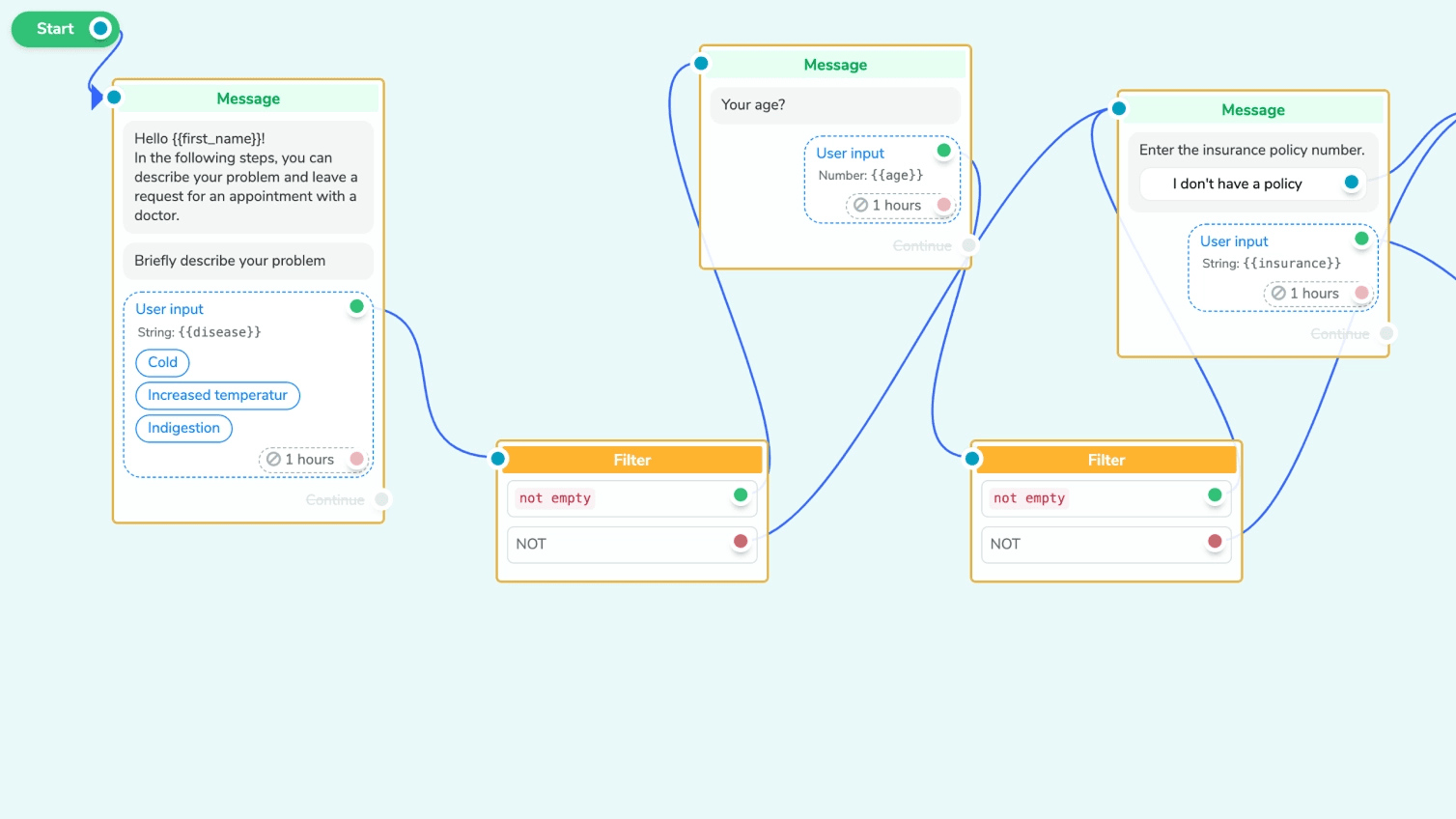
Respond.io is a service for sales and support teams: all of the team’s chats live in a single inbox, alongside a chatbot builder and AI agents.
WhatsApp and Telegram are available starting with the Starter plan and Viber with Growth; Instagram, Facebook, TikTok, and email also connect. Visual flows (workflows) are available from the first plan, AI agents from Growth. Broadcasts, Zapier, Make, and the developer API unlock with Growth, and webhooks (automatic notifications sent to another system when an event happens) with Advanced. For CRM, HubSpot and Salesforce connect; no payment systems are listed.
Starter costs $99/$79 a month for 5 users, Growth is $199/$159 for 10 users, and Advanced is $349/$279 (Respond.io pricing). There’s no free plan; the trial lasts 7 days with no card required. WhatsApp messages are billed separately, and according to the company, with no markup on Meta’s rates.
Pros:
- three messengers in one inbox for the whole team;
- ready-made integrations with HubSpot and Salesforce.
Cons:
- no free plan;
- Viber and AI agents only from Growth, starting at $159 a month.
The service makes sense when an entire sales or support team handles customer conversations across several messengers.
SleekFlow
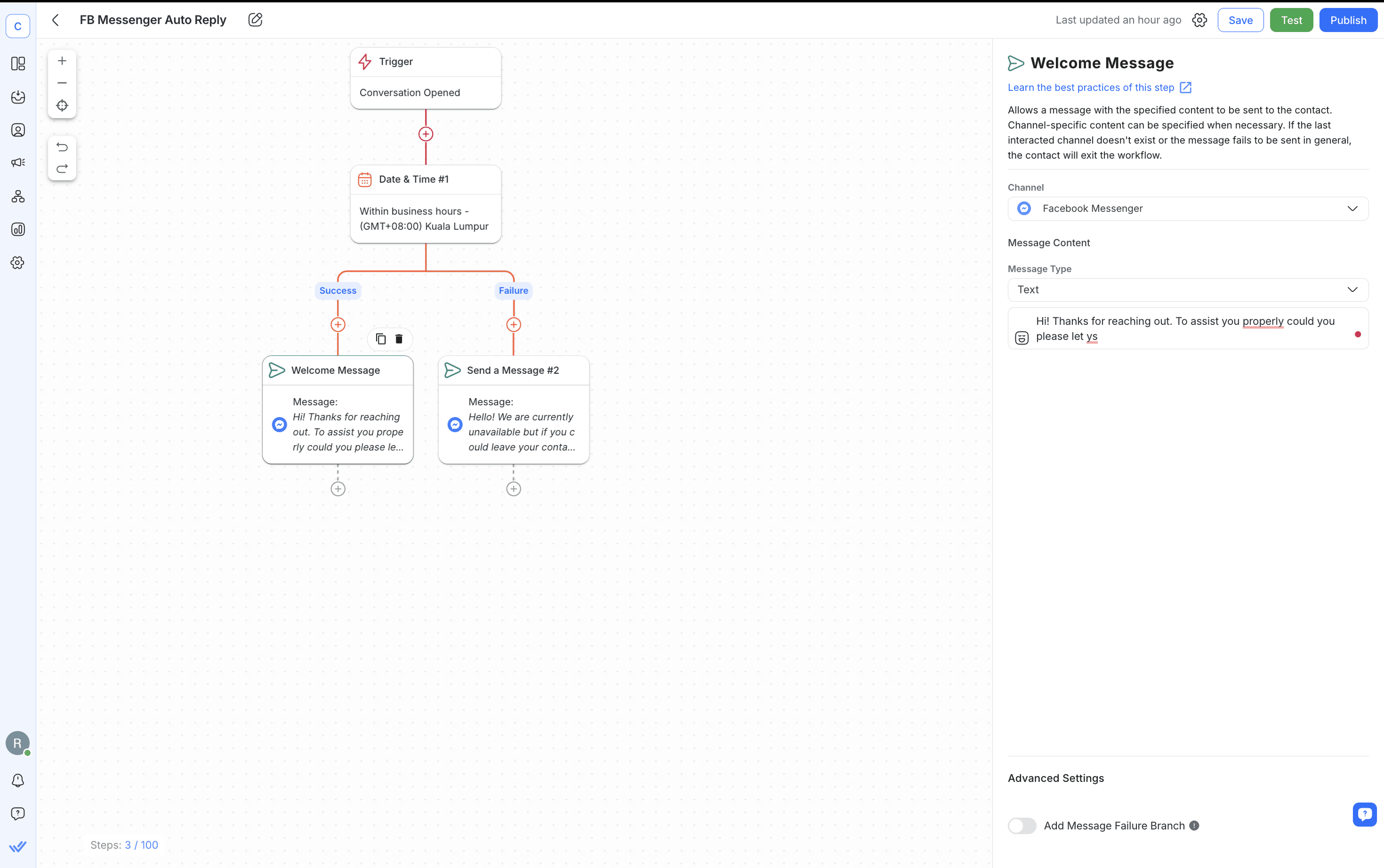
SleekFlow is a service for selling in messengers: a shared chat list, the no-code chatbot builder Flow Builder, and AI agents.
It connects WhatsApp, Telegram, Viber, Instagram, Messenger, TikTok, SMS, email, and other channels. SleekFlow doesn’t charge extra for Viber and Telegram beyond the subscription. The visual Flow Builder and AI agents are only available starting with Pro: unlimited basic replies and 3,000 credits for complex ones. There are broadcasts, tickets (from Pro), and a WhatsApp product catalog. Zapier, Make, Shopify, and Stripe payment links unlock with Pro, HubSpot with Premium, and Salesforce on Enterprise.
Pro costs $139/$109 a month and Premium $349/$279 (SleekFlow pricing). The entry-level Essential plan ($69/$49) won’t work for a bot: it includes a shared inbox and simple automations but no Flow Builder or AI agents. There’s no free plan; the Pro trial lasts 7 days with no card required. WhatsApp messages are billed separately at SleekFlow’s rate card; your first WhatsApp number connects for free, and each additional one costs $15 a month.
Pros:
- three messengers with no SleekFlow surcharge for channels;
- Shopify and Stripe payment links.
Cons:
- no free plan;
- the builder, AI agents, Zapier, and Make only from Pro, starting at $109 a month.
SleekFlow suits online stores and service companies that sell across several messengers, including Viber.
Botpress
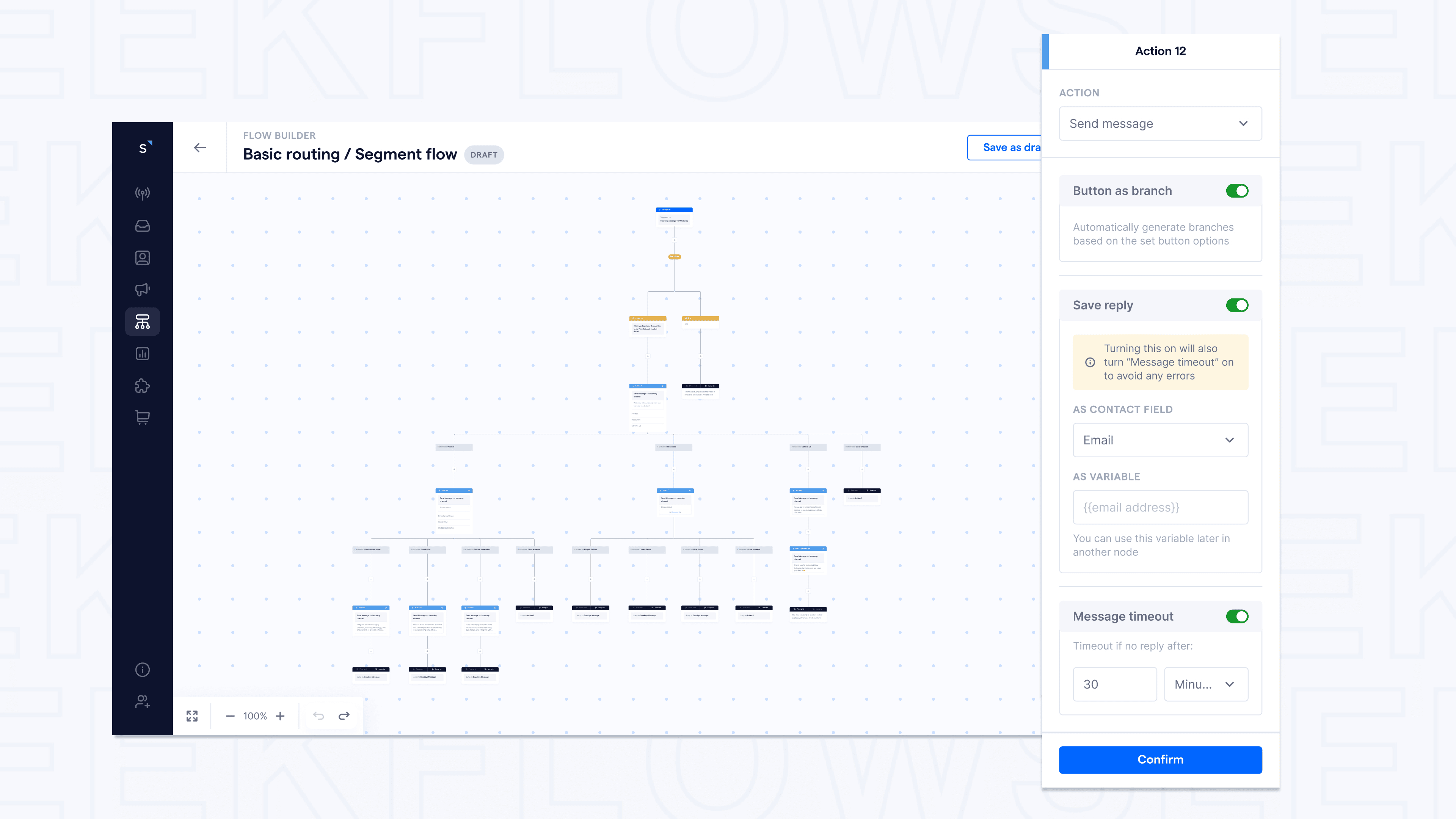
Botpress is a chatbot builder with AI agents based on LLMs (large language models) and a visual studio.
You can connect the bot to website chat, WhatsApp, Telegram, Instagram, Messenger, Slack, and Twilio. Viber connects through an official integration, but there the bot can’t start a conversation, so you can’t run broadcasts or send the first message on Viber through Botpress. The core here is an AI agent, and where an answer must always be the same, you add fixed flows to it. The studio includes a knowledge base and tables, and conversations are handed off to an operator in the built-in panel or in help desk systems such as Zendesk and Intercom. Stripe and Zapier also connect from the Botpress Hub catalog.
The free tier includes 100 conversations a month and 3 AI agents. Plus costs $150 a month (billed annually): 250 conversations and $25 for AI spend, with each additional 100 conversations at $65. Team costs $750 a month on the same billing terms (Botpress pricing).
Pros:
- a strong AI agent built on your knowledge base;
- all three messengers, including Viber.
Cons:
- the first paid plan starts at $150 a month;
- the interface is in English only.
Botpress is a good choice if you have a support team and need an AI agent that answers based on your internal guidelines.
ManyChat
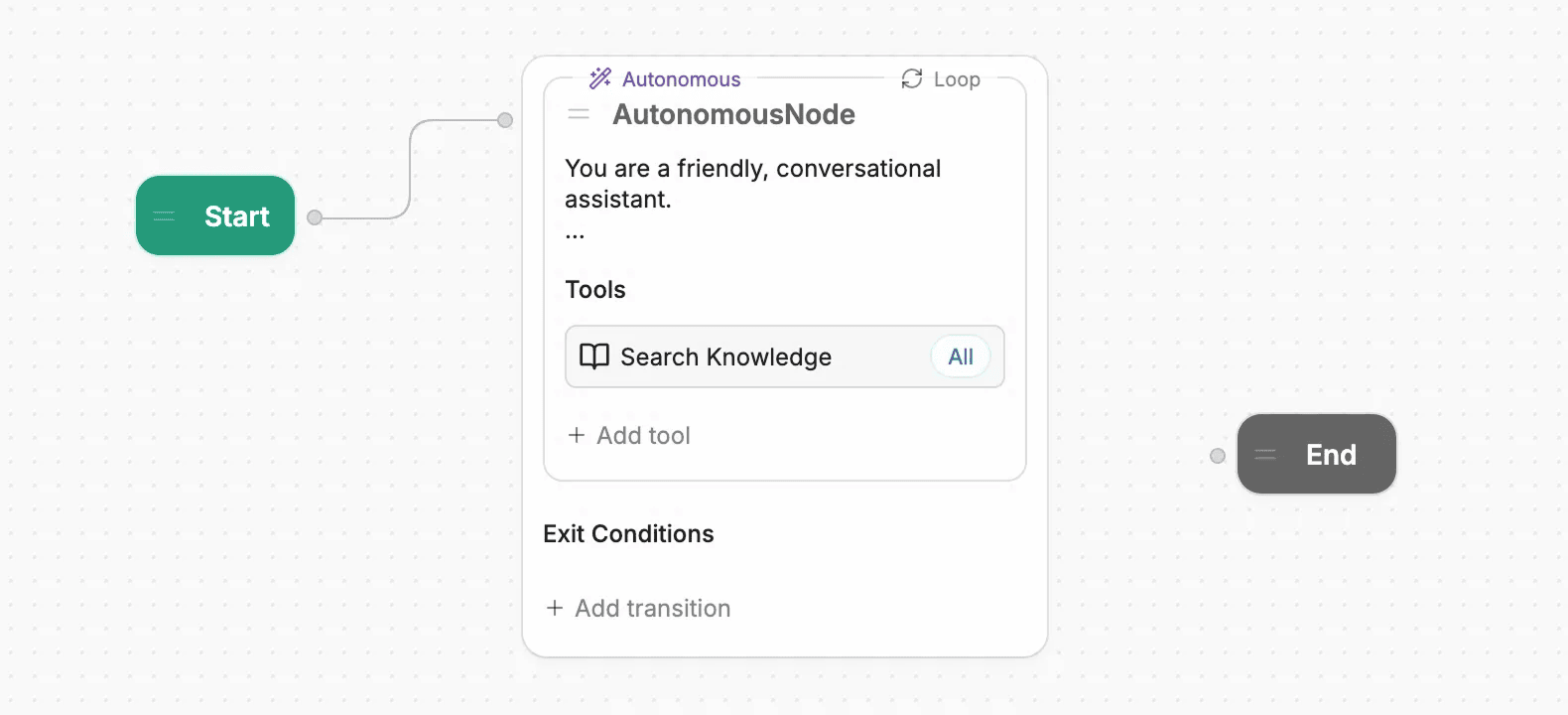
ManyChat is a no-code chatbot builder for social media and messengers.
Telegram is available for free and WhatsApp from Pro; Instagram, TikTok, Facebook Messenger, SMS, and email are also supported, but Viber is not. The number of channels depends on the plan: up to two on Free and Essential, up to three on Pro. You build flows in the visual Flow Builder, and AI replies, intent recognition, and an AI step in flows come with Pro at no extra cost. ManyChat works best with comments: someone posts a set keyword under a post, and the bot replies to them. There are sequences, broadcasts, live chat, and analytics, with an API on the Advanced plan. Ready-made integrations include Google Sheets and ActiveCampaign, and through Zapier (paid plans only) and Make the bot connects to other services, including HubSpot.
For accounts created after March 2, 2026, ManyChat lists this pricing: Free at $0 for 25 active contacts a month, Essential at $17/$14 (250 contacts), Pro at $39/$29 (2,500 contacts), and Business at $99/$69 (7,500 contacts). An active contact is someone the bot has messaged with that month, so Free is really just for testing. Older accounts may stay on the previous pricing.
Pros:
- a free start on Telegram;
- flows for Instagram and TikTok with replies to comments.
Cons:
- no Viber;
- WhatsApp only from Pro, starting at $29 a month.
ManyChat is popular with brands and creators who sell through Instagram and TikTok and want to add Telegram or WhatsApp.
Landbot
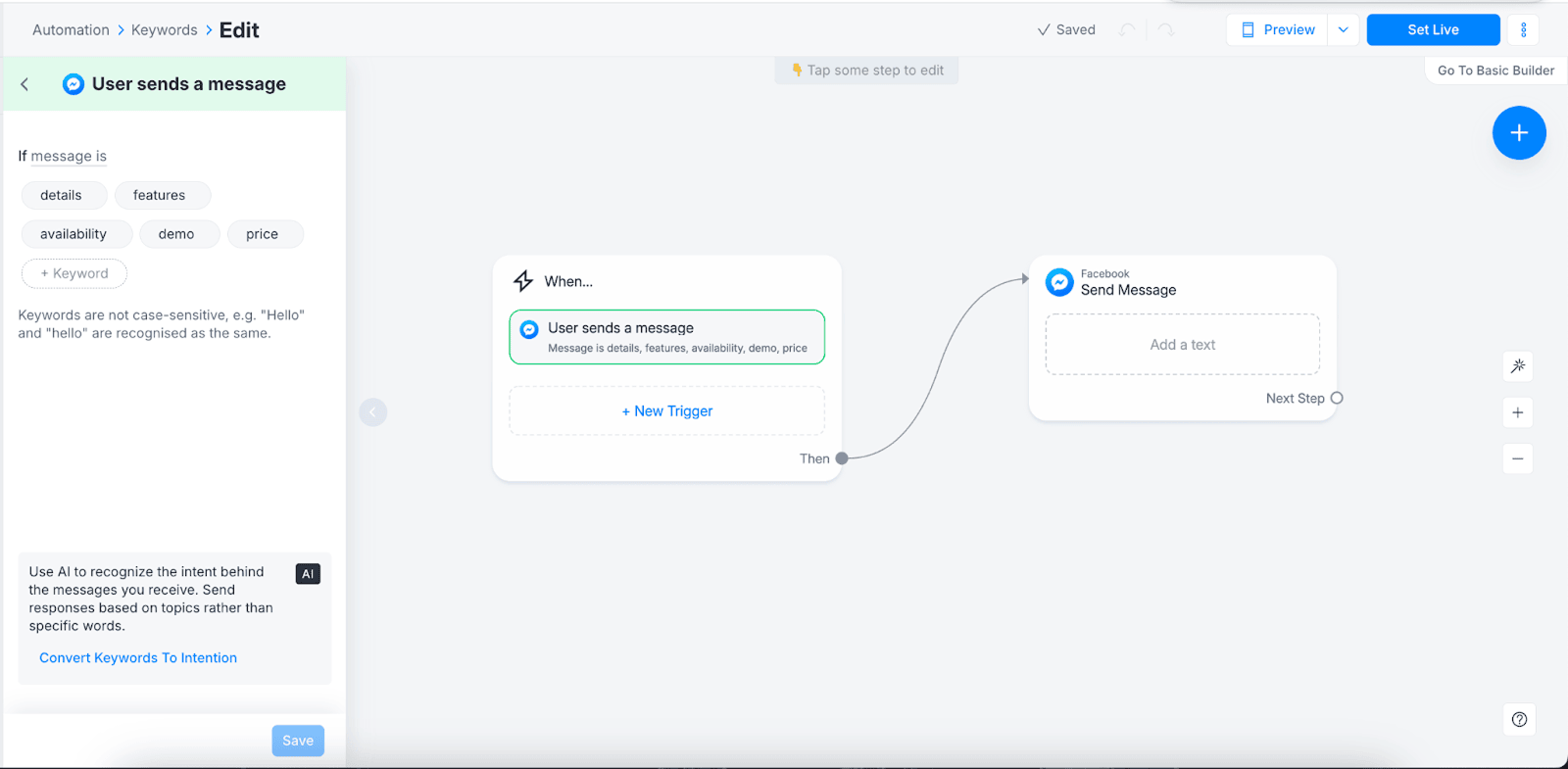
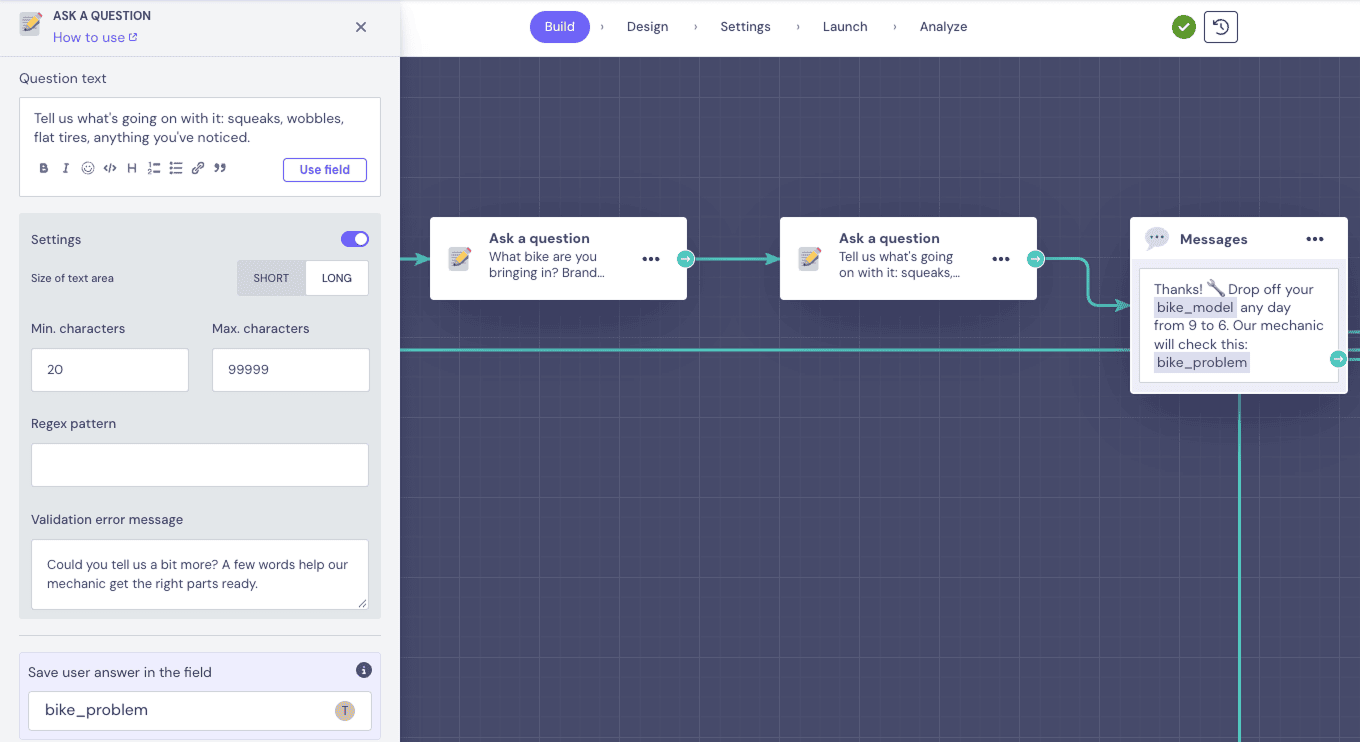
Landbot is a no-code builder for chatbots and AI agents that works well for collecting leads on your website and in WhatsApp.
It has four channels: website, WhatsApp, Facebook Messenger, and APIchat. Telegram connects only through APIchat, which means you’ll need a developer, and there’s no Viber. You can add an AI agent block to button-based flows to answer from your knowledge base. The editor includes templates, WhatsApp campaigns, live chat with operator handoff, and webhooks; integrations include Zapier, Zendesk, Zoho CRM, Shopify, Brevo, and n8n. Keep in mind that a finished bot can’t be duplicated or moved to another channel, so you build it separately for the website and WhatsApp (part of a flow can be carried over through templates).
The free plan gives you 100 chats a month with no AI. Starter costs €40/€32 a month (500 chats, 100 AI chats), Professional €100/€80 (2,500 chats), and adding your own WhatsApp number to it costs €100 a month. Professional WA starts at €160 a month (Landbot pricing). The trial lasts 14 days with no card required.
Pros:
- a free plan with no time limit;
- an AI agent on every channel.
Cons:
- no Viber, and Telegram only via API;
- WhatsApp on your own number starts at €160 a month.
Landbot is a good fit for businesses whose main flow of leads comes from the website and WhatsApp.
Chatfuel
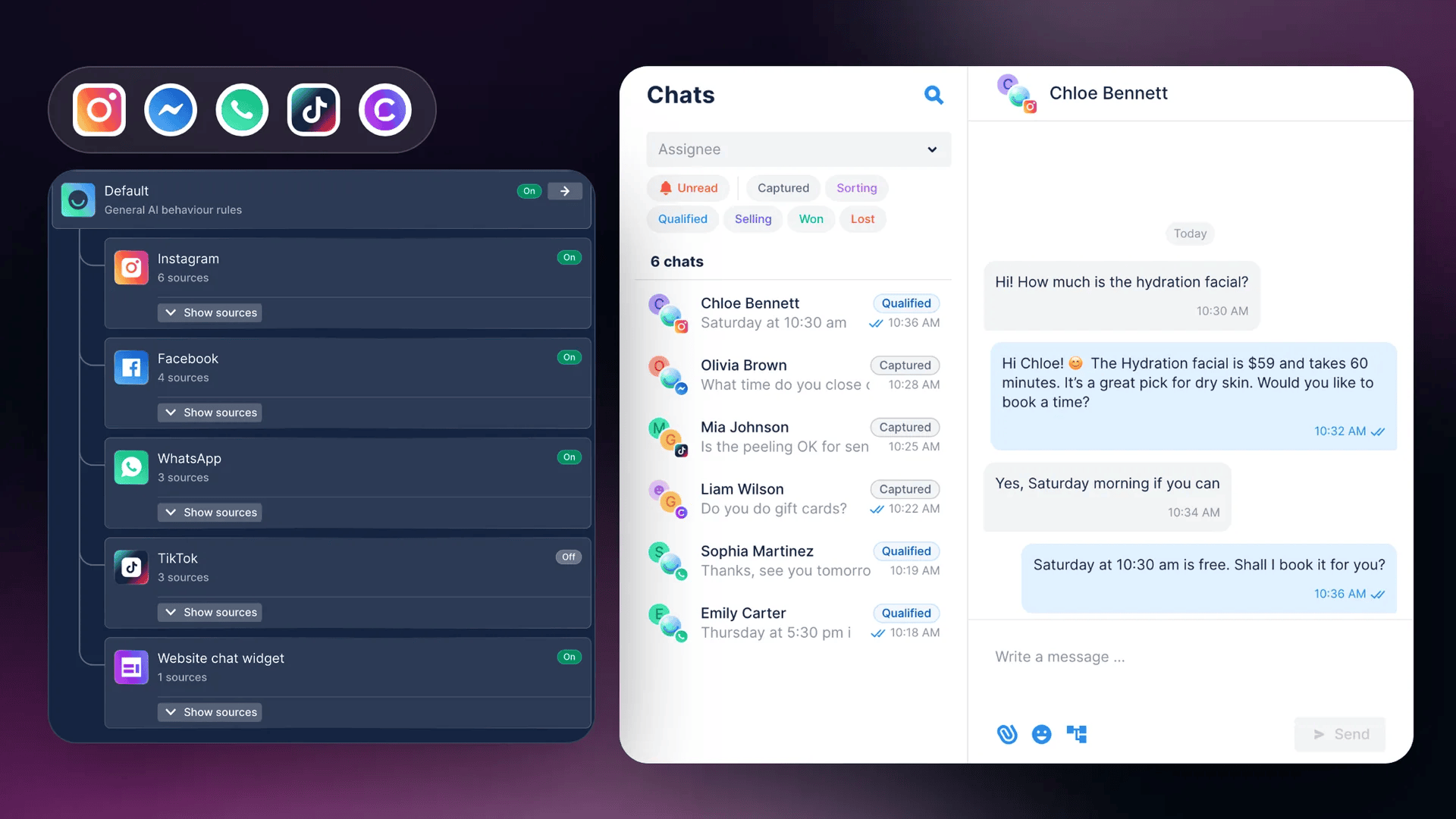
Chatfuel is an AI agent platform for messengers.
The bot works in WhatsApp, Instagram, Facebook Messenger, TikTok, and website chat; Telegram and Viber aren’t supported. The agent relies on a knowledge base, and it also qualifies promising leads, books meetings, recognizes photos and voice messages, sends WhatsApp broadcasts, and hands conversations off to your team. Integrations: Google Sheets, Google Calendar, Stripe, Zapier, and an API.
There’s no free plan, but there is a trial period. Business S costs $18 a month billed annually ($216) and includes $20 in AI credits a month (Chatfuel pricing). WhatsApp messages are deducted from the same balance, and broadcasts and reminders are charged at Meta’s rate plus 10%. Unused credits don’t roll over to the next month.
Pros:
- the AI agent launches without building out flows;
- one bill for AI and WhatsApp.
Cons:
- no Telegram or Viber;
- when AI credits run out, AI replies stop.
Chatfuel is built for businesses that sell through WhatsApp and Instagram and want an AI agent without a lengthy setup.
Wati
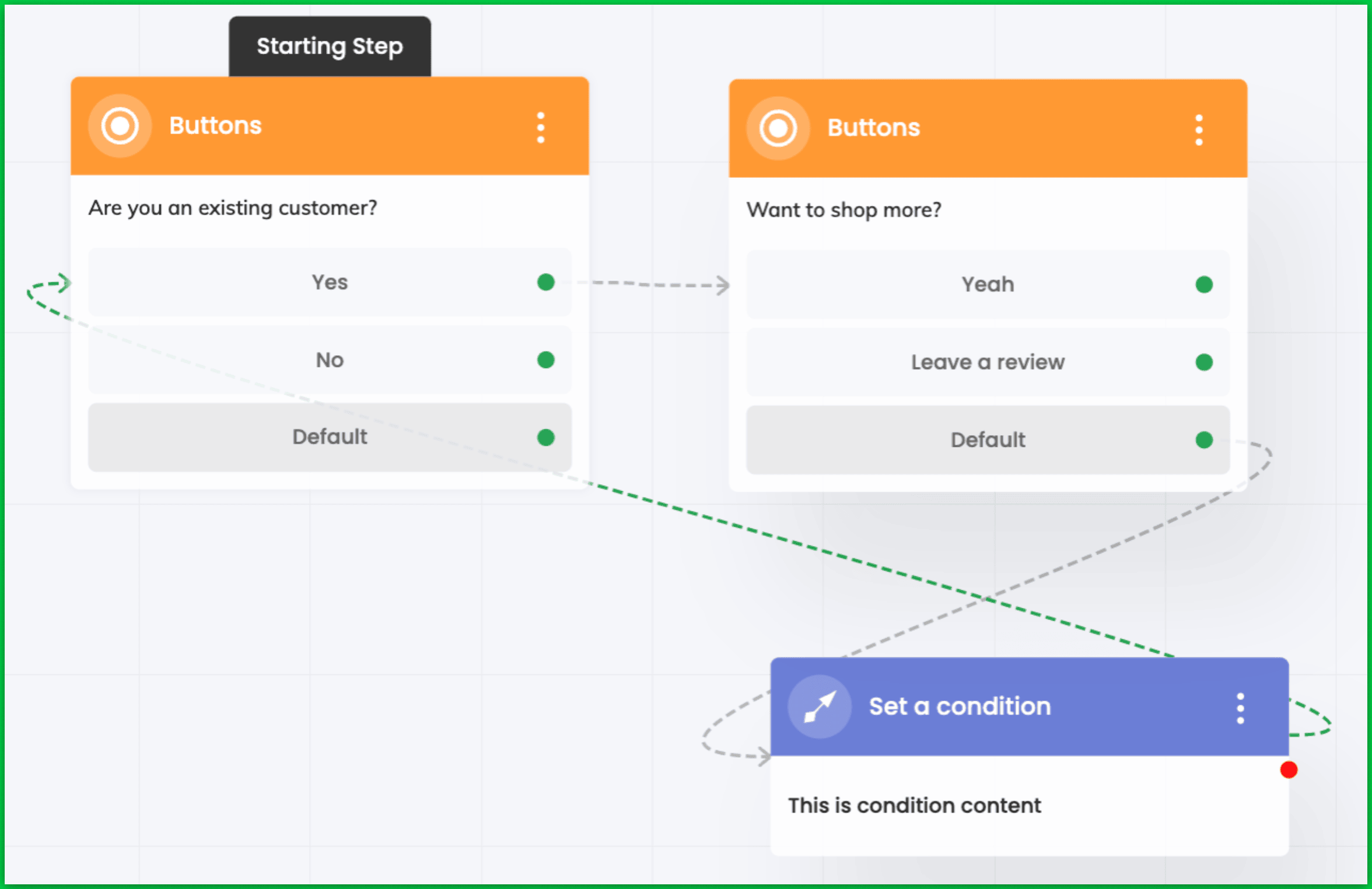
Wati is a platform for working with customers on WhatsApp: a team inbox, a no-code chatbot builder, and an AI agent.
Besides WhatsApp, it connects Instagram, Messenger, TikTok, website chat, and RCS; Telegram and Viber aren’t listed on the pricing page. No-code flows are available on all plans, and you get one Astra AI agent on Growth, two on Pro, and unlimited on Business. Integrations: HubSpot, Salesforce, Zoho CRM, Bitrix24, Shopify, WooCommerce, Google Sheets, Zapier, and Pabbly. The number of integrations depends on the plan, and Salesforce is Business-only.
Prices are listed for annual billing only: Growth is $59 a month for 3 users, Pro $119, and Business $279 (Wati pricing). The trial lasts 7 days. WhatsApp messages are billed per message at Wati’s rate card.
Pros:
- a no-code chatbot on every plan;
- an AI agent already on the entry-level plan.
Cons:
- no Telegram or Viber;
- no free plan.
Wati makes sense for companies that sell to and support customers primarily through WhatsApp.
Chatbot builder comparison table
All the top chatbot builders in one table. “Starting price” shows the free plan (if there is one) and the cheapest paid plan billed annually, excluding Meta and Viber fees.
| Service | Telegram | Viber | Bot type | AI | Starting price | Best for | |
|---|---|---|---|---|---|---|---|
| SendPulse | yes | yes | yes, paid | hybrid | from Standard | $0; $7.20/mo | small businesses, online schools, e-commerce |
| Respond.io | yes | yes, from Growth | yes | hybrid | from Growth | $79/mo | sales and support teams |
| SleekFlow | yes | yes | yes | hybrid | from Pro | $109/mo | online stores, service companies |
| Botpress | yes | yes | yes | AI | on all plans | $0; $150/mo | support teams |
| ManyChat | yes | no | yes, from Pro | hybrid | from Pro | $0; $14/mo | creators, brands on Instagram and TikTok |
| Landbot | via API | no | yes | hybrid | from Starter | €0; €32/mo | website and WhatsApp, lead capture |
| Chatfuel | no | no | yes | AI | on all plans | $18/mo | sales on WhatsApp and Instagram |
| Wati | no | no | yes | hybrid | on all plans | $59/mo | sales and support on WhatsApp |
Which builder should you choose for your specific business needs?
Even the best chatbot builders have different strengths, so start with the channel and the task. Based on our chatbot builder ranking, here’s what we recommend:
- Telegram, Viber, and WhatsApp on a small budget: SendPulse.
- A sales or support team handles customers across several messengers: Respond.io or SleekFlow.
- The bot needs to answer any question based on your documents: Botpress, or Chatfuel if WhatsApp is your only channel.
- Selling on Instagram and TikTok, with Telegram as a second channel: ManyChat.
- Leads from the website and WhatsApp: Landbot or Wati.
Any chatbot builder can take over simple requests: FAQs, collecting contact details, order status. A non-standard question still goes to a person, and it matters where the manager will see it. If your team talks to customers on Telegram, Viber, Instagram, website live chat, and email, UniTalk Chat brings these conversations into a single inbox: managers transfer chats to each other, reply with templates, and see the full conversation history.
Selection criteria
- Channels. Connect the bot where your customers already message you. According to an Internews-Ukraine study cited by Forbes Ukraine, 78% of respondents in cities with 50K+ residents use Telegram as a news source, and 51% use Viber (down from 65%).
- Total cost. A Telegram bot is registered through @BotFather, and the bot platform itself is free. Since February 5, 2024, a new Viber bot has to be approved by Rakuten Viber or one of its partners, and you pay €100 a month per bot plus a fee for every message the bot sends first. On WhatsApp, Meta charges for delivered messages, and from October 1, 2026, also for replies within 24 hours of a customer’s message if there are more than 1,000 a month per number (Meta’s rules).
- AI. Find out which plan of the chatbot builder includes an AI agent and what happens when the credits run out.
- Integrations. Check the connection to your CRM and payment system. An online school, for example, can sell a course right in Telegram: the bot shows the curriculum, takes payment via monobank or LiqPay, and sends a link to the first lesson.
- Handoff to a person. See how the bot transfers the conversation to a manager and whether the history is kept.
- Testing. Build one real flow on the free plan or trial and run it past your colleagues.
If you need Viber mainly for broadcasts, you may not need a bot at all. Official Viber campaigns from UniTalk come from a sender name with a verification checkmark, and customers without Viber can get the message by SMS.
Rule-based bot, AI bot, or hybrid: which one does your business need
In any chatbot builder, a rule-based bot follows a predefined flow: the customer taps a button, and the bot shows the next step. It’s predictable, inexpensive, and handles bookings, order status, and contact collection well. It can’t answer a question that isn’t in the flow.
An AI bot runs on a language model and answers free-text questions from your knowledge base: price list, delivery terms, instructions. It handles a large share of questions without a manager, but you’ll have to keep the knowledge base in order and periodically read what the bot is saying. Its costs vary: Botpress, SleekFlow, and Chatfuel bill AI through credits, so in a busy month your bill will go up.
A hybrid combines both approaches: payments, orders, and personal data follow a fixed flow, while AI handles open-ended questions. Take an online store with a bot on Viber. The customer uses buttons to pick a category and a product, the bot asks for the delivery city and phone number, and then passes the order to a manager along with the conversation. If the customer asks whether a size will fit, a button-based flow gets stuck, but the AI answers from the size chart in the knowledge base.
Six of the eight services in our list of top chatbot builders offer this mode. Start with a flow covering your 5–7 most frequent questions, and add AI once you see where buttons fall short.
Conclusion
The ranking narrows your choice to two or three services; testing them on your own tasks decides the rest. List the questions your managers hear every day, rule out services without the messenger you need, and calculate the total cost, including Viber fees and Meta charges. In the chatbot builders that remain, build the same flow and choose based on how the bot hands the conversation off to a manager and connects to your CRM.
From our chatbot builder ranking, these are SendPulse, Respond.io, SleekFlow, and Botpress. With SendPulse, WhatsApp is available on a paid plan; with Respond.io, Viber connects starting with the Growth plan; and with Botpress, the bot can’t start a conversation on Viber.
Yes. All the services on our list of top chatbot builders use a visual editor: you assemble a flow from blocks and buttons. You’ll need a developer for custom API integrations or for certain channels, such as Telegram in Landbot.
It comes down to channel and budget. If you need all three messengers, look at SendPulse: you can start for free, and from the Standard plan the bot accepts payments via LiqPay, monobank, and WayForPay. If your customers are mostly on Instagram and Telegram, ManyChat is a good fit.
A regular rule-based bot guides the customer through set buttons and only answers the questions it was built for. An AI bot understands free text and answers from a knowledge base, but it costs more because of AI credits, and you need to check its answers from time to time.
Yes, most chatbot builders can do this. Respond.io connects HubSpot and Salesforce on all plans, SleekFlow on its higher plans, and SendPulse accepts payments in the bot and has a built-in CRM on the Pro plan. Other systems are usually connected through Zapier, Make, an API, or webhooks.
You’ll most likely have to rebuild the flow from scratch: we didn’t find a universal export format between chatbot builders. What usually carries over is your subscribers and your WhatsApp number; SendPulse, for example, has instructions for both. And in Landbot, a finished bot can’t be duplicated or moved even to another channel within the platform.