Call and Message Routing: Why Smart Distribution Matters More Than Headcount
Five managers, three messengers, a phone line — and customers are still waiting, requests keep slipping through, and someone on the team is always swamped while someone else has nothing to do. Sound familiar?
Most managers in this situation jump to the same conclusion: we need to hire more people. But the problem is rarely about headcount. It’s about who gets each request and how. That’s routing. And it’s what decides whether a customer makes it to a deal or walks away to a competitor.
What is request routing
Request routing is the logic of distribution: which request goes to which manager, at what moment, and by what rules.
Without routing, calls get distributed chaotically or manually. Whoever picks up the phone handles it. Whoever is free takes the chat. That’s not a system — that’s a lottery.
With routing, every request follows a defined path: the system decides who to send it to and does it automatically, based on rules the business set up.
Why this affects conversion more than it seems
According to Salesforce (State of the Connected Customer, 4th Edition), 76% of customers expect consistent interactions across departments. Yet 54% say that sales, service, and marketing typically act independently of each other. Conversion drops not because of a bad product or price, but because of a gap in how requests are handled.
How routing works in practice
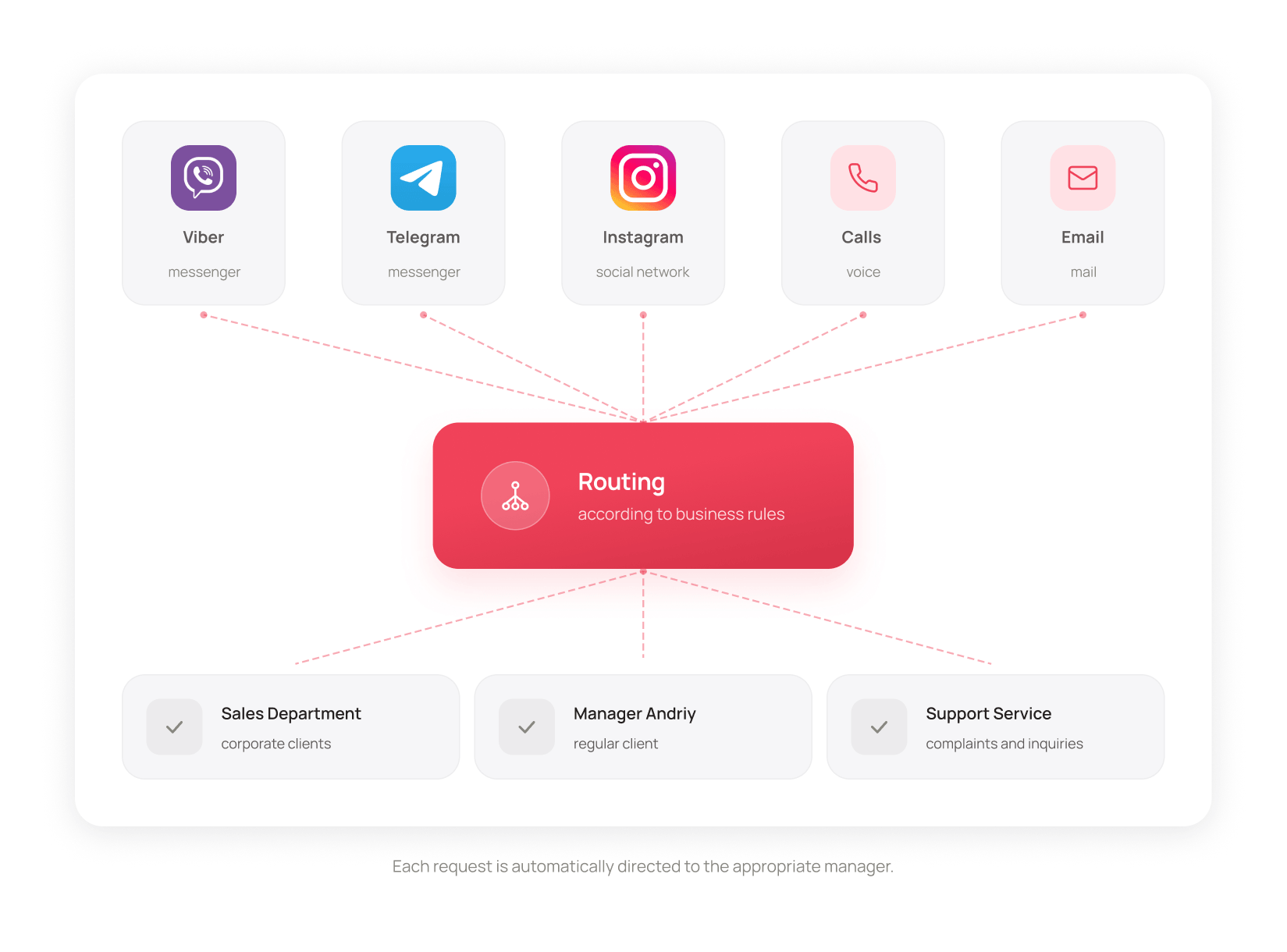
Routing rules vary depending on the business. Here are the most common scenarios.
By source of the request
Called a number from a specific ad campaign? The call goes to the manager who handles that direction. Called the general number? It goes to the on-duty team. Wrote to a specific Telegram bot or Instagram account linked to the sales department? The chat lands there immediately.
The system knows where the request came from and sends it where the right expertise is.
By previous interaction
A customer spoke with manager Andrew last week. They call again — the system automatically connects them to Andrew. No need to explain the context from scratch. No need to ask “can you transfer me to the person I spoke with before?”
It’s a small thing for the customer, but it has a direct impact on how they feel about the service.
By department or expertise
A call comes in on the general number. The IVR gives the customer a choice: “If you’re a new client, press 1. For questions about an existing contract, press 2.” The system then routes the call to the right department automatically, with no human involved.
The same works for chats: a specific Telegram bot or Instagram account can be linked to a particular department. All requests from that source go straight to the right team — managers then pick up chats from the shared department queue.
By transfer between departments
A manager realizes a request is outside their area — and transfers the call or chat to a colleague or another department in a few clicks. The customer doesn’t have to wait on hold or repeat themselves: the context travels with the request.
By time of day
A request comes in at 10 PM. The system doesn’t leave it hanging — it sends an automatic confirmation and saves it in the department queue. In the morning, any available manager sees it and picks it up. The customer isn’t lost, and no one needs a reminder.
What happens when there’s no routing
A customer calls the company. Elena from the retail sales department picks up — she just happened to be free. The customer asks about a corporate contract. Elena says “hold on, I’ll transfer you” and does it manually. The line is busy. The customer waits. Gets voicemail. Hangs up.
Everyone did everything right. The request just went to the wrong place from the start.
That’s not the only scenario.
A manager gets a request that’s outside their expertise. They either answer uncertainly or pass it to a colleague manually — with a delay and no context. The customer waits longer and gets a worse experience.
The manager has no idea how many requests went unanswered because nothing is tracked. They find out about the problem from a frustrated customer — or not at all.
How to tell if your business has a routing problem
Sometimes the problem isn’t obvious — business is running, customers are coming in, but something keeps going wrong. Here are the signs that it’s worth looking at how requests are being distributed.
Customers repeat themselves. “I already explained this to your colleague…” — a classic sign that context isn’t being preserved and routing doesn’t account for previous interactions.
Some managers are always overloaded, others aren’t. If the workload is uneven and it has nothing to do with expertise, chances are requests are going to whoever saw them first — not to whoever has the bandwidth.
Missed requests turn up by accident. If the team finds out a customer wrote in and got no reply from the customer themselves rather than from the system — there’s no tracking in place.
The manager can’t quickly say how many requests came in this week. If that requires pulling data manually from multiple places, routing and request tracking aren’t set up properly.
If at least two of these sound familiar — that’s reason enough to take a closer look at your distribution logic.
Routing as a management tool, not just a technical setup
Routing is often treated as a one-time technical task: set it up once and forget about it. But it’s actually an operational tool that gives managers visibility into how the team handles requests.
With proper routing rules in place, a manager can:
- see how many requests each team member received and how quickly they responded;
- understand where delays are happening and why;
- test different routing scenarios and compare the results.
It’s not about micromanaging the team. It’s about having the data to make decisions.
What this looks like in a real system
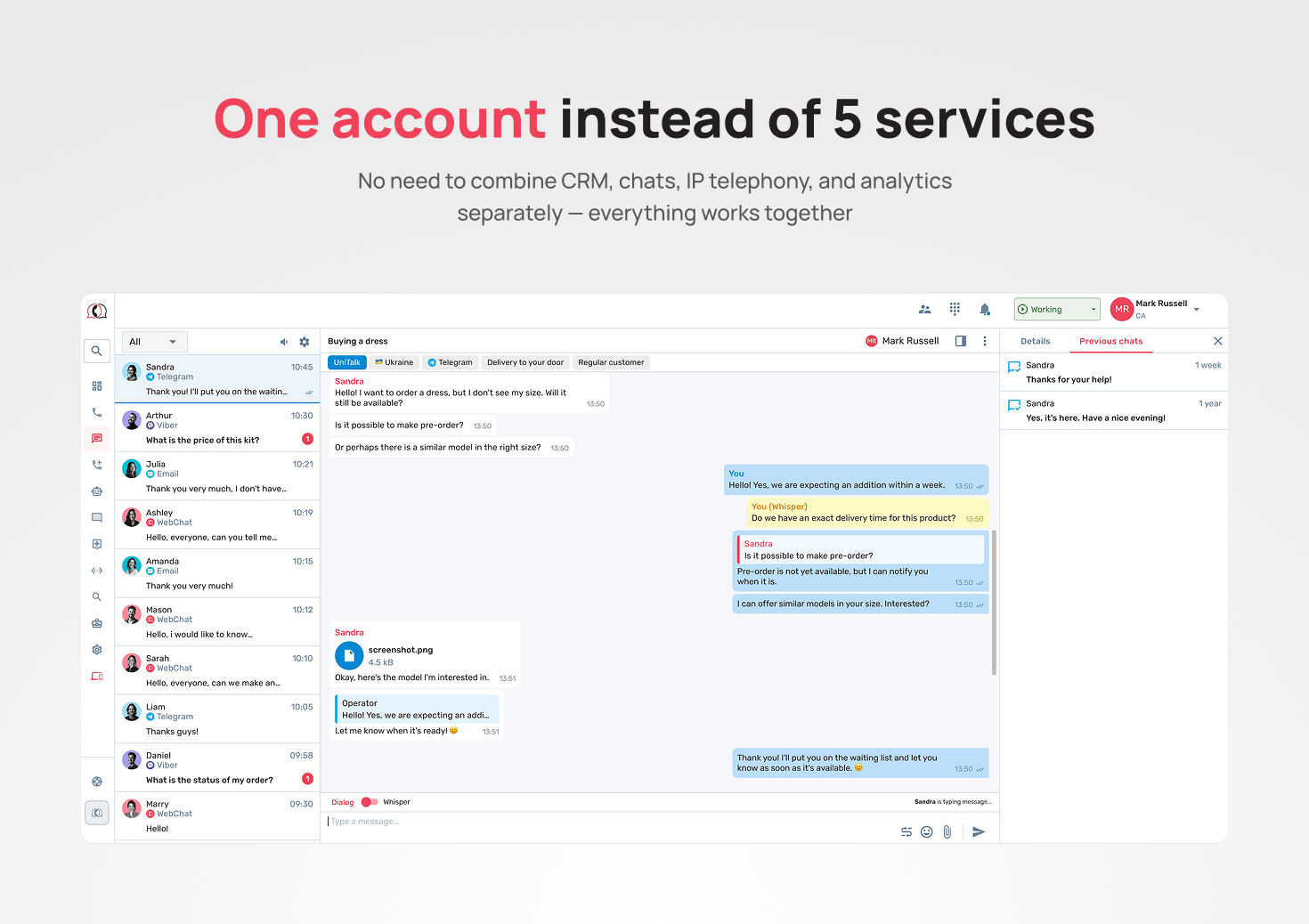
The scenarios above aren’t hypothetical. This is how routing works in UniTalk Omni in practice.
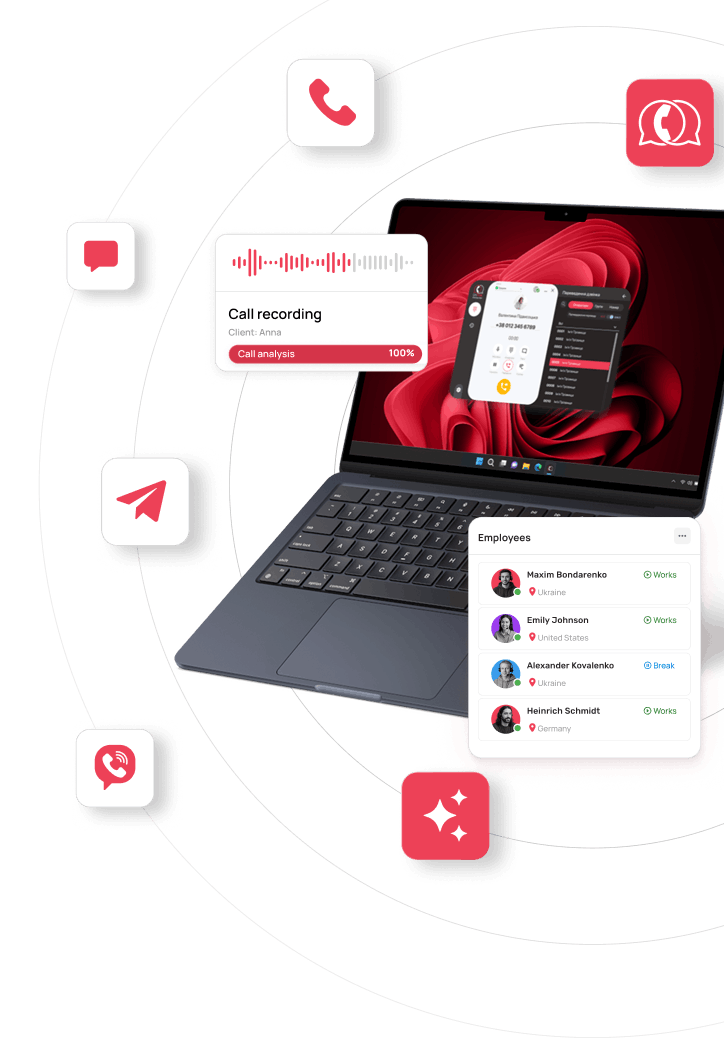
Omni brings all channels together — calls, Telegram, Viber, Instagram Direct, website chat, email, SMS — into one environment. For calls, routing works automatically: by department, expertise, request source, time of day, and previous interaction. For chats, requests are routed by source to the relevant department, and managers then pick them up from the shared queue.
Routing scenarios can be configured without developers, using a visual rule builder. For anything non-standard, the UniTalk team helps with setup for the specific business.
Want to see how routing can be configured for your business? Book a free demo — we’ll walk you through it using your own example.