What “CRM integrated with telephony” actually means, and why that’s often not enough without Omni integration
Companies almost always answer “yes” when asked whether their CRM is integrated with telephony and chats. Technically, that’s true: a call lands in the contact’s card, so does a chat message. But when a client calls a second time from a number that’s been saved in the CRM for years, the manager often has to ask them to explain everything again. The call and the chat sit side by side in the card as two separate entries, each on its own.
The depth of an integration isn’t measured by the fact that it’s connected, but by what happens next: does logic trigger on events, does the context of a conversation reach the right CRM fields, does the team see a complete picture of the client instead of scattered traces. On this criterion, the market has a few genuinely different levels of quality, and that’s the lens worth applying to your own CRM.
Where “connected” usually stops
CRM systems can do a lot on their own: manage deals, automate the funnel, build reports. The question is how deeply what happens in calls and chats actually feeds into that logic.
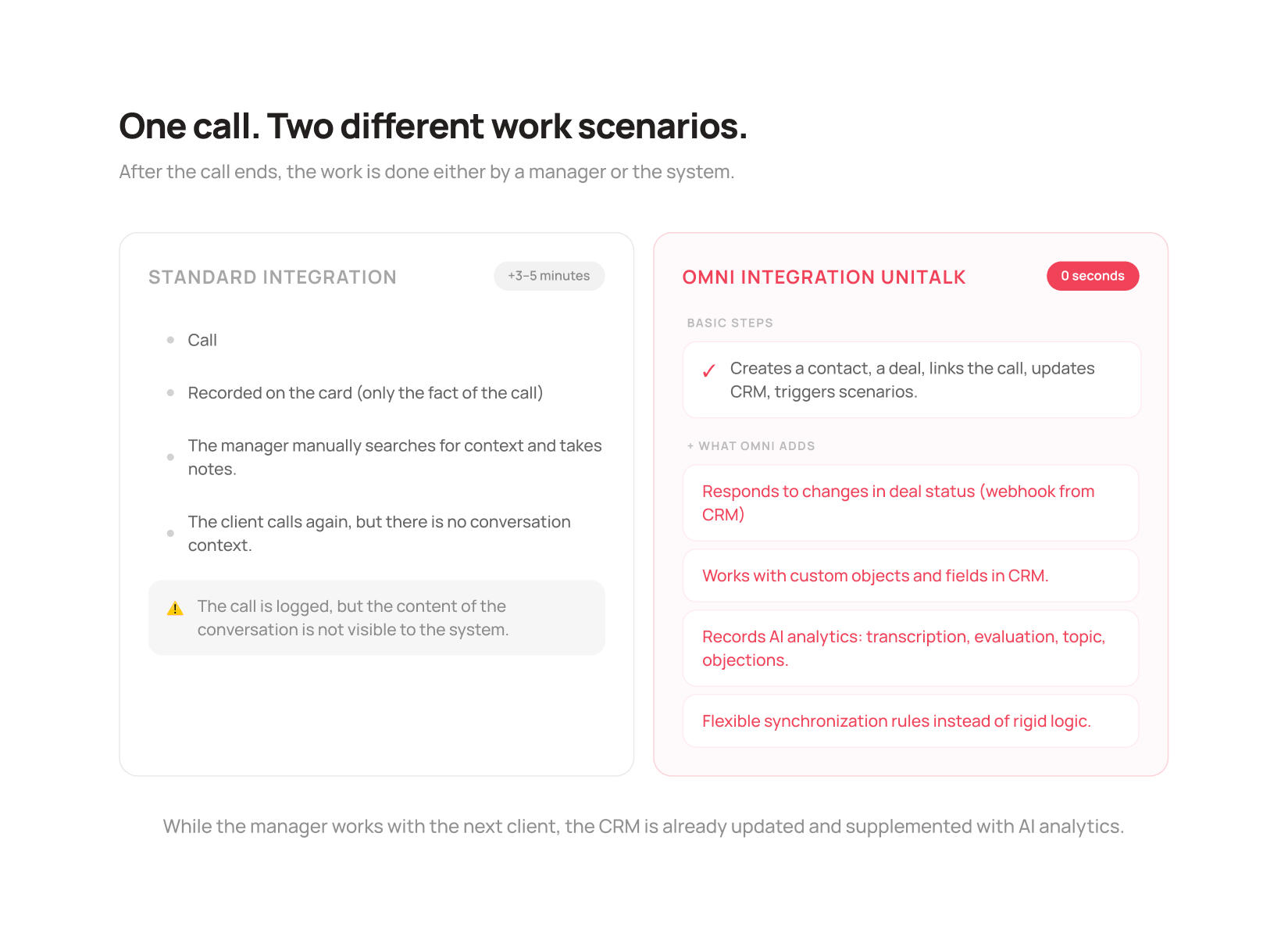
A typical setup logs the fact that a call or chat happened in the client’s card, and the logic ends there. There’s no routing to the responsible manager. No event-based scenarios. The manager sees the contact’s name and a note that a call or chat took place. What it was actually about is a different story: unless someone wrote it down manually, the content of the conversation simply doesn’t exist for the system. Next time, a different manager sees the same empty context and starts the conversation from scratch.
This level is enough when communication with the client and the CRM barely overlap: what matters is that contact happened at all, not where it fits into the broader sales or support process.
A foundation you can rely on
UniTalk’s basic integration links calls and chats to contacts, leads, and deals automatically, with no manual data transfer. An incoming call gets routed to the manager assigned to that client in the CRM. A missed call, a completed chat, or a first contact from a new number triggers the logic you’ve set up. Events in the CRM can also flow back into communication through a webhook, for example when a deal’s status changes.
For a business with a standard sales or support cycle, that’s enough: communication and the CRM stay in sync from day one, with no extra setup needed for individual cases.
Omni integration: a CRM that takes part in the process
Omni integration is a technology that lets Omni exchange data with the CRM using flexible rules, rather than a hard-coded “call → logged in the card” logic. The integration stops being a one-way write. Omni can work not just with standard entities like a contact or a deal, but with custom objects a business has built for its own processes. You can define which fields to search an entity by, what to fill in when a record is created or updated, and even pull in dynamic values straight from event processing, for instance writing call duration into a separate CRM field automatically with no manual entry.
Here’s what that looks like in practice. At a set interval, Omni pulls every deal created in the CRM over the last month, and for the ones marked “Paid”, it automatically adds the contact’s phone number to the call queue, with no manager involved. At another point, the CRM itself notifies Omni through a webhook that a deal’s status has changed, and Omni immediately adds the client to the right communication scenario. Data no longer flows in just one direction: the CRM and communication respond to each other.
Important. AI analytics produces a call transcript, a quality score, the topic of the inquiry, and any objections the client raised, and Omni sends all of that straight into the CRM’s fields. There’s no need to write up notes by hand, reread a chat, or replay a recording. It’s all already logged in the card while the manager moves on to the next client.
A manager opens a deal’s card and sees not just the amount and the stage, but exactly what was agreed on during the last call. The card also gets a “Contact” button: one click gathers the client’s phone numbers, email, and active chats, and opens a panel for a call, an SMS, a Viber message, or continuing a chat, all without switching to another service.
Flexibility at this level comes at a cost: setup precision. Saved parameters don’t just work correctly on their own. Scenarios need to be tested against real cases rather than left at their defaults. That’s why the UniTalk team handles Omni integration rollouts: specialists help configure the logic around a specific business process, and support stays available after launch for any further tuning.
It’s not just calls and chats
The depth of Omni integration only shows fully when it’s part of a bigger picture: a working environment where the CRM, communication, and the team operate as one system. That shows up in three places at once.
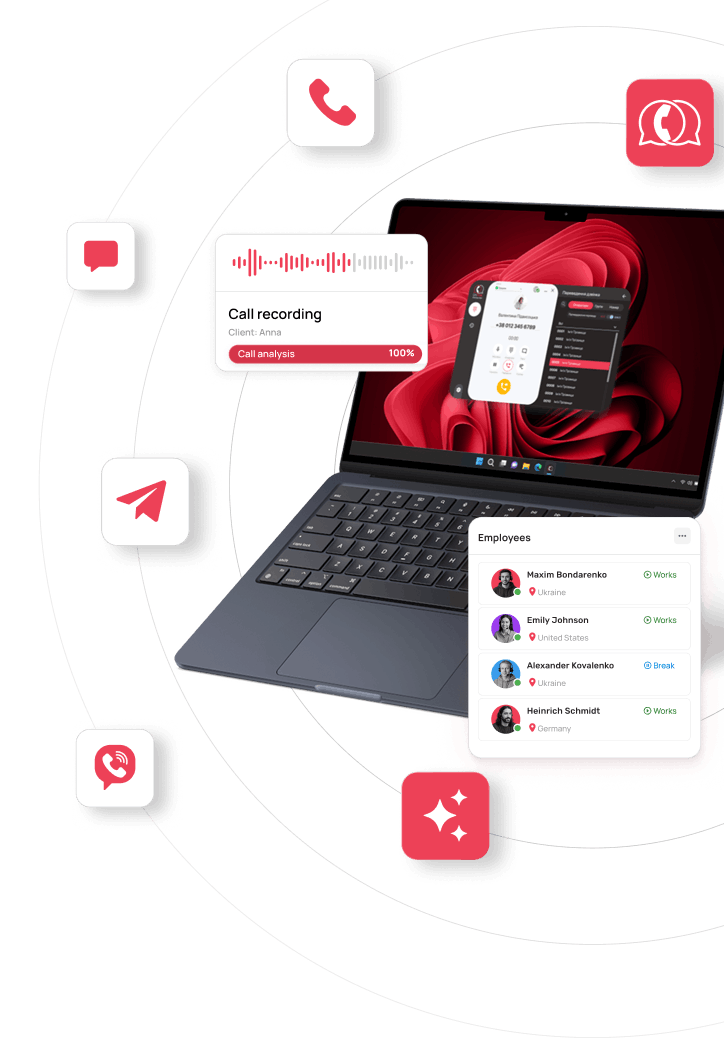
For the manager, it means quick access instead of switching between tabs. Calls and messages from Telegram, Viber, Instagram, the website, email, and SMS all run through the dialer or personal UniTalk account, and the CRM card links directly to the right channel, so the dialer is always within reach and there’s no need to remember where the client last wrote. The manager works from ready-made scenarios and templates instead of gathering requests manually across channels. If a client has already been recognized by a shared identifier (a phone number, email, or messenger ID), their history of past contacts is visible too, and Omni reliably feeds everything that happened into it: calls, chats, transcripts, and AI analytics results.
For the manager overseeing the team, it means control without manually checking every interaction. Dashboards show contact volume, response speed, and team workload. On Medium and Max, that’s joined by AI analytics for calls and chats: quality scores, topics, objections, without having to listen through every conversation.
For the CRM, it’s that same Omni integration, linking communication to deals, leads, and contacts in real time and feeding that data into the sales or marketing team’s ongoing work.
These three layers work together. Omni integration organizes the client relationship around a single logic, from the first call through to the deal in the CRM.
What this changes for CRM integrators
“Doing an integration” used to mean connecting telephony to the CRM and calling it done. Omni integration changes the task itself: now it means configuring business logic: event handlers, entity search conditions, custom fields, and API calls to the CRM through a webhook when the standard integration functionality isn’t enough.
That’s more involved than a simple connection. And it’s exactly why it opens up a new role for CRM integrators working with Omni: not installing a ready-made module, but building logic around a client’s specific business process.
What this changes for a business
For the integrator, Omni integration means a new engineering task. For the business using it, it’s a handful of things that used to quietly eat up the team’s time.
- Managers stop wasting time hunting for information across tabs and don’t need to ask clients to repeat themselves, because the context is always in the card.
- Growing the team or the client base doesn’t break the logic: new deals and contacts get handled through the same scenarios as the first ones.
- A new employee gets up to speed without weeks of “how does this work around here”: opening a client’s card shows the entire history.
- No conversation gets lost between channels or between employees, even when negotiations with a client stretch on for months.
What to do with this
UniTalk’s basic integration covers a standard sales or support cycle with no extra setup needed. Custom entities in the CRM, custom fields, or wanting to put AI analytics data to work in your own logic are all signs a business has outgrown basic integration and is ready for Omni. The difference between the two isn’t about which is better, it’s about how complex the logic needs to be right now.
Omni integration is a component of the broader UniTalk Omni solution, a communication management system that brings calls, chats, and messages from every channel into one place, with analytics and oversight for managers. Wherever a business process goes beyond standard logic, Omni integration keeps the CRM and communication connected at the level of real business needs, not just the fact that a call happened.