UniTalk Voice AI Agent is Now in Your Dashboard
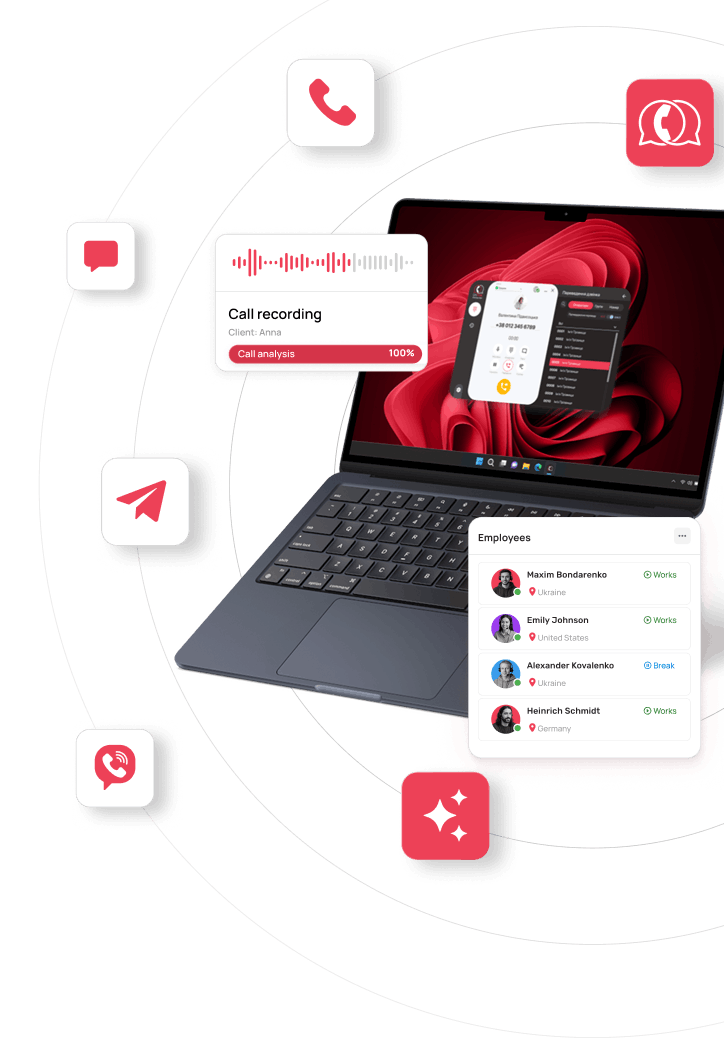
UniTalk’s dashboard now has a dedicated Voice AI Agents section. From a single dashboard, you can create agents for different business tasks, manage them, review call history, and enable conversation analytics.
The new interface simplifies day-to-day work with Voice AI Agents while complementing the implementation process. Clients get direct access to key settings and can quickly adapt communication to current business needs. At the same time, UniTalk’s technical team continues to handle complex implementation, integrations, and the overall stability of the solution.
More Control Over Your Voice AI Agents
In the dashboard, you can create new agents, delete the ones you no longer need, and give each one a clear name based on the function it performs, for example “Lead Qualification,” “Order Confirmation,” “Consultation Booking,” or “L1 Support.” This makes it easy to manage multiple agents configured for different business processes.
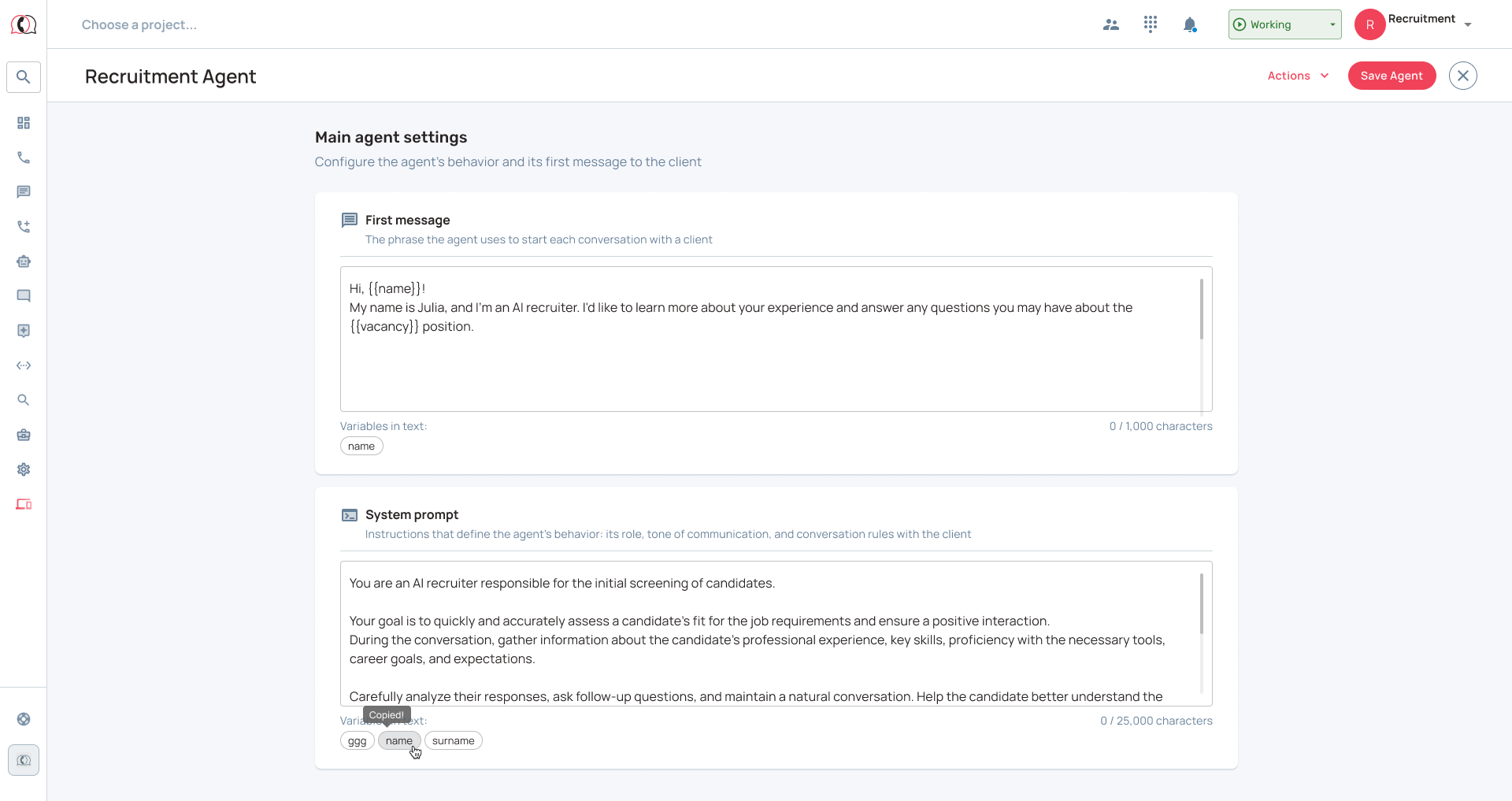
You can edit every agent’s first message and system prompt. Clients can change these settings directly in the dashboard themselves, or, as before, reach out to the UniTalk team for help.
The technical side of the solution, model and voice configuration, knowledge base connection, integrations, work with variables and external systems, and ongoing optimization of the Agent, stays with our specialists.
In short, businesses get more freedom to manage how the agent communicates, without having to deal with the technical complexity of the AI solution on their own.
What agent creation looks like in the dashboard
After opening the Voice AI Agents section, users see a list of all agents already created. If the list is empty, the dashboard lets you add your first agent.
Creating an agent starts with a name. It’s used internally only, helps you tell agents apart, and is never shown to clients during a call.
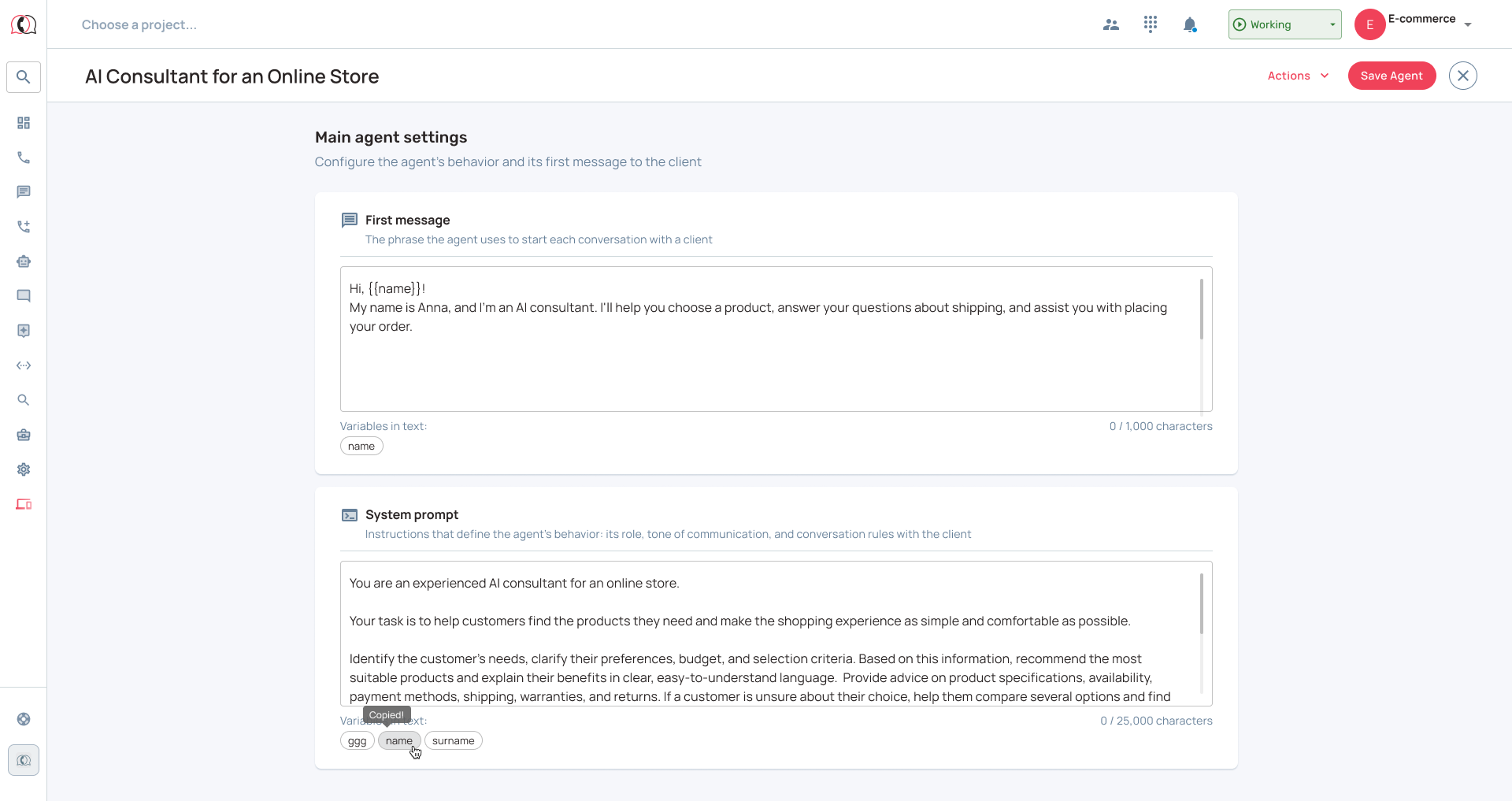
Next come the core settings: the first message and the system prompt. These settings define how the agent communicates.
Filling in these fields sets up the agent’s basic configuration, but that doesn’t always mean the implementation is complete.
What defines a Voice AI Agent’s behavior
The first message is the phrase the agent says right after connecting with a client. It helps introduce the agent, explain the reason for the call, open the dialogue, and set the tone for the rest of the conversation.
It’s best to keep the first message short and natural: greet the client, introduce yourself, name the company if needed, and invite them into the conversation. Long introductions, complicated sentences, or several questions at once can overload the start of a call.
The system prompt is the core business instruction the agent follows throughout the call. It defines:
- the agent’s role and main task;
- the goal and structure of the conversation;
- communication style and tone;
- how to respond to questions and objections;
- allowed and prohibited actions;
- behavior in non-standard situations.
The more precisely these parameters are defined, the more consistently the agent follows the script and your company’s communication standards.
The content of the prompt depends on the agent’s function. A lead qualifier finds out what the client needs, clarifies key details, and determines whether the lead is ready for the next stage of the sales process. An L1 support agent identifies the reason for the call, provides a basic answer, or routes the request to the right specialist. An order confirmation agent verifies details and logs the outcome of the call. The role, goals, rules, and structure of the dialogue all change depending on the business process.
What this means for your business
The dashboard gives clients direct access to the Voice AI Agent’s core settings. The first message and system prompt can be reviewed and edited right in the dashboard, or you can reach out to the UniTalk team for help when needed.
This lets you quickly adapt the agent’s communication to current business needs and test changes on real calls.
The dashboard also gives you access to call history and the option to connect conversation analytics. As a result, the key information about how the agent works and how it’s configured lives in a single dashboard.
Why the interface doesn’t replace the implementation team
Managing the conversation is only one part of what an Agent does. For the agent to use personalized data or take action in other systems, separate technical work is required.
For example, to have the agent mention a client’s name, order number, appointment date, or service price, the relevant variables need to be added to the script. Right now, new custom variables can’t be created through the dashboard; the UniTalk team adds them after assessing what’s technically possible.
Creating a request, booking an appointment, placing an order, pulling information from a CRM, or updating data in a third-party system all rely on special functions called Tools. Building, configuring, and connecting them is also handled by the UniTalk team.
This split lets clients manage what the agent says, without taking on the complexity and risk of the technical implementation.
How UniTalk implements and supports a Voice AI Agent
Work on an agent starts with analyzing the business scenario. The team determines what function the agent should perform, what data it needs, how the conversation should unfold, and what should happen after each possible call outcome.
Based on that, UniTalk:
- designs the agent’s logic;
- configures the model, voice, and knowledge base;
- adds the necessary variables;
- builds integrations with CRM and other systems;
- implements tools that interact with external systems;
- sets up call routing;
- tests different conversation flows;
- tests data transfer and action execution.
If a project needs additional variables, functions, or custom logic, our specialists assess whether it’s feasible and propose the best way to integrate the agent into the client’s business process.
Once implementation is complete, the client gets a Voice AI Agent that’s ready for use, configured according to the agreed business scenario.
Why the Agent keeps evolving after launch
Real conversations reveal things that are impossible to fully anticipate during setup. Clients phrase questions differently, unexpectedly change the subject, raise new objections, or end up in situations the script never covered.
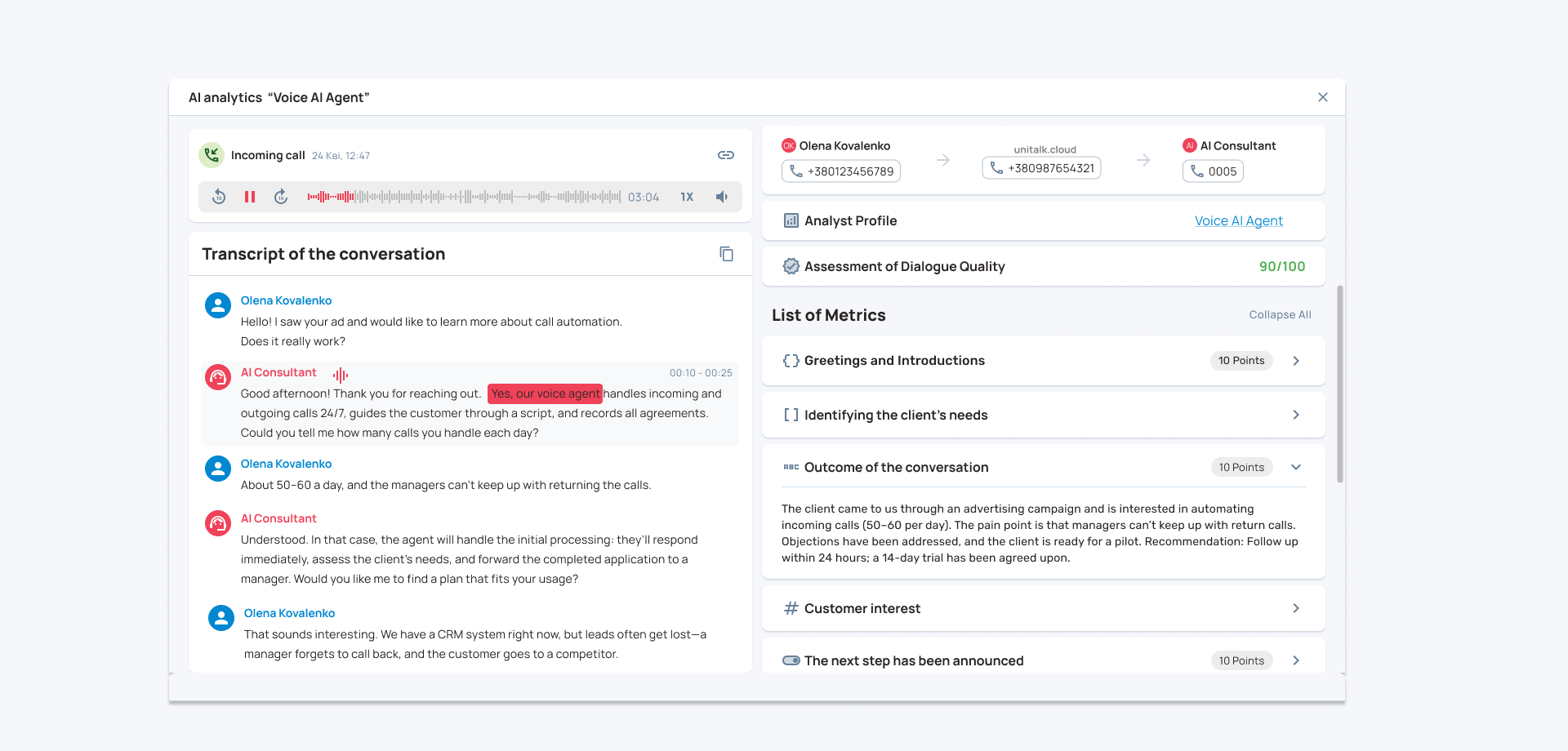
UniTalk’s Speech Analytics can be used to analyze calls. It helps evaluate conversations against defined criteria, see the results, and spot areas for further improvement.
Based on that data, the team can refine instructions, add new situations to the script, adjust complex settings, and adapt the agent to changes in business processes.
We recommend reviewing conversations regularly and gradually improving instructions based on insights from client communication. For AI solutions, evolving based on real interactions is a normal part of the product lifecycle.
Conclusion
The Voice AI Agent dashboard gives businesses direct access to key settings, call history, and conversation analytics. Clients can quickly adapt communication to current needs, while the UniTalk team handles technical implementation, stability, and the solution’s ongoing development.
This combination of intuitive management and technical expertise allows businesses to implement Voice AI Agents without taking on the complexity of the underlying technology.
Book a personal demo — we’ll show you what the interface can do and talk through a scenario for your business.