When a manager leaves, clients have to explain everything again
A client messages on Viber: “We agreed on Thursday delivery and the loyalty discount,” but the manager he made that deal with left the company last Friday. Her replacement opens the CRM and sees a name, a phone number, and the amount of the last order. There’s nothing about Thursday or the discount, so the client will have to explain it all again.
Phone numbers and the client database can stay with the company, but the context still walks out the door with the manager. Below we show how to organize communication so that a new manager can pick up where the previous one left off, without asking clients the same questions or hunting for agreements across different channels.
The numbers are safe, but clients still leave: what you lose when a manager quits
If your managers call from company numbers, those numbers stay with the company. We’ve already written about how to protect your client database when a manager leaves. But numbers alone aren’t enough for the next manager to continue the conversation from the same point.
What keeps a client with you is what the manager knows about them:
- the communication history across every channel, from calls to messenger chats;
- agreements on price, deadlines, or “I’ll call you after the holidays”;
- who makes the decision, what has already been offered, and why the client said no last time;
- questions the manager promised to answer “tomorrow”.
As long as all this lives in the manager’s head and in the notes on their phone, the client talks to your company as if for the first time once that manager is gone. A change of manager shouldn’t force a client to start over. If the history and agreements are saved, the new manager picks up from the same point.
The deals already in progress cost the most. The proposal was sent, the client was thinking it over, and you agreed to call after their meeting. The new manager doesn’t know about that call, so it never happens. The client waits a few days and buys from someone who keeps their promises. Try to recall how many deals like this your best manager is handling right now, and what they’re worth. If you can’t answer quickly, that information also lives only in their head.
The manager’s personal Telegram: the chats that leave with them
Businesses got used to recording calls long ago. Chats are harder. A manager replies from their personal Telegram because it’s faster, and Instagram Direct is open on their phone. When the employee leaves, the chats stay on their phone, and some conversations get cut off mid-sentence.
Say a manager has 40 open conversations. In their last two weeks they close half, but nobody is assigned to the remaining 20. Clients keep writing in the same chats, and some of them may never get a reply. If the team lead can’t see these conversations, they’ll learn about the problem from a client complaint.
Important. Check which accounts your team actually uses to reply to clients. If even one channel runs through a manager’s personal number, you’ll find out on the day they leave.
What has to stay with the company: the history of every channel, statuses, and agreements
A new manager should be able to understand any client without asking anyone. For that, your system needs at least:
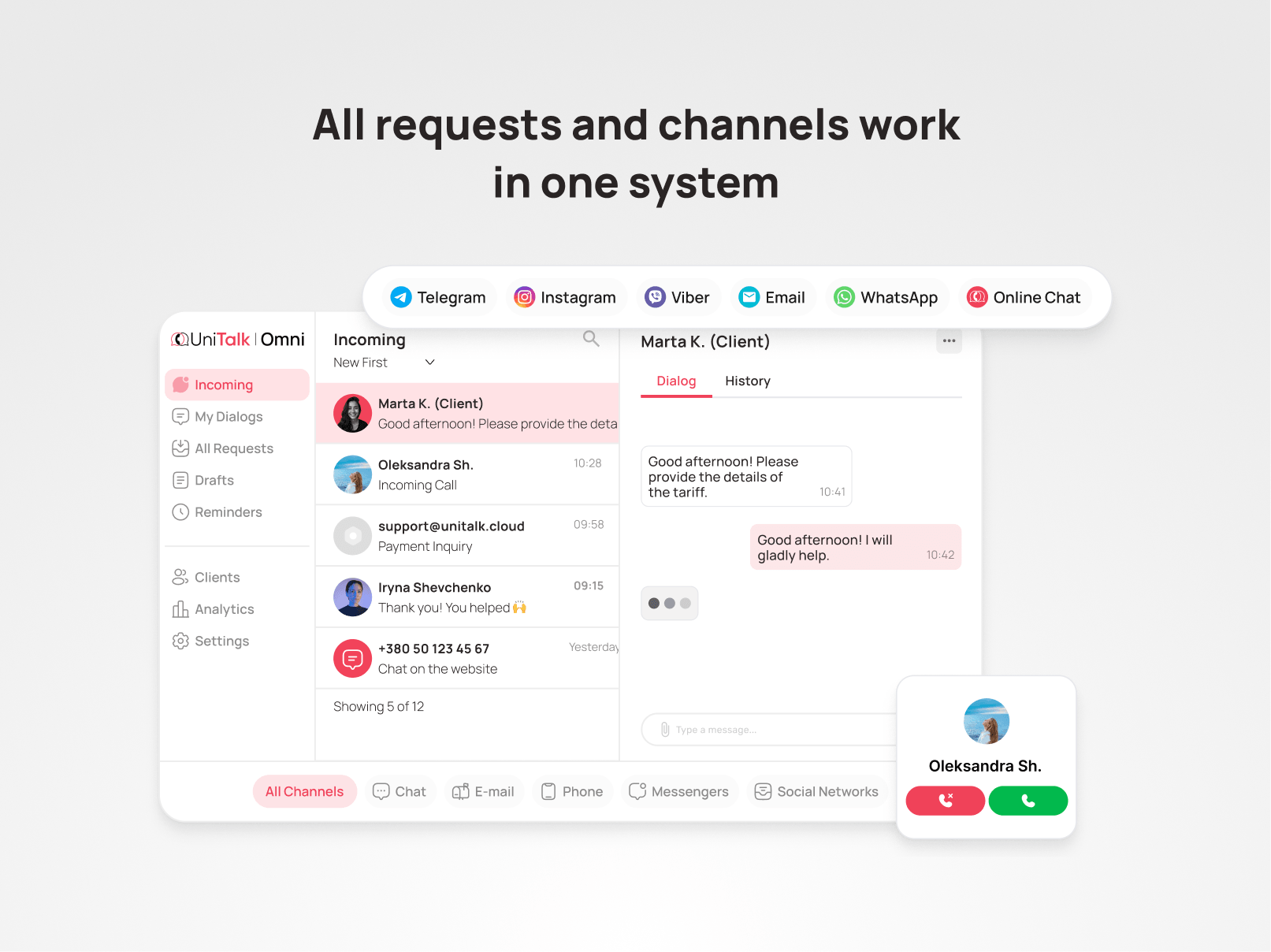
- the full client history in one window: calls, call recordings, and messages from Telegram, Viber, Instagram, email, and website chat;
- the status of every request: new, in progress, waiting for the client, closed;
- client agreements recorded in the CRM;
- who worked with the client and when the last contact was.
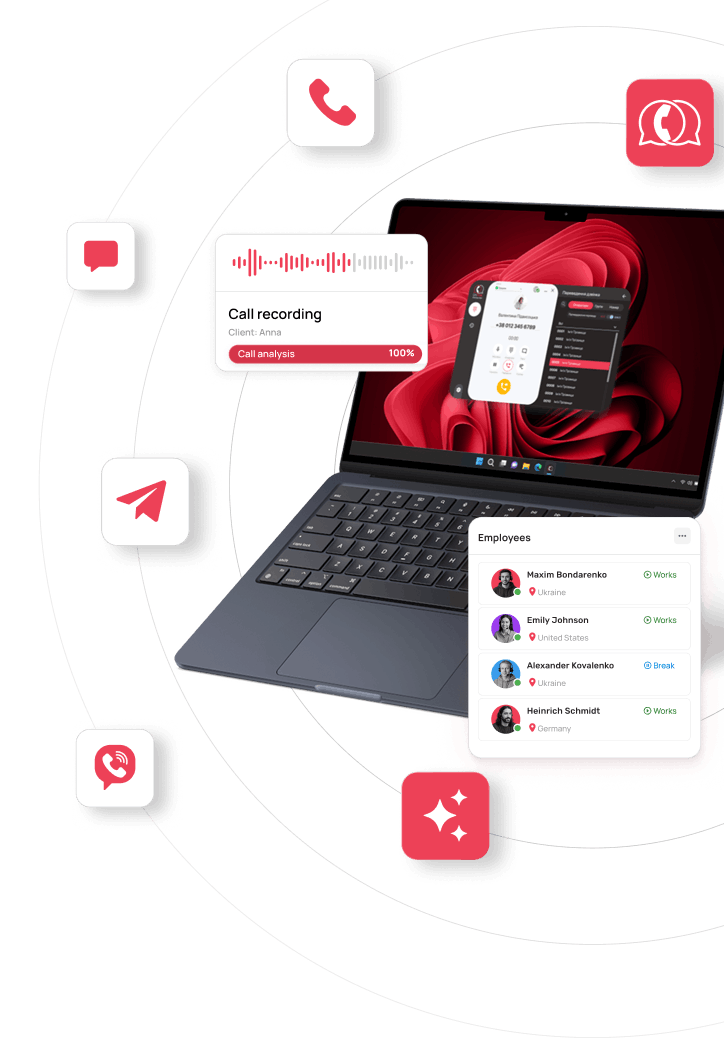
In UniTalk Omni, calls and chats arrive in a single workspace. Once a company connects its own business accounts (Telegram Bot, Viber Business, Instagram Business) to Omni, new conversations with clients happen inside the system. When a manager changes, their successor sees the history of these conversations and doesn’t need the previous manager’s personal account. Omni integrates with your CRM and sends call and chat data there in real time, so the communication history sits right next to the deal.
How to hand over requests to a new manager without losing anything
Without a system, the team lead usually sits with an Excel sheet, reassigns clients by hand, and asks the person leaving to “write up notes on each one”. Much of it never gets written, because in their last days that person has other priorities.
When all communication lives in one system, the handover takes four steps.
1. Reassign open requests
In Omni, you can move conversations to another manager along with their history. New requests are distributed by routing rules: the system decides who gets each message based on the channel, topic, language, or how busy each manager is. The team lead doesn’t have to remember who handles which client. We explained how to set up these rules in our article on request routing.
While the manager is still on the team, ask them to:
- update the status of every open request;
- add any agreements that aren’t there yet to the client card;
- flag clients who are expecting a call or a reply in the next few days.
2. Read the history before the first contact
Before writing to a client, the new manager looks through the client card: what was discussed, what was promised, where things stopped. It takes a few minutes, and the client doesn’t have to explain everything twice.
3. Reach out first, with context
“Hello! I’m taking care of your order from now on. I see you agreed on Thursday delivery, and I can confirm that.” One message like this is enough to keep the client from writing to the previous manager or to the support chat to ask “who am I talking to now?”.
4. Support the new manager in the first weeks
The first weeks are the hardest for a new manager: they’re still getting to know the clients and may not know every agreement. The team lead should stay close and notice early where help is needed:
- clients who wrote in and are still waiting for a reply;
- clients who went quiet after the manager changed: contact them first;
- difficult conversations where the new manager needs a hint or help from a more experienced colleague.
Every Omni plan includes a basic dashboard by manager: it shows request volume, handling speed, and each manager’s workload. The Medium and Max plans add AI analytics for calls and chats: the system scores conversations against your criteria and highlights the ones that need attention, so you don’t have to review every conversation by hand.
Tip. Prepare a template message about the change of manager in advance. Then you can send it on day one, before the client writes to the previous manager.
Standards built into the system: how a new manager can work “the right way” from week one
In many teams, the working standard depends on the most experienced manager. That’s who new hires go to with “how do we answer this one?”. When that colleague leaves, there’s no one left to ask.
In Omni, you can build that experience into the system itself:
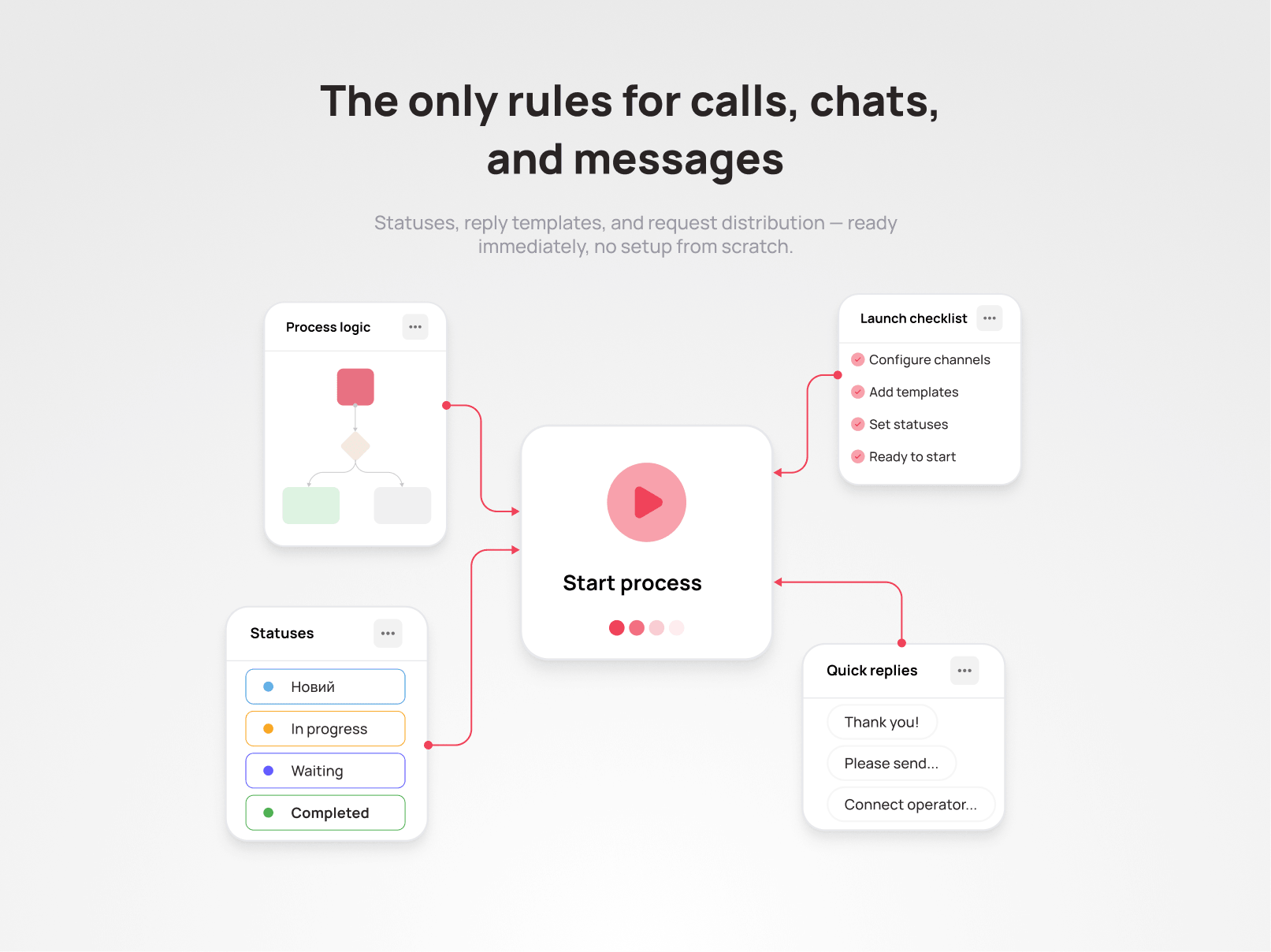
- scenarios for handling requests during and outside business hours;
- shared statuses, so everyone understands what stage a client is at;
- reply templates for common questions;
- ready-made presets for your industry, with metrics that make sense for it: “booked / not booked” for a clinic, “confirmed / declined” for an online store, “lead → consultation” for an online school.
A new manager sees only the tools they need right now, so the interface doesn’t overwhelm them in the first week. The Medium and Max plans also include the Prompter: a team lead can join a call and give the manager hints in real time without the client hearing. This way the team lead can support a new manager during their first conversations and suggest how to handle a tricky question.
Getting started doesn’t fall on the team lead either. The UniTalk onboarding team runs separate training for managers and for team leads, and supports the client personally during the first weeks.
Note. If you have two managers and all your clients call, company phone numbers will be enough at first. Manual handovers start to break down once clients write in several messengers and you have more managers than a team lead can keep track of.
What to do this week, even if no one is leaving
The worst day to set up handovers is the day a manager hands in their notice. So it’s better to start now, while everyone is still here:
- Check which channels run through managers’ personal accounts, and move them to company business accounts.
- Ask each manager to open three conversations currently in progress, and check whether a colleague could understand what’s going on without explanations.
- Record agreements with key clients in the CRM.
- Prepare a template message about a change of manager.
- Decide who picks up requests if a manager doesn’t come in tomorrow. For clients, a week of sick leave looks the same as a resignation.
You can do the first three by hand. Keeping them up every week is harder when you have ten managers and five channels: agreements end up in personal notes again, and someone is back to replying from their personal Telegram. This is where a system helps, because its rules work without reminders.
You don’t have to switch to a new system all at once. Omni can be rolled out gradually, starting with one department or channel, and your current work with clients doesn’t stop. If your team is ready to move right away, that’s fast too: at finmap.online, it took 1 to 2 days from request to the first calls, and moving the whole team took a few working hours.

Volodymyr Vdovyk
Sales Team Lead, finmap.online
“I can personally recommend UniTalk. I liked that it’s a young team that responds quickly to requests, especially during the switch.”
Read more about the switch in the case study.
Not sure how much context currently lives only in your managers’ heads? We’ll show you what it looks like in Omni on your own channels.